


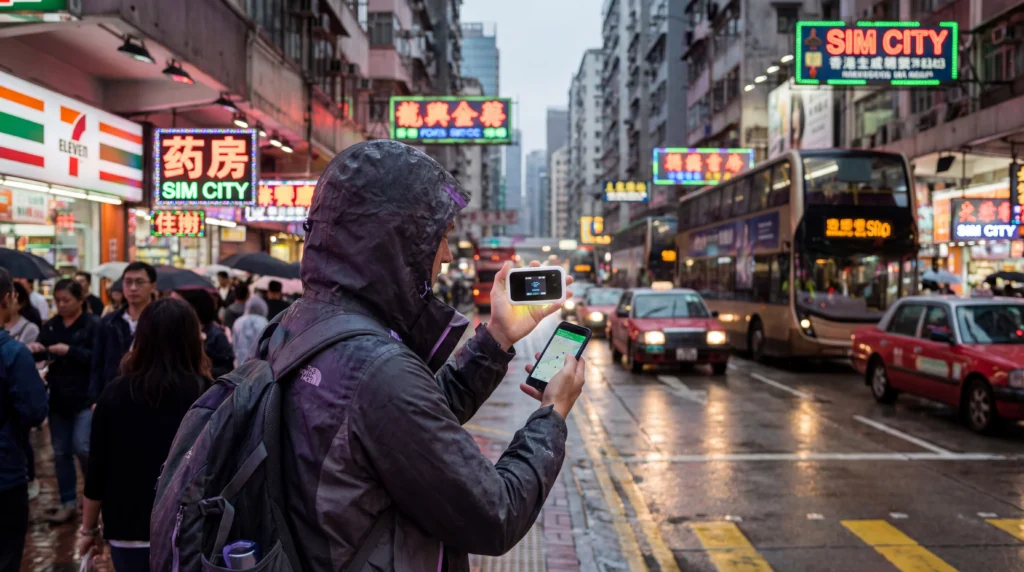

Pocket WiFi and eSIM both provide mobile internet in Hong Kong, but they suit different trips. An eSIM keeps connectivity on one compatible phone, while a pocket router can share one connection across several devices.
The practical decision depends on group size, battery management, collection and return logistics, hotspot needs and whether each traveller needs an independent connection.
NoveSIM travel eSIMs are data-only. We do not provide a Hong Kong number, conventional calls or SMS; internet calling and messaging apps use the data connection.
Quick answer: Choose an eSIM for one or two travellers who want data ready without carrying another device. Choose pocket WiFi for a group that will stay together and accepts charging, collection, return and loss responsibilities.
Top Hong Kong (Special Administrative Region of China) eSIMs

Hong Kong (Special Administrative Region of China) eSIM
Fixed
1 GB, 7 days€ 3.572 GB, 15 days€ 5.803 GB, 30 days€ 8.03Unlimited
Unlimited, 1 day€ 4.02Unlimited, 3 days€ 10.26Unlimited, 5 days€ 16.51
Pocket WiFi vs eSIM in Hong Kong
| Factor | eSIM | Pocket WiFi |
|---|---|---|
| Setup | Install digitally before travel | Collect or receive a router |
| Battery | Uses the phone battery | Router needs separate charging |
| Sharing | Hotspot if plan and phone allow | Designed for several devices |
| Independence | Stays with one phone | Group must remain near the router |
| Return risk | No physical return | Return deadlines and loss charges |
When an eSIM Is the Better Choice
An eSIM suits solo travellers, couples and short visits where immediate maps, transport apps and messaging matter. Review the current Hong Kong eSIM guide and verify the handset on the compatible-device list.
Hotspot availability depends on the plan, phone and local network. Confirm tethering before assuming one eSIM can replace a group router.
When Pocket WiFi Makes Sense
A router can suit families or work groups carrying several WiFi-only devices. Calculate the total rental, deposit, insurance, collection and return costs—not only the daily headline price.
The group loses connectivity when it separates or the router battery runs out. Keep pickup instructions, the return location and booking number offline.
Set Up an eSIM for Hong Kong
- Install the profile on stable private WiFi before departure.
- Label the primary and travel lines.
- After arrival, select the eSIM for Mobile Data.
- Enable Data Roaming when the plan requires it.
- Disable roaming and automatic switching on the home SIM.
If data fails, follow the connected-without-internet guide. Use APN data.esim only when required, and do not delete the profile unless Support instructs you.
Related Articles
- Hong Kong eSIM guide
- Best SIM card for Hong Kong
- Mobile internet in Hong Kong
- Local SIM vs eSIM in Hong Kong
FAQ
Is an eSIM cheaper than pocket WiFi in Hong Kong?
It often is for one traveller, but compare the full plan with rental, deposit, insurance and return costs.
Can several people use one eSIM?
Only through hotspot sharing when the plan and phone permit it.
Does pocket WiFi work when the group separates?
Only devices close to the router remain connected.
Does a NoveSIM eSIM include calls?
No. It is data-only, without a local number, conventional calls or SMS.
Final Recommendation
Choose an eSIM in Hong Kong for simple individual connectivity without rental logistics.
Choose pocket WiFi when several devices must share data and the group will remain together.
Compare total cost, battery dependence and return risk before deciding.