


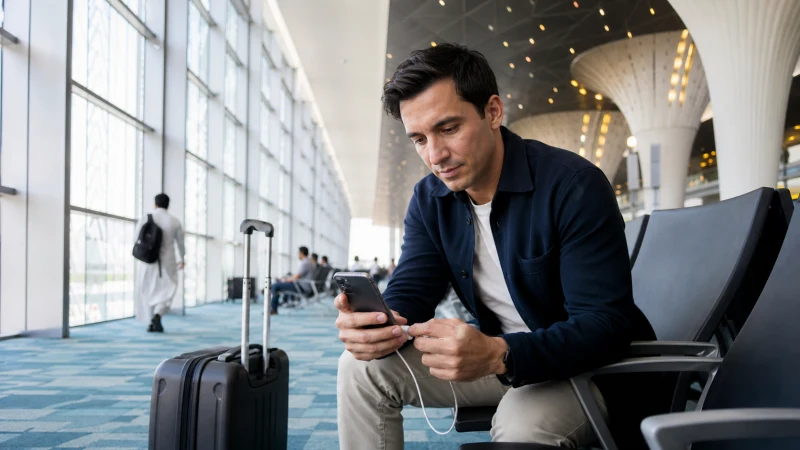

Tashkent International Airport Wi-Fi can help with a first message or booking check after landing, but it should not be your only plan for reaching the city. Public networks can require a browser sign-in, become busy or disconnect when you leave the terminal.
Prepare the hotel address, transfer instructions and essential documents offline before the flight. For continuous data outside the airport, use home roaming, a local SIM or an Uzbekistan travel eSIM.
NoveSIM travel eSIMs are data-only. We do not provide an Uzbek phone number, ordinary voice calls or SMS, although internet calling, messaging and taxi apps can use the data connection.
Quick answer: At Tashkent Airport, choose the official network shown by airport signage, open a normal browser page if the login screen does not appear and avoid entering sensitive information on public Wi-Fi. Install an Uzbekistan eSIM before departure if you need maps and transport as soon as you leave arrivals.
Top Uzbekistan eSIMs

Uzbekistan eSIM
Fixed
1 GB, 7 days€ 2.662 GB, 15 days€ 3.553 GB, 30 days€ 4.44Unlimited
Unlimited, 1 day€ 2.66Unlimited, 3 days€ 5.32Unlimited, 5 days€ 7.99
What can airport Wi-Fi help you do?
A terminal connection is useful for sending an arrival message, checking a hotel confirmation or retrieving a saved booking. It is less suitable as the only connection for a late arrival, because the service ends outside the terminal and conditions can change without notice.
Before flying, save:
- the accommodation name and address in Latin and, when supplied, local script;
- the driver’s name, meeting point and telephone number;
- a screenshot of the booking and terminal information;
- an offline map covering the airport and central Tashkent;
- the eSIM installation details without exposing the activation code.
How to connect safely at Tashkent Airport
- Check airport signage or ask the information desk for the current official network name.
- Turn Wi-Fi on and select that network rather than a similarly named hotspot.
- Wait for the captive portal to open.
- If it does not appear, open a browser and visit an ordinary non-sensitive webpage.
- Complete only the information required by the official portal.
- Test the connection with a simple message before opening a booking or transport app.
A portal may request verification or acceptance of terms. The method and access conditions can change, so do not rely on an old screenshot of the sign-in process.
What if the Wi-Fi login page does not appear?
Captive portals often fail because the phone is still using mobile data, a VPN or a privacy feature that prevents the redirect. Try these reversible checks:
- Turn mobile data off temporarily.
- Disconnect from the network and join it again.
- Pause the VPN until the portal has completed, then reconnect it.
- Open a fresh browser tab instead of refreshing a cached secure page.
- Forget the network and reconnect if the session remains stuck.
- Ask airport staff to confirm that the service is operating.
Do not install an unknown configuration profile or security certificate merely to obtain free access.
Is airport Wi-Fi safe for travel tasks?
Treat any public hotspot as a shared network. It is reasonable for checking a non-sensitive message or public information, but delay banking, password changes and confidential work when possible. Confirm the network name and keep file sharing disabled.
If you must use a sensitive service, prefer your own mobile-data connection. A preinstalled eSIM creates a more predictable transition from baggage reclaim to the city, without depending on the terminal portal.
How can you have data after leaving the terminal?
| Option | Useful when | Check before relying on it |
|---|---|---|
| Travel eSIM | You want data ready without a shop visit | Phone compatibility, lock status and plan coverage |
| Local SIM | You need an Uzbek number or local service | Registration, outlet hours and current package terms |
| Home roaming | Your carrier offers an acceptable Uzbekistan pass | Daily charge, allowance and overage rules |
| Airport Wi-Fi | You need brief access inside the terminal | Portal availability and the loss of service outside |
The Tashkent Airport internet guide compares these arrival options, while the Uzbekistan mobile-internet guide covers the rest of the trip.
How to prepare an eSIM for arrival
Install the profile over reliable private Wi-Fi before travelling when the plan instructions allow. Label it “Uzbekistan” and retain the order information offline. After landing, switch the line on, select it for mobile data and enable Data Roaming on that travel line.
Keep roaming disabled on the primary SIM if you want to avoid accidental home-carrier data charges. The Uzbekistan eSIM installation guide explains the setup, and the Uzbekistan data guide helps choose an allowance for maps, messaging and onward rail travel.
What if mobile data does not work after landing?
- Confirm that the Uzbekistan eSIM is switched on.
- Select it as the mobile-data line.
- Enable Data Roaming on the travel line.
- Turn automatic data switching off.
- Leave network selection on Automatic and wait for registration.
- Toggle Airplane Mode, restart the phone and test a webpage.
If manual NoveSIM APN entry is required, use data.esim. Do not delete the installed profile unless NoveSIM Support tells you to do so; an activation code may not be reusable. Continue with the Uzbekistan troubleshooting guide if general data remains unavailable.
Related Articles
- Best eSIM for Uzbekistan travel
- Buying a SIM card at Tashkent Airport
- Internet from Tashkent Airport to the city
- Mobile networks in Uzbekistan
FAQ
Is Wi-Fi available at Tashkent Airport?
Airport Wi-Fi may provide access inside the terminal, but the network name, portal and conditions can change. Confirm the official network on current airport signage or with the information desk.
Why will the airport Wi-Fi not open its login page?
Mobile data, a VPN or a cached secure page may block the redirect. Temporarily disable mobile data, reconnect and open a fresh ordinary webpage.
Will Tashkent Airport Wi-Fi work in the taxi?
No. Terminal Wi-Fi normally ends as you leave the airport. Use mobile data or save the route and pickup details offline.
Can a travel eSIM receive an Uzbek verification SMS?
No. NoveSIM travel eSIMs are data-only and do not provide a local number or standard SMS.
Final Recommendation
Use Tashkent Airport Wi-Fi as a short arrival tool, not as the only connection for the transfer into the city.
Save the address and pickup instructions offline, verify the official hotspot name and avoid sensitive activity on the shared network.
For continuous access, prepare a compatible eSIM before departure and test mobile data before leaving the terminal without deleting the installed profile during troubleshooting.