


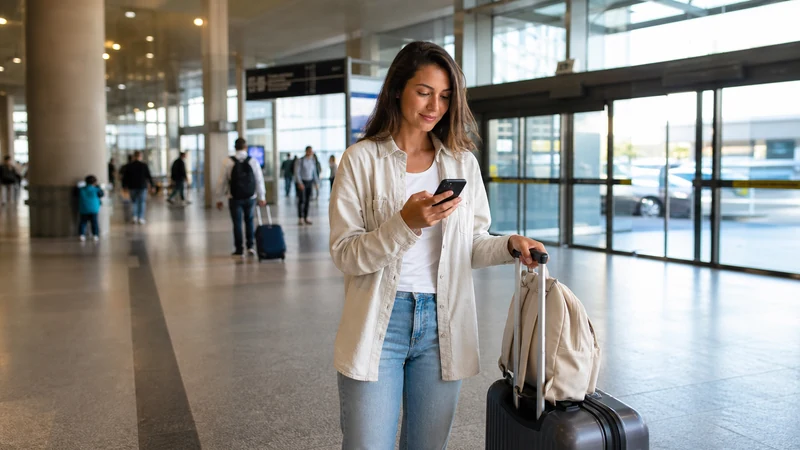

Internet at São Paulo–Guarulhos International Airport (GRU) is available through the airport’s Wi-Fi, mobile data from an already-installed eSIM, home roaming or a physical SIM bought after arrival.
The official GRU passenger page currently says the airport offers four free hours of Wi-Fi in two sessions and identifies the network as .GRU WIFI. Verify that name on current terminal signage because Wi-Fi conditions can change.
If you need maps or ride-hailing as soon as you leave the terminal, mobile data is more useful than a connection that ends at the airport.
Quick answer: Use the official .GRU WIFI network for arrival tasks inside the terminal. For the onward journey, install a Brazil eSIM before departure, then select it for mobile data and enable Data Roaming after landing.
Top Brazil eSIMs

Brazil eSIM
Fixed
1 GB, 7 days€ 4.402 GB, 15 days€ 7.053 GB, 30 days€ 9.25Unlimited
Unlimited, 1 day€ 4.84Unlimited, 3 days€ 11.45Unlimited, 5 days€ 18.05
How to Use the Official GRU Airport Wi-Fi
- Open Wi-Fi settings and check the network name against airport signage.
- Select .GRU WIFI.
- Follow the current Boingo landing-page instructions and choose the free option.
- Keep the browser page open until the connection completes.
GRU’s current information describes four complimentary hours, divided into two two-hour sessions, across airport areas. Treat that as a current service description rather than a permanent promise. If the portal does not appear, disconnect and reconnect, temporarily disable mobile data or a VPN, and open a normal webpage to trigger it.
Wi-Fi, eSIM or Airport SIM?
| Option | Useful when | Limitation |
|---|---|---|
| GRU Wi-Fi | You need messages, bookings or setup inside the terminal | Does not continue after you leave |
| Travel eSIM | You want data ready for the transfer | Must have an unlocked compatible phone |
| Physical SIM | You need a Brazilian number | Availability, shop hours and registration can vary |
| Home roaming | Your carrier includes Brazil at an acceptable price | May involve daily fees or low data caps |
Do not depend on an airport shop being open for a late arrival or tight connection. If a physical SIM is essential, verify the seller, package and current registration requirements before paying. A travel eSIM can be prepared earlier through the Brazil eSIM page.
Activate Mobile Data After Landing
- Turn on the installed Brazil eSIM.
- Select it under Mobile Data or Cellular Data.
- Enable Data Roaming on the travel line.
- Disable automatic data switching to the primary SIM.
- Leave network selection on Automatic and wait for registration.
Installation and connection are not the same event. The eSIM may already appear in the phone before it reaches a supported Brazilian network. If the line shows signal but no internet, check the order instructions and enter data.esim only when a manual APN is required.
Internet for the Trip from GRU to São Paulo
Keep the accommodation address, booking reference and route available offline before leaving arrivals. Mobile data is useful for live traffic, ride confirmation, train or bus information and contacting the host, but tunnel, indoor and route conditions can interrupt service briefly.
Guarulhos Airport is outside central São Paulo, and transfer time varies sharply with traffic and destination. Do not quote a fixed journey duration as a connectivity guarantee. Download the relevant map area and take a screenshot of the final address even when mobile data is working.
Safe Airport Wi-Fi Use
A familiar-looking hotspot name is not proof that it belongs to the airport. Confirm the SSID on signage, avoid sensitive account changes on an unverified network and remove the network from the phone after use if you do not want automatic reconnection.
Use HTTPS and, if available, a trusted VPN. Never share the eSIM QR code or activation details. They are credentials, not documents to upload to an airport portal or send to an unofficial “support” account.
If the Brazil eSIM Does Not Connect at GRU
- Confirm the eSIM is on and selected for data.
- Check that Data Roaming is enabled on that line.
- Toggle Airplane Mode for 30 seconds and wait.
- Restart the phone if nothing changes.
- Use manual network selection only for a partner supported by the exact plan.
- Contact NoveSIM Support with the order number, model and safe screenshots.
Do not delete the eSIM. A one-use installation code may not reinstall, turning a settings issue into a recovery case. Use the full Brazil troubleshooting guide for reversible checks.
Prepare Arrival Information Before the Flight
Save the full accommodation address, booking reference, host contact and chosen transfer option offline. São Paulo has many similarly named properties and streets, so a hotel name alone may be insufficient. Include the postal address and, where available, a map pin.
Keep the airline itinerary and onward ticket accessible without an app refresh. If another flight follows, record the terminal and booking reference but verify the gate on official displays after arrival because assignments can change.
What to Do When the Wi-Fi Portal Does Not Open
- Confirm that the phone joined .GRU WIFI.
- Turn mobile data off temporarily so the browser uses Wi-Fi.
- Open an ordinary non-sensitive webpage to trigger the portal.
- Pause a VPN only if doing so is safe, then reconnect it after access.
- Forget the network and join again if the portal remains stuck.
- Ask airport staff for the current official access process.
Do not install an unknown certificate, app or configuration profile merely to gain free Wi-Fi. A legitimate captive portal should not need the eSIM QR code, activation code or full payment credentials for the advertised complimentary option.
Can You Rely on Buying a SIM at GRU?
Retail tenants, stock, packages, registration procedures and opening hours can change. A traveller arriving late or connecting quickly should not make the onward journey depend on finding a particular SIM seller. Verify the airport’s current directory and the operator’s identification requirements before relying on an in-person purchase.
A local SIM is most relevant when a Brazilian number is essential. For ordinary tourist data, an eSIM prepared before departure avoids the physical swap and store visit. Compare both choices in Best SIM Card for Brazil.
Using Dual SIM After Landing
Set Brazil as the mobile-data line, enable Data Roaming on it and disable automatic switching. Keep home-line Data Roaming off unless you intentionally use the home carrier. Calls, voicemail and SMS on the primary line can follow separate roaming prices.
WhatsApp and other internet apps can normally remain registered to the existing number while using Brazil eSIM data. Review Brazil dual-SIM settings before landing rather than changing several lines at the arrivals hall.
How Much Data Is Needed for Arrival?
Maps, messages, ride confirmation and booking checks use far less data than streaming or cloud photo backup. A small allowance can cover an airport transfer, but choose the plan for the whole Brazil itinerary. Count the departure day and any delays when checking validity.
Pause app updates and photo backup before leaving GRU. Use How Much Data for Brazil for trip-length examples and verify hotspot or fair-use rules on the exact plan.
GRU During a Stopover
An airside connection, terminal change and city visit have different risks. Airport Wi-Fi may be enough for a short airside wait, but an eSIM is useful for terminal movement or any landside journey. Check when the plan activates before switching it on for only a few hours.
Leaving the airport requires more than an internet connection: immigration, baggage, traffic and the return security process determine whether the visit is realistic. Use the São Paulo stopover guide to plan conservatively.
Coverage Inside and Outside the Terminal
Large airport buildings can weaken or reshape mobile signal. Move away from a deep gate area or enclosed arrivals space before diagnosing No Service. Once outside, the phone may register differently as the radio environment changes.
Keep network selection on Automatic. If registration repeatedly fails, test only a partner supported by the exact product. A visible operator is not necessarily authorised, and forcing one network at GRU can cause problems later in another city.
Protect the Phone and eSIM Credentials
Use a strong screen lock, keep the device physically controlled and never display the eSIM QR code in a public seating area. It is an installation credential, not a document for airport staff or transport providers.
If support is needed, send the order number, exact phone model, location and safe settings screenshots through the official channel. Hide activation codes and personal details. Keep the profile installed while the case is reviewed.
Related Articles
- Brazil eSIM plans
- Mobile internet in Brazil
- Internet in São Paulo for tourists
- Best SIM card for Brazil
- Install an eSIM for Brazil
- Brazil eSIM for a São Paulo stopover
- Activate a Brazil eSIM
- Brazil dual-SIM settings
- Brazil APN settings
- Manual network selection
- Brazil eSIM coverage
- How much data for Brazil
- eSIM-compatible devices
FAQ
Does São Paulo Guarulhos Airport have free Wi-Fi?
Yes. The current official GRU page describes four free hours in two sessions on the .GRU WIFI network. Confirm the service and network name on airport signage when you arrive.
Can I install a Brazil eSIM using GRU Wi-Fi?
You can use dependable Wi-Fi for installation, but installing before departure is safer because you have more time to resolve compatibility or QR-code issues.
Can I buy a SIM card at Guarulhos Airport?
Retail availability and opening hours can change. If you need a physical SIM, verify the current airport directory and registration requirements; keep Wi-Fi or roaming as an arrival backup.
What should I do if my eSIM does not work at GRU?
Select it for mobile data, enable Data Roaming, disable data switching and toggle Airplane Mode. Use data.esim only if a manual APN is required, and do not delete the profile.
Final Recommendation
Install your Brazil eSIM before flying and save the address and transfer plan offline. At GRU, use the official .GRU WIFI network for terminal tasks, then switch to the eSIM for the journey into São Paulo.
Verify network names and current airport conditions locally, protect the QR code, and troubleshoot with reversible settings rather than deleting the eSIM.
If you plan to buy a physical SIM or leave the airport during a stopover, verify current availability and timing separately. Do not let a shop, captive portal or live map become the only way to complete the onward journey.