


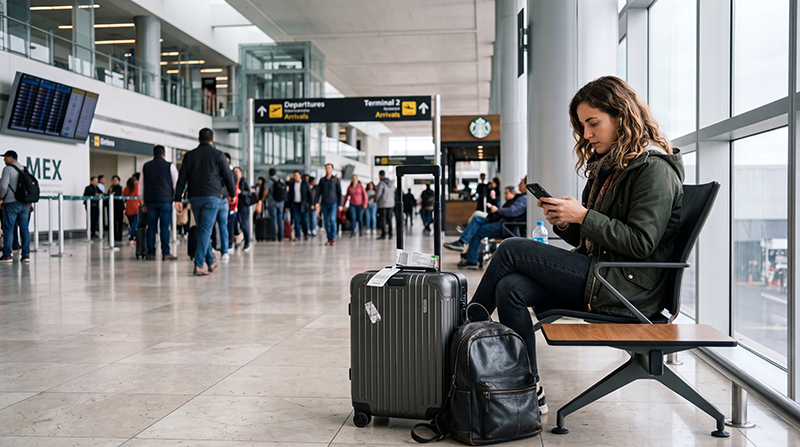

Yes, Mexico City International Airport (MEX) has free Wi-Fi in both terminals. Look for #AICM_FREE_WIFI, then confirm the name on airport signage or with staff before joining.
You can use it to message your hotel, check a flight or review transfer instructions. Save those details on your device before leaving the terminal so you can still find them if the connection drops.
If you also need mobile data for the journey into the city, NoveSIM offers prepaid, data-only travel eSIMs. They do not include a Mexican number, conventional calls or carrier SMS.
Quick answer: Join the verified airport network and follow the access screen. Open a small webpage to check that you are online. AICM says you need to accept the conditions again after two hours to continue using the service.
Top Mexico eSIMs

Mexico eSIM
Fixed
1 GB, 7 days€ 3.552 GB, 15 days€ 5.333 GB, 30 days€ 7.10Unlimited
Unlimited, 1 day€ 3.55Unlimited, 3 days€ 8.43Unlimited, 5 days€ 13.31
North America eSIM
Fixed
1 GB, 7 days€ 3.992 GB, 15 days€ 7.103 GB, 30 days€ 9.76Unlimited
Unlimited, 1 day€ 5.77Unlimited, 3 days€ 15.09Unlimited, 5 days€ 24.85Central America eSIM
Fixed
1 GB, 7 days€ 7.102 GB, 15 days€ 11.543 GB, 30 days€ 15.53Unlimited
Unlimited, 1 day€ 6.66Unlimited, 3 days€ 16.42Unlimited, 5 days€ 26.18How to Connect to Free Wi-Fi at MEX
- Open your device’s Wi-Fi settings.
- Select #AICM_FREE_WIFI after checking the name against official signage.
- Follow any access instructions and review the conditions shown.
- Open a small webpage, then try the message or booking you need.
The airport’s official announcement confirms the network name, service in both terminals and renewed acceptance after two hours. Follow current instructions on site if the access screen differs.
If a page unexpectedly asks for payment-card details, an email password or an eSIM activation code, stop and ask airport staff. Do not bypass a browser security warning to get connected.
If the Wi-Fi Does Not Work
| Problem | What to try |
|---|---|
| You cannot see the network | Turn Wi-Fi on, confirm the current name with staff and try another nearby public seating area. |
| The access page does not open | Reconnect to the verified network and open a normal, non-sensitive browser page. If needed, forget that network and join it again. |
| You are connected, but nothing loads | Check for unfinished access instructions and try a second small webpage. If both fail, ask staff whether the service is available. |
| A working connection stops | Check whether you need to accept the conditions again, particularly after two hours. Reconnect if prompted. |
| Only one app fails | Try a webpage and another app. If they work, check the affected app’s permissions or service status before changing network settings. |
A Wi-Fi symbol shows that you joined a wireless network; it does not always mean internet access is working. Test before relying on the connection for your transfer.
If a personal VPN or custom DNS setting seems to prevent the access page opening, make a brief comparison only if you are permitted to change it. Record the original setting, test one change at a time and restore it afterwards. Do not disable required work or school protections; use another connection or ask your IT team instead.
Changing a mobile-data APN will not repair airport Wi-Fi. If the terminal service remains unavailable, use your saved details or another suitable connection rather than repeatedly changing unrelated settings.
Before Leaving for Your Hotel or Next Flight
- Save the full accommodation address and check-in instructions.
- Keep the transfer booking, contact details and current meeting point available offline.
- Download a suitable map area and check that it opens without internet.
- Keep tickets and boarding documents in the format accepted by the issuer; a screenshot is not valid for every service.
For a connecting flight, recheck the airline’s information and airport displays. Gates and terminals can change. For a booked transfer, follow the provider’s current pickup instructions rather than assuming an app-based car can collect you at any terminal door.
Internet After You Leave the Airport
Airport Wi-Fi will not travel with you into Mexico City. Check whether your home plan already includes suitable Mexico roaming before buying another service. Review its data allowance and any separate call, SMS or daily-pass charges.
If you need a separate data allowance, compare NoveSIM Mexico eSIM plans. Check your exact device, coverage, data and validity, including what starts the countdown. Install over reliable internet when the purchased instructions permit; do not assume every plan should be installed before the flight.
The MEX eSIM arrival guide explains how to select the travel-data line, apply the supplied roaming settings and test it before leaving. Briefly turn Wi-Fi off for that test so you know which connection is working.
If you need a Mexican number or a local offer, use the airport SIM-card guide and confirm the seller’s current availability, registration requirements and included services.
Related Articles
FAQ
What is the free Wi-Fi network called at Mexico City Airport?
AICM identifies it as #AICM_FREE_WIFI. Confirm the current name on official signage or with airport staff before joining.
Is there a two-hour limit?
The airport says you can continue after two hours by accepting the conditions again. Follow the current access screen.
Can I install an eSIM using airport Wi-Fi?
A working connection can support the profile download. Check compatibility and the purchased plan’s installation timing first. Keep transfer details offline in case setup takes longer than expected.
Final Recommendation
Use the verified airport network for the arrival tasks you need, and test that it works before depending on it.
If access fails, follow the check for that specific symptom. Keep any temporarily changed personal protection restored afterwards.
Save your transfer details and prepare a suitable connection for the journey beyond MEX. If mobile data also fails, keep the eSIM installed unless NoveSIM Support instructs you to delete it.