


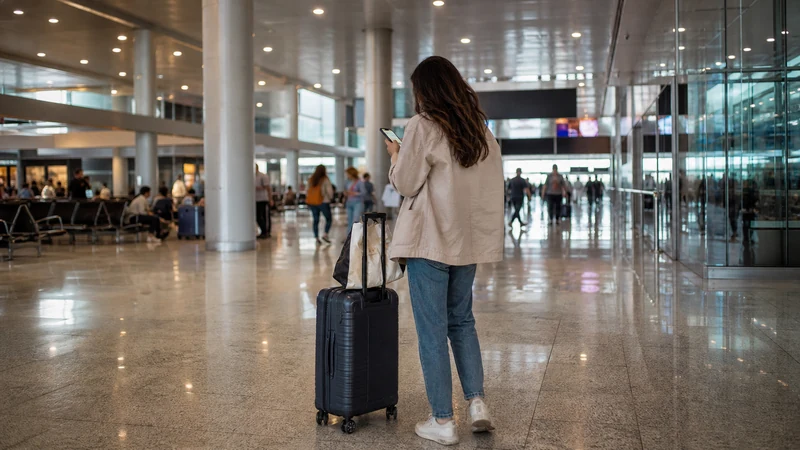

Malta International Airport (MLA) offers free Wi-Fi with no time limit, according to its official Wi-Fi FAQ. Use it to retrieve a booking, contact accommodation or check an onward route inside the terminal. It is not a substitute for mobile data after leaving for Valletta, Sliema, St Julian’s or Gozo.
Quick answer: Yes, Malta Airport has free Wi-Fi with no time limit. Confirm the official network through current signage or staff and complete any sign-in page shown. Save your first route offline and prepare a mobile connection for the journey beyond the terminal.
Top eSIMs

Find the official airport network
Wi-Fi names and access procedures can change, so verify the network at the airport rather than relying on an old screenshot. Avoid similarly named open hotspots, especially when the phone displays a security or certificate warning.
After connecting, open a browser if the sign-in page does not appear automatically. Accept only the terms shown on the official portal. Do not install an unexpected configuration profile or share an eSIM QR code to gain access.
If the login page does not open
- Turn Wi-Fi off and on.
- Forget the network, then reconnect.
- Open a normal webpage to trigger the captive portal.
- Temporarily pause a VPN or private relay if it blocks the portal.
- Ask airport staff to confirm the current network and access method.
Once connected, test a lightweight webpage rather than assuming that the Wi-Fi icon means internet access is working.
Use airport Wi-Fi for the right tasks
Airport Wi-Fi is useful for sending an arrival message, opening a hotel confirmation, checking a bus timetable or retrieving transfer instructions. Avoid large updates and cloud backups, which can be slow and unnecessary during the arrival process.
For sensitive work, payments or account changes, use a trusted mobile connection when possible. If public Wi-Fi is necessary, confirm the network, keep the device updated and disconnect after completing the task.
Prepare the onward route before leaving MLA
The Wi-Fi signal will not continue onto a bus, taxi or ferry connection. Save the accommodation address, booking reference and first route as screenshots. Download the relevant Malta map area and keep one contact number available outside a messaging app. See our guide to using Google Maps in Malta for navigation preparation.
If the journey continues to Gozo or Comino, save ferry or excursion details before departure. Timetables and meeting points can change, but an offline copy preserves the information you were given.
Switch to a travel eSIM after arrival
NoveSIM Malta plans provide mobile data without a Maltese number, ordinary calls or carrier SMS. Install the profile before travel on reliable private Wi-Fi when the activation instructions allow it.
After landing, enable the eSIM, select it for Mobile Data and turn on Data Roaming for that line when required. Keep roaming off on the primary SIM and disable automatic data switching. If manual APN entry is required, use data.esim with blank username and password.
Compare airport Wi-Fi with other options
| Option | Best use | Limitation |
|---|---|---|
| Airport Wi-Fi | Short tasks inside the terminal | Ends when you leave and may require a portal |
| Travel eSIM | Prepared mobile data across Malta | Needs an unlocked compatible phone |
| Local prepaid SIM | Travellers needing a Maltese number | Requires purchase and any applicable registration |
| Home roaming | Tariffs that clearly include Malta | Fair-use and non-EU operator conditions vary |
Keep the home SIM protected
Travellers with eligible EU/EEA tariffs may have roam-like-at-home access in Malta, but fair-use limits still apply. Other visitors should check Malta by name in their carrier’s current country list.
Even when a travel eSIM supplies data, conventional calls, SMS and voicemail remain with the primary operator and may be charged. Turning off home-line Data Roaming prevents mobile data use but does not define the price of those other services.
Related Articles
- Ways to get internet in Malta
- SIM card at Malta Airport
- Best SIM card for Malta
- Roaming charges in Malta
FAQ
Does Malta International Airport have Wi-Fi?
Yes. The airport confirms that its Wi-Fi is free and has no time limit. Check airport signage or ask staff for the current official network and access procedure.
Why will the airport Wi-Fi portal not open?
Reconnect, open a browser and temporarily pause a VPN that may block the captive portal. Never bypass a certificate warning or install an unknown profile.
Will Malta Airport Wi-Fi work at the bus stops?
Do not rely on terminal Wi-Fi outside the building. Save the route offline and use mobile data if you need live information after leaving arrivals.
Can I activate a Malta eSIM using airport Wi-Fi?
It may be possible, but installation is safer on trusted Wi-Fi before departure. Keep the QR code private and follow the plan’s activation timing.
Final Recommendation
Use the verified Malta Airport network for immediate, low-risk arrival tasks. Before leaving the terminal, save the address, onward ticket and first route offline.
Prepare a mobile connection when you need navigation beyond MLA. Select the travel line for data, protect the primary SIM from automatic roaming and retain offline details for buses, ferries and late transfers.