


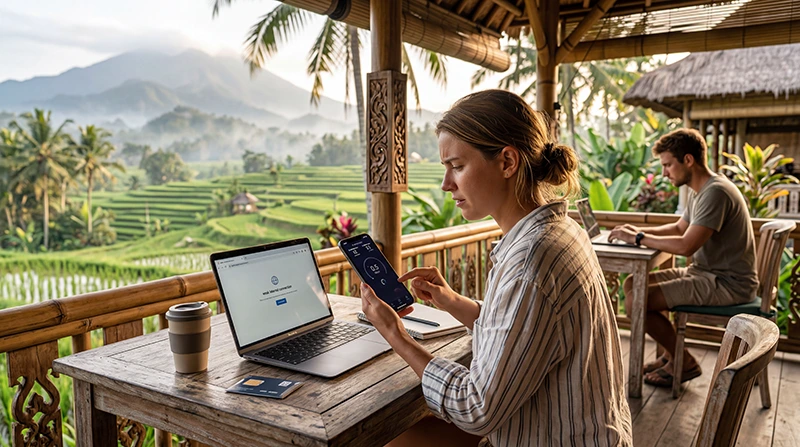

You arrived in Indonesia, your eSIM connected successfully, Google Maps works, WhatsApp messages are being delivered, but something feels wrong.
Websites load slowly.
Instagram takes forever to refresh.
YouTube buffers.
Video calls freeze.
Downloads take much longer than expected.
If this sounds familiar, you are not alone.
One of the most common support questions travelers ask is:
“Why is my eSIM so slow in Indonesia?”
The good news is that slow speeds are usually not caused by a broken eSIM.
In most cases, slow performance is related to network conditions, location, phone settings, data prioritization policies, coverage limitations, or temporary congestion.
Quick answer: the most common causes of slow eSIM speeds in Indonesia are network congestion, weak signal strength, remote island locations, incorrect device settings, Fair Usage Policy limitations, or automatic network selection issues.
Top Indonesia eSIMs

Indonesia eSIM
Fixed
1 GB, 7 days€ 3.462 GB, 15 days€ 6.063 GB, 30 days€ 8.22Unlimited
Unlimited, 1 day€ 3.89Unlimited, 3 days€ 9.95Unlimited, 5 days€ 16.01
Is My eSIM Actually Slow?
Before troubleshooting, it is important to understand the difference between:
- No connection
- Weak connection
- Slow speeds
- Temporary congestion
- Coverage limitations
If websites eventually load and messages are delivered, your eSIM is probably working correctly.
The issue is likely related to speed rather than connectivity.
Most Common Reasons Your eSIM Is Slow
Slow speeds in Indonesia are usually caused by one or more of the following:
- Network congestion
- Weak signal
- Remote location
- Tourist hotspots
- Fair Usage Policy limits
- Wrong network selection
- Background phone activity
- Temporary network maintenance
- Weather conditions
- Peak usage hours
Let’s examine each possibility in detail.
Reason #1: You Are in a Crowded Tourist Area
This is extremely common in Bali.
Popular tourist destinations can become heavily congested.
Examples include:
- Canggu
- Seminyak
- Kuta
- Uluwatu
- Ubud Center
- Beach clubs
- Festivals
- Large events
Thousands of people may be connected to the same network infrastructure simultaneously.
Even if your signal appears strong, speeds can decrease significantly during busy periods.
Reason #2: You Are Using Data During Peak Hours
Network performance changes throughout the day.
Peak demand often occurs during:
- Evening hours
- Hotel check-in times
- Tourist transportation periods
- Major events
- Popular dining hours
If your internet is slow during these periods but improves later, congestion is likely the cause.
Reason #3: Weak Signal Strength
Signal bars matter.
A weak signal can significantly reduce data speeds.
This often occurs:
- Inside hotels
- Inside villas
- Inside concrete buildings
- In underground areas
- In mountainous regions
- Near cliffs
- In remote beaches
Try moving outdoors and testing again.
Reason #4: You Are in a Remote Part of Indonesia
Indonesia is a massive archipelago.
Coverage quality varies dramatically depending on location.
Major cities and tourist areas generally provide better performance than remote regions.
You may notice slower speeds in:
- Remote islands
- Mountain villages
- National parks
- Rural areas
- Boat excursions
- Remote beaches
This does not necessarily mean the eSIM is malfunctioning.
It may simply reflect local network conditions.
Reason #5: Fair Usage Policy (FUP)
Many travelers overlook this possibility.
Some plans include Fair Usage Policies.
This means:
- High-speed data initially
- Reduced speed after certain usage thresholds
- Speed reset after a defined period
This is particularly relevant for travelers who:
- Stream video frequently
- Use hotspots extensively
- Upload large files
- Conduct video meetings daily
- Consume large amounts of data
Always review the details of your plan.
Reason #6: Wrong Network Selection
Sometimes your phone automatically connects to a network that is available but not performing optimally.
Manual network selection may improve speeds.
iPhone
- Settings
- Mobile Service
- Network Selection
- Disable Automatic
- Try another available network
Android
- Settings
- Mobile Networks
- Network Operators
- Disable Automatic
- Select another network
After switching, test performance again.
Reason #7: Phone Is Using the Wrong SIM
If your primary SIM remains active for mobile data, your phone may not be using the Indonesia eSIM properly.
Verify:
- Indonesia eSIM selected for Mobile Data
- Primary SIM mobile data disabled
- Automatic data switching disabled
This resolves many unexpected speed issues.
Reason #8: APN Configuration Problems
Incorrect APN settings can affect connectivity and performance.
If manual APN configuration is required, verify:
| Setting | Value |
|---|---|
| APN | data.esim |
Leave other fields blank unless instructed otherwise.
Reason #9: Background Apps Are Consuming Data
Your internet may appear slow even when the network is performing normally.
This often happens because background applications are consuming bandwidth.
Examples include:
- Cloud backups
- Photo synchronization
- App updates
- System updates
- Video uploads
- Streaming services
Check data usage in your phone settings.
Reason #10: You Just Arrived
Many travelers test internet performance immediately after landing.
Sometimes the device needs a few minutes to fully register with the network.
Try:
- Restarting the device
- Waiting 10 minutes
- Enabling and disabling Airplane Mode
Performance often improves after registration completes.
Why Is My eSIM Slow in Bali?
Bali is Indonesia’s most popular destination.
This also means it experiences the highest network demand.
Slow speeds are most commonly reported in:
- Canggu
- Seminyak
- Kuta
- Ubud Center
- Large beach clubs
- Popular tourist events
Congestion is usually the primary cause.
Related guides:
Why Is My eSIM Slow in Lombok?
Lombok generally has fewer congestion problems than Bali.
However, some remote regions may have weaker coverage.
Speed differences are often caused by location rather than the eSIM itself.
Why Is My eSIM Slow in the Gili Islands?
The Gili Islands have limited infrastructure compared to major cities.
Internet performance can vary depending on:
- Island location
- Weather conditions
- Network demand
- Tourism season
Temporary slowdowns are not unusual.
Why Is My eSIM Slow in Komodo?
Komodo National Park includes many remote areas.
Network coverage may be weaker than in Bali or Jakarta.
This is generally a geographical limitation rather than an eSIM issue.
How to Improve eSIM Speed in Indonesia
Try the following steps:
- Enable Data Roaming.
- Restart the phone.
- Toggle Airplane Mode.
- Select the eSIM for mobile data.
- Disable automatic data switching.
- Check APN settings.
- Move outdoors.
- Try another network.
- Close background applications.
- Wait and test again later.
These actions resolve most speed-related complaints.
Can WiFi Be Faster?
Sometimes yes.
In certain locations:
- Hotels
- Coworking spaces
- Cafes
- Resorts
WiFi may outperform mobile networks.
Many digital nomads use WiFi for primary work and keep mobile data as a backup connection.
When Should I Contact Support?
Contact your eSIM provider if:
- Speeds remain unusable everywhere.
- No websites load.
- Data stops completely.
- The eSIM never connects.
- You receive activation errors.
Before contacting support, gather:
- Screenshots of settings.
- Network status screenshots.
- Device model information.
- Location details.
This helps resolve issues more quickly.
Related Indonesia Guides
- eSIM Not Working Indonesia
- Does My eSIM Work in Indonesia?
- No Internet Indonesia eSIM
- APN Settings Indonesia eSIM
- Best Network in Indonesia for Tourists
Final Recommendation
In most cases, a slow eSIM in Indonesia is not caused by a defective eSIM.
The most common causes are network congestion, weak signal, tourist hotspots, remote locations, or temporary performance limitations.
By checking your settings, selecting the correct mobile data line, enabling data roaming, and understanding local coverage conditions, you can often improve performance significantly.
For travelers visiting Bali, Lombok, Gili Islands, Komodo Islands, Jakarta, and other major destinations, an eSIM remains one of the easiest and most convenient ways to stay connected throughout Indonesia.
FAQ: Why Is My eSIM Slow in Indonesia?
Why is my eSIM slow in Bali?
The most common cause is network congestion in popular tourist areas such as Canggu, Seminyak, Kuta, and Ubud.
Can an eSIM become slower after heavy usage?
Some plans include Fair Usage Policies that may reduce speeds after certain usage thresholds.
Should data roaming be enabled?
Yes. Most travel eSIMs require data roaming to be turned on.
Can changing networks improve speed?
Yes. Manual network selection sometimes results in better performance.
Is slow internet normal on remote islands?
Remote islands may have weaker infrastructure and lower network capacity compared to major tourist destinations.
Will restarting my phone help?
Yes. Restarting the device or refreshing the connection with Airplane Mode often improves performance.