


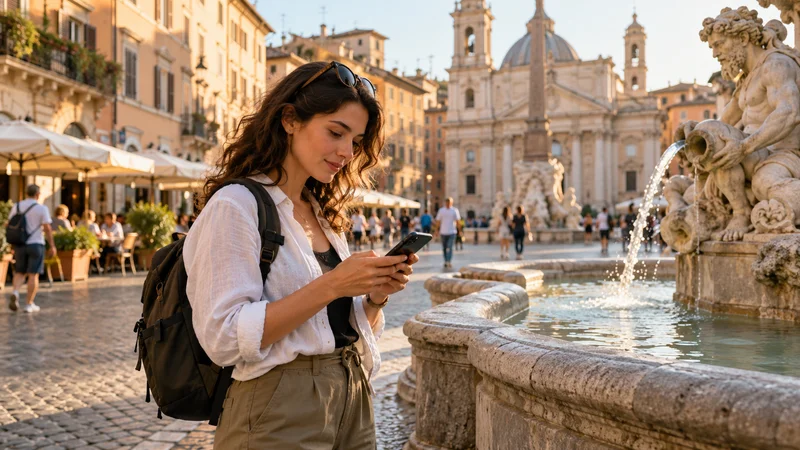

WhatsApp Live Location can use a NoveSIM data-only eSIM to send location updates while you travel. It uses the phone’s internet connection; it does not need a new local telephone number. There is no reliable fixed MB-per-hour figure to use for every phone and trip.
The feature can help you meet a travel companion or explain where you are during a transfer. A location marker is not proof of a continuous connection, however, and an old update must not be mistaken for someone’s current position.
NoveSIM supplies mobile data, not a local number, conventional calls or SMS. Keep your existing WhatsApp account. Destination coverage, allowance and validity depend on the selected package, and neither the eSIM nor WhatsApp guarantees uninterrupted location updates.
Quick answer: Select NoveSIM for mobile data, confirm that WhatsApp works without Wi-Fi and choose Live Location only when ongoing updates are useful. Allow the required location access, select a suitable duration and ask the recipient to check the update time. Monitor actual data use rather than assuming a fixed hourly cost, then stop sharing when you no longer need it.
Top eSIMs

Choose Between a Location Pin and Live Location
A static location pin identifies a place at the moment you send it. Live Location is intended to update your position during a sharing session. WhatsApp explains the difference between these location features.
| Your task | Useful choice | What to tell the recipient |
|---|---|---|
| Agree on a fixed hotel entrance or meeting point | A checked address or static pin | This is the meeting place, not a moving marker. |
| Find each other while approaching on foot | A short Live Location session | Check the update time and confirm the entrance in a message. |
| Travel through an area with uncertain coverage | Offline meeting details and a contact arrangement | Do not rely on continuous updates to confirm progress. |
For an airport pickup, send the terminal, level and designated pickup area as text too. A dot on a map may not explain which floor you are on or which side of a road the driver can reach. Follow the airport’s pickup arrangements rather than moving into an unsafe area to match a marker.
Keep Your WhatsApp Number and Use NoveSIM for Data
Your WhatsApp identity and your mobile-data line are separate. The WhatsApp and eSIM number guide covers account verification; do not select Change Number merely because you installed a travel plan.
Before sharing, use the data-line check to confirm that NoveSIM carries mobile traffic. Apply the travel profile’s instructed roaming setting and disable automatic cellular data switching if you want to prevent fallback to the home line. Home-line calls and SMS remain subject to that carrier’s terms.
Choose a NoveSIM package that explicitly includes the country you will visit. Keep enough allowance and validity for the transfer or meeting, not only for the first message. A location-sharing session does not extend the purchased plan.
Start a Short Sharing Session
Use WhatsApp on your main phone and review its current Live Location instructions. Menu wording can vary with platform and app version.
- Stop somewhere safe. With Wi-Fi off, load a small webpage and send a WhatsApp message to check mobile data.
- Open the intended chat, check its participants and choose the attachment control, then Location.
- Choose Share live location rather than a one-time location pin.
- Review the requested location permission and select a duration suited to the meeting.
- Send the session and a short description of the meeting point. Ask the recipient to confirm that they can open it on their phone.
- Check again after briefly locking the screen, before depending on background updates.
On iPhone, WhatsApp’s instructions specify Settings > Privacy & Security > Location Services > WhatsApp > Always for Live Location. Grant this deliberately and review it afterwards. On Android, inspect WhatsApp’s Location permission under the phone’s app settings and follow the current app prompts; available options vary. Do not assume that a permission which works with the app open will behave identically after the screen locks.
How Much Data Does WhatsApp Live Location Use?
This guide does not assign an MB-per-hour rate. WhatsApp’s cited instructions do not provide a universal consumption figure, and we have not performed a controlled NoveSIM benchmark for this feature.
Instead, observe the app on your own setup. WhatsApp’s total may also include messages, calls and downloaded media during the same period. A change in that total cannot automatically be attributed entirely to Live Location.
- Note WhatsApp’s mobile-data counter, its reporting period and the selected data SIM before the session.
- Avoid voice calls, video calls and media transfers during a short check so the result is easier to interpret.
- Stop sharing after the check and compare the counter again, allowing for reporting delay or rounding.
- Review the provider’s remaining allowance separately. Treat the observation as one example, not a prediction for every future session.
Apple documents per-app cellular usage under Cellular or Mobile Data settings. On Pixel, Google’s data-usage guide explains App data usage and reporting periods. Other Android manufacturers use different menus. Phone measurements may differ from provider records.
Do not turn off all mobile data to save allowance while expecting location updates to continue. For the broader WhatsApp budget, including media and calls, use the separate WhatsApp data-usage guide.
If the Marker Stops Moving
Ask the recipient to read the last update time before drawing conclusions. A stale position does not establish that the sender is still there, has reached the destination or is in trouble. It may simply mean the sharing session ended or communication stopped.
- All internet tasks fail: check coverage, the selected data line, plan validity and remaining allowance.
- Messages work but location does not update: check that the session is still active and review location access and app restrictions.
- Updates work only with the app open: inspect background and battery permissions for that phone rather than immediately changing the cellular profile.
- The pin looks inaccurate: confirm the address, entrance and nearby landmarks in text. A working data connection does not guarantee positioning accuracy.
Keep the installed eSIM. Do not delete it to repair a location-permission problem. If manual NoveSIM APN entry is actually required for a wider connection failure, use data.esim, not an APN copied from a local operator.
Agree beforehand what to do if updates stop: for example, meet at the named entrance at an agreed time or send a message once connected again. Live Location is not an emergency tracking service or a substitute for appropriate local safety arrangements.
Stop Sharing and Review Who Can See You
Open the sharing message and use Stop sharing, then confirm the action. WhatsApp also provides a Live location section within Privacy settings for reviewing active sessions. An expired or stopped session can leave a static thumbnail and the last updated position visible to its recipients; ending updates does not erase what they already saw.
Share only with people who need the information. A large tour group may include contacts you do not know well, so a private conversation can be more appropriate for a personal transfer. Avoid posting screenshots that expose someone else’s location, phone number or travel details.
Before sending another session, check that the earlier one ended and reconsider the duration. Review any location permission you expanded for the task rather than leaving it enabled without thinking about future use.
Related Articles
- Keep Your WhatsApp Number with Travel eSIM Data
- Plan for WhatsApp Messages, Calls and Media
- Check Which SIM Is Carrying Mobile Data
FAQ
How much data does WhatsApp Live Location use per hour?
There is no verified fixed hourly figure in this guide. Check your app’s mobile-data counter over a defined session and distinguish location sharing from other WhatsApp activity. Provider balances and phone counters may update differently.
Can I share Live Location with a NoveSIM data-only eSIM?
It can supply the internet connection for your existing WhatsApp account where the app is available. You still need suitable location permissions, an active package and usable coverage. NoveSIM does not supply a new number or guarantee uninterrupted updates.
Is sending my current location the same as Live Location?
No. A current-location pin is a snapshot. Live Location is a time-limited session intended to send updates as your position changes.
Does an old marker prove where someone is now?
No. Check when it was last updated and contact the person through your agreed method. Do not use a stale marker as confirmation of arrival or safety.
Final Recommendation
Use WhatsApp Live Location abroad for a specific meeting or transfer, with NoveSIM supplying data and the existing WhatsApp account supplying your identity. Choose a static pin when the destination, rather than your movement, is what the recipient needs.
Confirm the travel data line, review location permissions and test a short session. Monitor real usage without promising an hourly rate, and stop sharing once the task is complete.
Keep the meeting point and fallback arrangement available as text. Location updates can help coordination, but coverage gaps, expired sessions and old markers must never be mistaken for continuous tracking.