


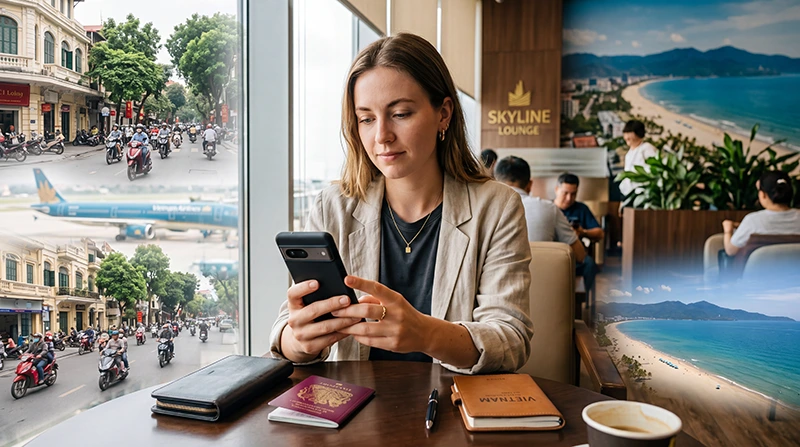

If you are traveling to Vietnam with an Android phone, using an eSIM is one of the easiest ways to get mobile internet without buying a physical SIM card after arrival.
Instead of waiting at airport kiosks, searching for mobile shops or removing your regular SIM card, you can install a Vietnam eSIM before departure and connect to mobile data after arriving in the country.
This is especially useful for travelers who need internet immediately for Google Maps, Grab rides, hotel communication, WhatsApp, airport transfers, translation apps and travel bookings.
Quick answer: Many modern Android phones support eSIM, including recent Samsung Galaxy, Google Pixel, Motorola, Xiaomi and other flagship devices. To use a Vietnam eSIM on Android, install the eSIM while connected to WiFi, select it for mobile data, enable Data Roaming on the eSIM profile and use data.esim as the APN if manual setup is required.
Top Vietnam eSIMs

Vietnam eSIM
Fixed
1 GB, 7 days€ 3.052 GB, 15 days€ 4.363 GB, 30 days€ 5.67Unlimited
Unlimited, 1 day€ 3.05Unlimited, 3 days€ 6.98Unlimited, 5 days€ 10.91
Does Android Support eSIM in Vietnam?
Yes.
Many modern Android devices support eSIM technology and can be used with travel eSIM plans for Vietnam.
However, Android compatibility is more varied than iPhone compatibility because different manufacturers, regions and carrier versions may support eSIM differently.
Before purchasing a Vietnam eSIM, always confirm that your specific Android model supports eSIM installation.
Which Android Phones Support eSIM?
Many flagship Android phones support eSIM.
Common compatible models include:
Samsung Galaxy Phones
- Samsung Galaxy S20 Series
- Samsung Galaxy S21 Series
- Samsung Galaxy S22 Series
- Samsung Galaxy S23 Series
- Samsung Galaxy S24 Series
- Samsung Galaxy S25 Series
- Samsung Galaxy Z Fold Series
- Samsung Galaxy Z Flip Series
Google Pixel Phones
- Google Pixel 3 and newer
- Google Pixel 4 Series
- Google Pixel 5 Series
- Google Pixel 6 Series
- Google Pixel 7 Series
- Google Pixel 8 Series
- Google Pixel 9 Series
Other Android Brands
- Selected Motorola models
- Selected Xiaomi models
- Selected Oppo models
- Selected Sony Xperia models
- Selected Huawei models
Because Android models vary by region, always check your exact device version before relying on eSIM for travel.
How to Check If Your Android Phone Supports eSIM
The easiest way is to check your phone settings.
General Android Method
- Open Settings
- Go to Network & Internet or Connections
- Open SIMs or SIM Manager
- Look for Add eSIM, Add Mobile Plan or Download SIM
If this option appears, your device likely supports eSIM.
Samsung Method
- Open Settings
- Tap Connections
- Tap SIM Manager
- Look for Add eSIM
Google Pixel Method
- Open Settings
- Tap Network & Internet
- Tap SIMs
- Select Add SIM
- Choose Download a SIM instead?
When Should You Install Your Vietnam eSIM on Android?
The best time to install your Vietnam eSIM is before departure while connected to stable WiFi.
This gives you time to complete setup calmly before traveling.
Recommended timing:
- Install the eSIM before your flight
- Use stable WiFi during installation
- Do not delete the eSIM after installation
- Enable it when arriving in Vietnam
- Select it for mobile data after arrival
Most travel eSIMs activate after connecting to a supported network in Vietnam.
How to Install a Vietnam eSIM on Android
Exact steps vary slightly depending on your Android phone, but the process is usually similar.
- Connect your Android phone to WiFi
- Open Settings
- Go to Network & Internet or Connections
- Open SIMs or SIM Manager
- Tap Add eSIM or Download SIM
- Scan your Vietnam eSIM QR code
- Follow the on-screen instructions
- Label the plan as Vietnam eSIM
- Keep your primary SIM active if needed
How to Install Vietnam eSIM on Samsung Galaxy
- Connect to WiFi
- Open Settings
- Tap Connections
- Tap SIM Manager
- Tap Add eSIM
- Scan the QR code
- Confirm installation
- Label the eSIM as Vietnam eSIM
How to Install Vietnam eSIM on Google Pixel
- Connect to WiFi
- Open Settings
- Tap Network & Internet
- Tap SIMs
- Tap Add SIM
- Select Download a SIM instead?
- Scan the QR code
- Follow the setup instructions
Recommended Android Settings for Vietnam eSIM
| Setting | Recommended Option |
|---|---|
| Mobile Data | Vietnam eSIM |
| Calls | Primary SIM |
| SMS | Primary SIM |
| Data Roaming on Vietnam eSIM | ON |
| Data Roaming on Primary SIM | OFF |
| Automatic Data Switching | OFF |
Should Data Roaming Be Enabled on Android?
Yes.
Most travel eSIMs require Data Roaming to be enabled on the eSIM profile.
On Android:
- Open Settings
- Go to Network & Internet or Connections
- Select SIMs or SIM Manager
- Choose your Vietnam eSIM
- Turn Data Roaming ON
Keep Data Roaming OFF on your primary SIM unless you intentionally want to use your home carrier abroad.
How to Select Vietnam eSIM for Mobile Data on Android
After installation, make sure your phone uses the eSIM for internet.
Samsung
- Open Settings
- Tap Connections
- Tap SIM Manager
- Tap Mobile Data
- Select Vietnam eSIM
Google Pixel
- Open Settings
- Tap Network & Internet
- Tap SIMs
- Select your Vietnam eSIM
- Enable Mobile Data
Does the Vietnam eSIM Activate Before Arrival?
Usually no.
Most travel eSIMs activate only after connecting to a supported Vietnamese network.
Before arrival, your Android phone may show:
- No Service
- Searching
- Not Registered on Network
- Activating
This is normal if you are not yet in Vietnam.
APN Settings for Vietnam eSIM on Android
Most Android phones configure APN automatically.
If manual setup is needed, use:
| Setting | Value |
|---|---|
| APN | data.esim |
| Username | Leave Blank |
| Password | Leave Blank |
| Authentication Type | None |
How to Enter APN Settings on Android
- Open Settings
- Go to Network & Internet or Connections
- Select your Vietnam eSIM
- Open Access Point Names
- Create a new APN or edit the current APN
- Enter data.esim
- Leave username and password blank
- Save the APN
- Select the saved APN
- Restart your phone
Can You Keep Your Regular SIM Active?
Yes.
Most Android phones with dual-SIM support allow you to use:
- Vietnam eSIM for mobile data
- Primary SIM for calls
- Primary SIM for SMS
- Primary SIM for verification codes
- Primary SIM for banking authentication
This is one of the biggest advantages of using eSIM while traveling.
Does WhatsApp Work With Vietnam eSIM on Android?
Yes.
WhatsApp stays linked to your existing phone number.
Installing a Vietnam eSIM does not automatically change your WhatsApp number.
You can continue using:
- WhatsApp messages
- Voice calls
- Video calls
- Group chats
- Photo sharing
Can You Use Hotspot With Vietnam eSIM on Android?
In most cases, yes.
Hotspot is useful for:
- Laptops
- Tablets
- Travel companions
- Remote work
- Backup internet
Remember that hotspot usage can consume data quickly, especially when connected to laptops or streaming platforms.
Common Android eSIM Problems in Vietnam
| Problem | Most Likely Fix |
|---|---|
| No Service | Enable Data Roaming and restart |
| Connected but no internet | Check APN and mobile data source |
| Slow internet | Toggle Airplane Mode or try manual network selection |
| eSIM not downloading | Use stable WiFi and rescan QR code |
| Wrong SIM using data | Select Vietnam eSIM for Mobile Data |
Step-by-Step Fix If Vietnam eSIM Does Not Work on Android
- Confirm you are in Vietnam
- Check that the Vietnam eSIM is enabled
- Select Vietnam eSIM for mobile data
- Enable Data Roaming on the Vietnam eSIM
- Disable automatic data switching
- Check APN settings
- Toggle Airplane Mode for 30 seconds
- Restart your Android phone
- Try manual network selection if needed
- Move outdoors and test again
Manual Network Selection on Android
If automatic network selection does not work, try selecting a network manually.
- Open Settings
- Go to Mobile Network
- Select your Vietnam eSIM
- Open Network Operators
- Turn off Automatic Selection
- Wait for available networks
- Select a supported Vietnamese network
This can sometimes improve signal or speed.
Vietnam eSIM for Samsung vs Google Pixel
| Feature | Samsung Galaxy | Google Pixel |
|---|---|---|
| eSIM Setup | SIM Manager | Network & Internet |
| QR Code Installation | Yes | Yes |
| Manual APN | Yes | Yes |
| Hotspot Support | Usually Yes | Usually Yes |
| Dual-SIM Use | Yes | Yes |
Related Vietnam eSIM Guides
- Vietnam eSIM iPhone
- How to Activate Vietnam eSIM
- Install Vietnam eSIM
- Does My Phone Support eSIM Vietnam?
- eSIM Not Working Vietnam
- APN Settings Vietnam eSIM
- Best eSIM for Vietnam
FAQ: Vietnam eSIM for Android
Can I use a Vietnam eSIM on Android?
Yes. Many modern Android phones support eSIM and can use a Vietnam travel eSIM.
Which Android phones support Vietnam eSIM?
Many recent Samsung Galaxy, Google Pixel, Motorola, Xiaomi and other flagship Android devices support eSIM, but compatibility depends on the exact model and region.
Can I install the eSIM before traveling?
Yes. It is recommended to install your Vietnam eSIM before departure while connected to WiFi.
Will the eSIM activate before I arrive?
Usually no. Most travel eSIMs activate after connecting to a supported network in Vietnam.
Do I need Data Roaming enabled?
Yes. Enable Data Roaming on the Vietnam eSIM profile.
Can I keep my primary SIM active?
Yes. Most dual-SIM Android phones allow you to keep your primary SIM active while using the Vietnam eSIM for data.
What APN should I use?
If manual setup is required, use data.esim.
Does WhatsApp keep my original number?
Yes. WhatsApp remains linked to your existing phone number.
Can I use hotspot with Vietnam eSIM?
In most cases, yes. Hotspot can be used for laptops, tablets and other devices.
What should I do if my Android eSIM does not work?
Enable Data Roaming, select the eSIM as your mobile data source, check APN settings, restart your phone and try manual network selection if needed.
Final Recommendation
Using a Vietnam eSIM on Android is one of the most convenient ways to stay connected during your trip.
Before purchasing, confirm that your exact Android model supports eSIM. Then install the eSIM before departure, select it for mobile data, enable Data Roaming and keep your primary SIM active only for calls and SMS if needed.
This setup gives you mobile internet throughout Vietnam without airport SIM card queues, physical SIM replacement or unnecessary roaming costs from your home carrier.