


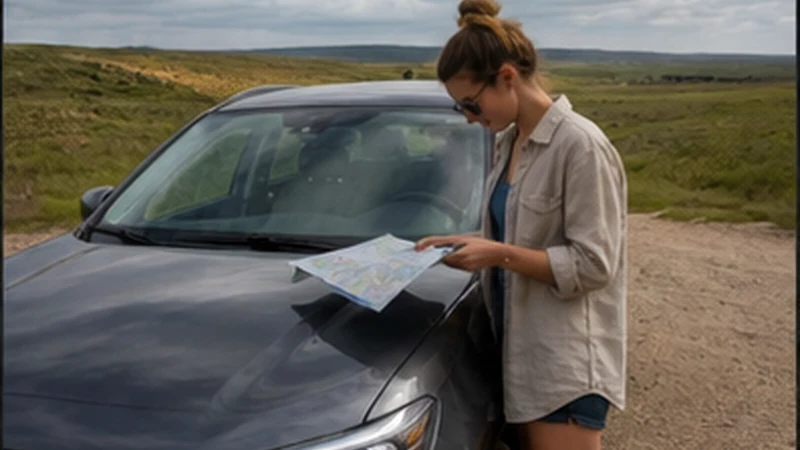

Uruguay offline maps for a road trip should preserve more than a destination pin. A useful download includes the departure city, full road corridor, planned stops, final property approach and enough surrounding area to recover from a missed turn.
Mobile data remains valuable for live conditions and booking changes, but an offline route prevents a temporary signal loss from becoming a navigation emergency. Prepare the map while connected to reliable Wi-Fi.
NoveSIM Uruguay plans are data-only, without a local number, conventional calls or SMS. Messaging, maps and internet calls can use the allowance where partner coverage is available.
Quick answer: Download each day’s complete driving area, test it in Airplane Mode, save exact entrances as screenshots and keep a second written route summary. Use the eSIM for updates, not as the only way to identify the next turn.
Top Uruguay eSIMs

Uruguay eSIM
Fixed
1 GB, 7 days€ 4.882 GB, 15 days€ 8.873 GB, 30 days€ 12.42Unlimited
Unlimited, 1 day€ 6.66Unlimited, 3 days€ 18.19Unlimited, 5 days€ 29.28
What a Uruguay Offline Maps Road Trip Download Must Include
| Map element | Why it matters | Extra backup |
|---|---|---|
| Departure area | Lets the route begin before data is available | Hotel or terminal pin |
| Entire road corridor | Preserves navigation between towns | Road numbers in a note |
| Fuel and rest stop | Avoids searching while low on power or fuel | Name and approximate location |
| Final property approach | Covers minor roads, gates and unmarked turns | Host screenshot and entrance photo |
| Alternative safe stop | Provides somewhere suitable to reassess the route | Town or service-area name |
A small map around the destination can leave most of the drive undownloaded. Zoom out and verify that every connecting section is inside the saved area.
Build the Map One Travel Day at a Time
- List the actual overnight stops and appointments in order.
- Add the main route, fuel stop and any planned detour.
- Download an area wide enough to include the whole corridor.
- Save each rural gate, car-rental return and terminal separately.
- Screenshot written access instructions and booking references.
- Name the saved note or folder by date and destination.
Daily route bundles reduce confusion when several properties have similar names. The first screen should show today’s map and contact, not a list of every booking in Uruguay.
Test Offline Navigation Before Departure
Turn Airplane Mode on while still at the hotel, then open the map and search for the next stop. Check that the route line, road labels and final pin remain visible. If the app cannot calculate without data, save screenshots of the key junctions or use a second offline-capable method.
Testing is important because an app may show previously cached tiles without having downloaded the full region. Pan along the entire route and zoom in around the final approach.
Record Rural Entrances Separately
A winery, estancia or holiday rental may use a gate on a different road from its postal address. Ask the host for the preferred map pin, the last recognisable landmark and any instruction that should not be followed. Save the response as an image.
If check-in depends on a lockbox, store the code securely and offline. Do not put sensitive access information into a publicly shared map. The Uruguay interior connectivity guide covers rural Wi-Fi and property-level signal expectations.
Prepare the Phone and eSIM Together
Confirm that the handset is unlocked and listed among NoveSIM-compatible devices. Install the Uruguay profile on dependable private Wi-Fi before the drive and keep it installed.
| Setting | Recommended choice |
|---|---|
| Mobile Data | Uruguay travel eSIM |
| Travel eSIM Data Roaming | On |
| Home SIM Data Roaming | Off |
| Automatic Data Switching | Off |
| Network Selection | Automatic initially |
| Manual APN | data.esim only if required |
Automatic switching should remain off so a coverage change does not send data through the home provider. Test the eSIM by opening a fresh webpage before leaving the reliable connection.
Keep the Navigation Phone Powered
Screen brightness, GPS and weak-signal searching can drain a battery during a long drive. Start fully charged, use a suitable car charger and carry a power bank that is not left in direct heat.
Pause photo backup, application updates and high-quality streaming. Download entertainment beforehand. The Uruguay data-use guide helps separate light navigation tasks from heavier tethering and video use.
Use Offline Maps Safely
Mount the phone before moving and let a passenger handle changes. An offline map can be outdated and does not know every temporary closure, weather issue or unsuitable road surface. Follow official signs and current safety information over an app suggestion.
If the route looks wrong, continue only to a safe place where it can be checked. Do not stop on a narrow shoulder or reverse unexpectedly to regain a missed turn. The Uruguay road-trip connectivity guide combines navigation preparation with broader driving planning.
Crossing into Argentina or Brazil
Download both sides of an international crossing before arrival. A Uruguay-only eSIM should not be assumed to work after the border, and the phone may see a neighbouring-country network before the formal crossing.
Store the crossing, next accommodation and required documents offline. Check whether the purchased plan includes the next country and do not let the home SIM take over mobile data automatically.
If Mobile Data Disappears While Driving
- Continue with the offline map until a safe stopping point.
- Confirm the Uruguay eSIM is on and selected for mobile data.
- Check roaming on the travel line and disable automatic switching.
- Use Airplane Mode for about 30 seconds, then wait for registration.
- Restart the phone and leave network selection on Automatic.
- If signal appears without data, check the allowance and enter data.esim only if manual APN entry is required.
Do not delete the installed eSIM during roadside checks because the activation code may not support reinstallation. Keep the profile and follow the Uruguay troubleshooting guide when safely parked.
Related Articles
- Mobile Internet Along the Uruguay Coast
- Montevideo to Colonia Mobile Internet
- Punta del Este to Rocha Mobile Internet
FAQ
How large should an offline map be for Uruguay?
Large enough to contain the full daily corridor, planned detours and final approach—not only the destination town. Test the edges before departure.
Will GPS work without mobile data?
The phone can usually determine its position without a data connection, but map tiles, search and rerouting may require downloaded content. Test the chosen app in Airplane Mode.
Should I download the whole country at once?
That is not always necessary. Daily or regional downloads are easier to verify and update, provided they overlap enough to cover the connecting route.
Can I delete the eSIM if the offline map works?
No. Keep the eSIM installed for live updates and communication. Removing it can prevent reinstallation and does not improve offline navigation.
Final Recommendation
Build Uruguay offline maps for a road trip as complete daily corridors with exact entrances and safe stopping points, then test every download without data.
Keep the eSIM installed and correctly configured, with travel-line roaming on, home-line roaming and switching off, and data.esim used only when manual APN setup is required.
Let mobile data improve the route with updates and messages. The downloaded map should still carry the journey to the correct property when the network cannot.