


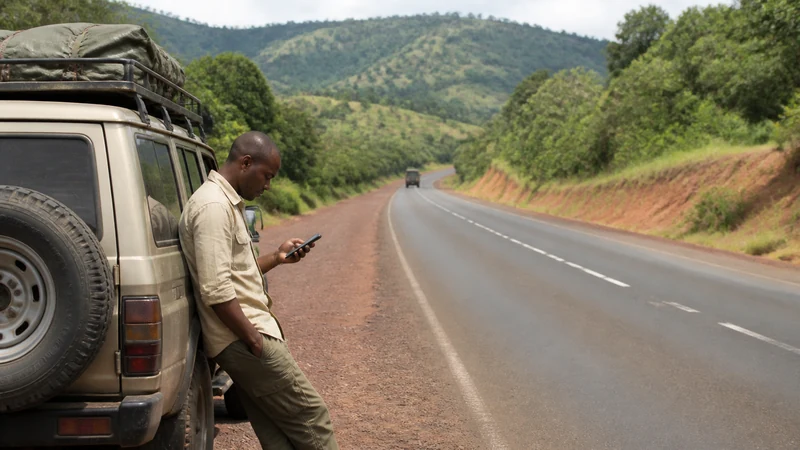

A road trip changes the connectivity question from “is there signal here” to “how do I plan around the stretches where there isn’t.” Towns and cities along the way are generally fine; it’s the roads between them — especially near national parks or through rural districts — where you’ll lose signal for long stretches, sometimes for an hour or more at a time.
Top Uganda eSIMs


Plan leg by leg, not for the whole trip at once
Trying to prepare everything before you leave Kampala or Entebbe usually means missing details for later stops. It works better to treat each leg as its own planning task — download that leg’s map and confirm that day’s arrangements while you’re still at a stop with good coverage, rather than trying to front-load the entire itinerary on day one.
What coverage actually looks like on the road
MTN and Airtel both cover the main highways connecting major towns reasonably well — Kampala to Fort Portal, Mbarara to Kabale, and similar routes generally hold 4G or at least 3G for most of the drive. Coverage drops noticeably on minor roads, in national park buffer zones, and in less populated districts in the north and northeast, where you can go long stretches without any signal at all. This is normal for the terrain, not a sign of a bad SIM or plan.
Before each leg of the drive
- Download the map for the full route, not just the next town — include any detours or alternate roads you might need.
- Save that night’s accommodation address and any pickup or check-in details offline.
- Fill up on fuel at the last town with reliable options, since fuel stations can be sparse between major towns too.
- Check your remaining data allowance if you’re on a fixed plan, so you’re not caught short mid-route.
Handling a breakdown or emergency without signal
If you’re self-driving, it’s worth knowing this before you need it: on remote stretches, the practical backup isn’t your phone but other traffic, since Ugandan roads are rarely completely empty even in rural areas. Let your accommodation know your rough route and expected arrival time before you set off, so someone has a general idea of where to start looking if you’re significantly overdue. A paper map as backup isn’t excessive here — phone battery and signal can both fail at the same time you’d need them most.
Navigating without a live connection
Offline maps handle basic navigation through a coverage gap, but they won’t catch a recent road closure or a detour that isn’t yet reflected in the map data. The guide to using Google Maps in Uganda covers how to set up offline areas properly and what they will and won’t do for you on the road.
Staying in touch with lodges and drivers along the way
If your route includes lodge stays, especially near parks, confirm check-in times and any specific directions before you leave your last stop with good signal — some properties are hard to find without last-minute guidance, and you may not have signal again until you arrive. The Uganda lodge internet guide covers what to expect once you’re there, which is often less than you’d hope for.
Data use adds up differently on a road trip
Continuous navigation, especially with live traffic or frequent rerouting, uses noticeably more data than the same amount of driving with a pre-downloaded offline route. If you’re covering long distances over several days, budget more than you would for a single-city stay — the Uganda data-use guide breaks down rough estimates by trip type.
Frequently asked questions
Will I have signal for the whole drive between major towns?
On main highways, mostly yes. On minor roads, park buffer zones, and in less populated regions, expect real gaps — sometimes for an hour or more.
Should I download the whole trip’s maps before I leave Kampala?
It’s more manageable to download each leg while you still have signal at the previous stop, rather than trying to prepare the entire route on day one.
What if I break down somewhere with no signal?
Ugandan roads are rarely empty even in rural areas — other traffic is often the practical backup. Letting your accommodation know your rough route and timing beforehand also means someone notices if you’re significantly overdue.
Does more driving mean I need a bigger data plan?
Generally yes — continuous navigation uses more data than static browsing, especially with live traffic or rerouting. Budget more for a multi-day driving trip than a single-city stay.
Final Recommendation
Treat a Uganda road trip as a series of legs rather than one continuous connection — download each stretch’s map and confirm the day’s details while you’re still at a stop with signal, not after you’ve left it. Expect real gaps on minor roads and near parks, and keep a paper backup of your route and key contacts for the stretches where your phone won’t help either way.