


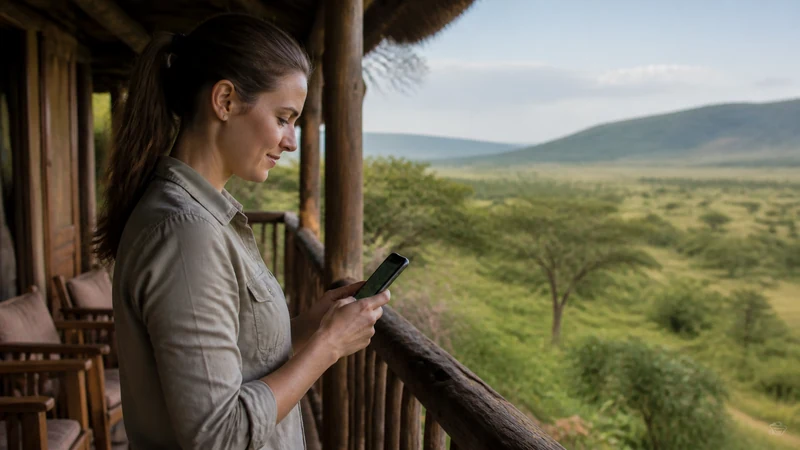

Lodge WiFi in Uganda ranges from genuinely good to barely functional, and it’s rarely obvious in advance which one you’ll get. The more useful habit is not assuming either way — confirm what’s actually available once you check in, and have a plan that doesn’t depend on it working.
Top Uganda eSIMs


Why lodge WiFi is so inconsistent
Most rural and safari lodges aren’t connected to fibre or a reliable local exchange — many run WiFi off a shared mobile data connection or a satellite link, both of which are slower and more easily affected by weather, the number of guests online, or time of day. A lodge with excellent WiFi in the morning can slow to a crawl by evening once everyone’s back from activities and trying to upload photos at once.
Satellite-based WiFi, more common at remote properties near national parks, adds latency that makes video calls difficult even when the connection is technically working. Treat it as fine for messaging and browsing, and unreliable for anything that needs a stable, low-latency connection.
Mobile signal isn’t always better
It’s tempting to assume your own SIM or eSIM is more dependable than lodge WiFi, but that depends entirely on how remote the property is. Many lodges near Bwindi, Kidepo, or deep inside Queen Elizabeth National Park sit well outside reliable partner coverage — in these cases lodge WiFi, however slow, may be the only connection available at all. Ask at check-in rather than assuming either option is a given.
What to check when you arrive
- Whether WiFi covers just the main lodge building or extends to individual rooms and tents — coverage often doesn’t reach every unit.
- Whether it’s available all day or switched off overnight to save power, which is common at solar-powered properties.
- Whether the lodge has a landline, radio, or other communication method for emergencies, separate from WiFi or mobile signal.
- What the staff use themselves for communication with drivers, other properties, or park rangers — this is often a better sign of what actually works than what’s advertised to guests.
Don’t build your plans around evening connectivity
The most common frustration is expecting to sort out tomorrow’s pickup, confirm a booking, or send photos in the evening, only to find the connection can’t handle it once everyone’s back from the day’s activities. Where possible, handle anything time-sensitive earlier in the day, or before you arrive at the lodge at all — the Kibale connectivity guide and similar park-specific pages cover this for individual destinations.
Charging matters as much as connectivity
Solar power is common at remote lodges, and charging isn’t always available around the clock — some properties run generators only for set hours, or limit charging to communal areas rather than individual rooms. A power bank, charged in advance, covers the gap and means a weak connection isn’t compounded by a dead phone.
Before you check in
- Save your booking confirmation and the lodge’s exact address or coordinates offline, not just in an email.
- Confirm pickup or activity details before you arrive if they’re time-sensitive, rather than assuming you’ll sort it out once there.
- Bring a power bank, especially for multi-night stays at remote properties.
- Let someone know your itinerary in advance if you’ll be at a lodge with limited or no connectivity for more than a day.
Frequently asked questions
Do all safari lodges in Uganda have WiFi?
Most do, but quality varies widely — some run on a shared mobile connection or satellite link that slows down considerably in the evenings or bad weather.
Is mobile signal more reliable than lodge WiFi?
It depends on the property. Lodges close to towns often have decent partner coverage; those deep inside parks like Bwindi or Kidepo may have neither reliable mobile signal nor fast WiFi.
Should I plan video calls at a remote lodge?
Better to assume you won’t be able to, especially with satellite-based WiFi. If a call is important, try earlier in the day rather than the evening, when demand on the connection is highest.
What if I need to reach someone urgently from a lodge with no connectivity?
Ask staff at check-in what they use — many properties have a landline, radio, or arrangement with nearby lodges for emergencies that doesn’t depend on WiFi or mobile signal.
Bottom line
Lodge connectivity in Uganda is hit or miss and tends to get worse in the evening regardless of the property. Handle anything time-sensitive earlier in the day or before you arrive, ask staff what actually works rather than trusting what’s advertised, and keep a power bank on hand so a slow connection isn’t made worse by a dead battery.