


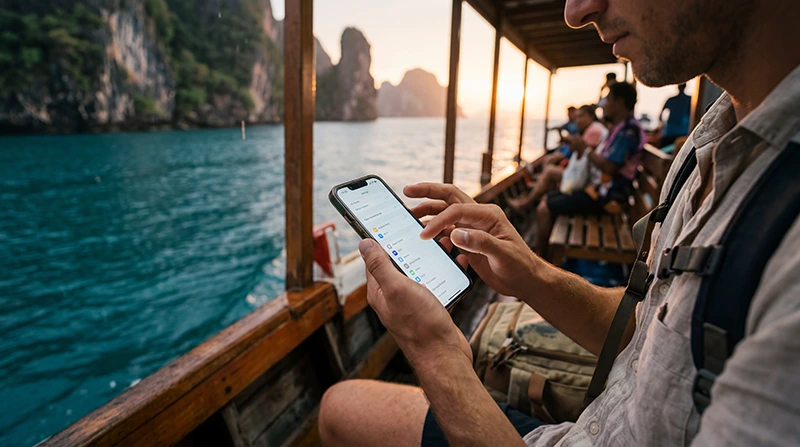

Using a Thailand eSIM on an iPhone is one of the easiest ways to stay connected while traveling.
Whether you are visiting Bangkok, Chiang Mai, Phuket, Krabi, Pattaya, Koh Samui, islands, ferries, cafés, beaches, coworking spaces, airports, or mountain towns, mobile internet is essential for maps, travel apps, messaging, streaming, hotel bookings, and remote work.
Quick answer: most modern iPhone models support Thailand eSIMs, allowing travelers to activate mobile internet digitally without needing a physical SIM card.
Top Thailand eSIMs


What Is a Thailand eSIM for iPhone?
A Thailand eSIM allows travelers to activate mobile internet digitally on an iPhone without inserting a physical SIM card.
Instead of visiting airport SIM counters, travelers can usually install the eSIM before departure and connect shortly after arriving in Thailand.
Thailand eSIMs are especially useful for:
- Maps and navigation
- Travel apps
- Messaging
- Streaming
- Remote work
- Island hopping
- Road trips
- Digital nomad travel
Which iPhones Support eSIM?
Many recent iPhone models support eSIM technology.
Common eSIM-compatible iPhones include:
- iPhone XS
- iPhone XS Max
- iPhone XR
- iPhone 11 series
- iPhone 12 series
- iPhone 13 series
- iPhone 14 series
- iPhone 15 series
- Newer iPhone models
Compatibility may vary depending on region and carrier restrictions.
Check if your iPhone supports eSIM
Why Travelers Use Thailand eSIMs on iPhone
Thailand eSIMs are popular with iPhone users because setup is simple and flexible.
With a Thailand eSIM, travelers can:
- Install internet before departure
- Use mobile data shortly after landing
- Avoid airport SIM card queues
- Keep their regular SIM active
- Use hotspot tethering if supported
- Travel without changing SIM cards
- Move easily between cities and islands
Top Thailand eSIMs
How to Install a Thailand eSIM on iPhone
- Purchase a Thailand eSIM plan.
- Connect the iPhone to WiFi.
- Open Settings.
- Go to Mobile Data or Cellular.
- Select Add eSIM.
- Scan the QR code.
- Follow the installation instructions.
- Restart the iPhone if necessary.
How to Activate Thailand eSIM on iPhone
After arriving in Thailand:
- Open Settings.
- Select Mobile Data.
- Choose the Thailand eSIM for mobile data.
- Enable Data Roaming.
- Wait for the network connection.
Many travelers can connect shortly after landing if the eSIM was installed before departure.
NoveSIM Thailand eSIM APN Settings
Some Thailand eSIM plans require APN configuration.
For NoveSIM Thailand eSIM plans, use:
| Setting | Value |
|---|---|
| APN | data.esim |
| Username | Leave empty |
| Password | Leave empty |
To configure APN on iPhone:
- Open Settings.
- Go to Mobile Data.
- Select the Thailand eSIM.
- Open Mobile Data Network.
- Enter:
data.esim
Do You Need Roaming Enabled?
Yes. Many Thailand eSIMs require data roaming to be enabled in order to connect properly.
To enable roaming:
- Open Settings.
- Select Mobile Data.
- Choose the Thailand eSIM.
- Enable Data Roaming.
Can You Keep Your Regular SIM Active?
Yes. Many iPhones support using a regular SIM together with a Thailand eSIM.
This allows travelers to:
- Keep their normal phone number
- Receive SMS messages
- Use Thailand mobile data
- Stay reachable while traveling
- Use travel apps and maps
Can You Use Hotspot on iPhone With Thailand eSIM?
Many Thailand eSIM plans support hotspot tethering.
Travelers commonly use hotspot for:
- MacBooks and laptops
- Tablets
- Remote work
- Travel partners
- Backup internet
How Good Is Mobile Internet in Thailand?
Mobile internet is generally strong across major tourist areas, cities, cafés, airports, transportation routes, hotels, and islands.
4G coverage is widely available across Thailand, while 5G continues expanding in larger cities and tourist destinations.
Signal may vary in:
- Remote beaches
- Mountain roads
- National parks
- Jungle areas
- Smaller islands
- Remote countryside regions
Common Thailand eSIM Problems on iPhone
| Problem | Possible cause | Possible fix |
|---|---|---|
| No internet | Roaming disabled | Enable roaming |
| Signal but no data | Wrong APN | Use data.esim |
| eSIM not installing | Unsupported iPhone | Check compatibility |
| Slow internet | Congestion or weak signal | Restart device |
| Hotspot not working | Plan limitation | Check hotspot support |
| No network connection | Wrong mobile data line | Select Thailand eSIM |
How to Avoid Thailand eSIM Problems on iPhone
- Install the eSIM before departure
- Save the QR code offline
- Enable roaming
- Use the correct APN
- Restart the iPhone after setup
- Download offline maps
- Check compatibility before purchase
- Keep installation instructions saved offline
Related Thailand Internet Guides
- Thailand eSIM Android
- How to Activate Thailand eSIM
- Install Thailand eSIM
- APN Settings Thailand eSIM
- Thailand eSIM Not Working
- Best Internet Option Thailand
- Thailand eSIM Plans
FAQ: Thailand eSIM for iPhone
Can iPhones use Thailand eSIMs?
Yes. Many modern iPhone models support Thailand eSIM technology.
Do I need roaming enabled on iPhone?
Yes. Many Thailand eSIMs require data roaming to be enabled in order to connect properly.
What is the APN for NoveSIM Thailand eSIM?
The correct APN is data.esim.
Can I keep my regular SIM active on iPhone?
Yes. Many iPhones support using a regular SIM together with a Thailand eSIM.
Can I use hotspot with a Thailand eSIM on iPhone?
Many Thailand eSIM plans support hotspot tethering depending on the provider and selected package.
Should I install the Thailand eSIM before departure?
Yes. Installing the Thailand eSIM before traveling is usually the easiest way to connect shortly after arriving in Thailand.
Final Recommendation
Using a Thailand eSIM on an iPhone is usually one of the easiest and most flexible ways to stay connected while traveling.
For the best experience, install the eSIM before departure, enable roaming, configure the APN as data.esim if needed, and select the Thailand eSIM for mobile data after arrival.