Tanzania (United Republic of) flag
Tanzania eSIM

Tanzania Travel eSIM

Choose a Tanzania eSIM for the parts of your trip when you need maps, messages and booking updates away from Wi-Fi. Compare our data packages below, with your arrival date, travel days and final departure in mind.

We provide mobile data, not a Tanzanian phone number, standard voice calls or carrier SMS. You will need an unlocked, eSIM-compatible phone; internet calling and messaging apps can use the data connection.

View Supported Networks for Tanzania (United Republic of) eSIM
Vodacom5G
★ 4.4/5 • Customer rating on Trustpilot
✔ Digital eSIM setup✔ No physical SIM swap✔ Compatible unlocked phones✔ Keep your WhatsApp number
Tanzania data plans

Choose Your Tanzania eSIM Plan

A week of messaging and occasional directions is different from a week of video uploads. Compare the current allowance, validity and price, and include the days when you may need to contact your accommodation or transfer provider.

Important! 1GB of full high-speed data where available per 24 hours. Thereafter your data speed will be reduced and will reset on the next 24h period.

Estimate your usual daily usage first. Keep large backups and entertainment downloads for a suitable Wi-Fi connection if you want more of your mobile allowance available for travel essentials.

Estimate the data you need for Tanzania →

Before choosing an Unlimited option, read its high-speed allowance, fair-use conditions and reduced-speed rules. Check hotspot permission separately if you intend to connect a laptop or another phone.

continuing your journey?

Prepare a Data Plan for Your Next Country

If your itinerary crosses an international border, check the next destination against the package’s included-country list. A Tanzania package does not automatically cover the rest of an East Africa trip.

why choose novesim

Arrange Mobile Data Before You Set Out

Compare Before Buying

See the displayed packages and choose a data budget before departure, rather than making the decision during a transfer.

Receive Digital Instructions

Access your installation details by email and in your NoveSIM account. Read them while you have a stable internet connection.

Leave Your Physical SIM in Place

There is no physical travel SIM to insert. Keeping another line active alongside the eSIM depends on your phone’s dual-SIM capabilities.

Use Familiar Internet Apps

Message your contacts and access bookings through the apps you already use. An app that requires ordinary calls or SMS may still need a separate voice service.

match coverage to the route

More Data Cannot Fill a Coverage Gap

Check the Included Network

Open the supported-network panel above. Do not assume the package can use every operator available in Tanzania.

Plan Remote Days Offline

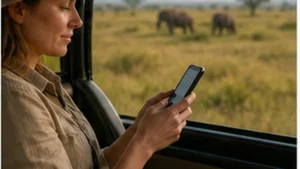
For safari or other remote travel, save the itinerary and agree on contact arrangements with your organiser. Do not make mobile reception your only way to find the next stop.

Test at Your Accommodation

A connection outdoors does not establish how it will work inside your room. Test where you intend to make calls or share a hotspot.

Read Speed Claims Carefully

Available 4G or 5G service and actual speeds depend on the package, local network, device and conditions. Neither a large allowance nor an Unlimited label guarantees a particular speed.

eSIM installation process showing QR code scan and activation on smartphone
installation preparation

Get the Profile Onto Your Phone

01

Check Compatibility

Confirm eSIM support for your exact device and that it is unlocked for another provider. Check dual-SIM support if you want to retain your home line.

02

Read When Validity Starts

Follow the selected package’s activation rule. Do not assume that installation always leaves the validity period untouched.

03

Follow Your Installation Details

Use the supplied method with a stable internet connection. For a QR installation, have a separate screen or other suitable way to display the code.

04

Give the Line a Clear Name

Label the installed profile Tanzania data so you can distinguish it from your home SIM when choosing a mobile-data line.

mobile-data settings

Start Using Your Installed Tanzania eSIM

01

Enable the Profile

Turn on the installed travel eSIM in the included destination, following the supplied activation instructions.

02

Select It for Data

Choose Tanzania data as the mobile-data line. The line selected for standard voice calls can remain a separate choice.

03

Check Roaming Per Line

Enable data roaming for the travel profile as instructed. Keep home-SIM data roaming off and disable automatic data switching if you do not want your home line used for roaming data.

04

Try a Small Data Task

Switch Wi-Fi off and open a webpage or send a message. Test the mobile connection before relying on it to coordinate your next transfer.

05

Keep the eSIM if You Need Support

If you cannot get online, review the selected line and supplied settings. Contact our support team without deleting the installed profile unless we instruct you to remove it.

choose the service you need

Travel eSIM, Local SIM or Home Roaming?

OptionConsider It ForCheck First
NoveSIM Tanzania eSIMMobile data for travel apps, messages and online calls.Device compatibility, supported network, allowance and validity.
A local SIM serviceA Tanzanian number or ordinary local calls where included.Current purchase and registration requirements and the actual voice/data bundle.
Home-provider roamingKeeping your existing service under a suitable roaming offer.Tanzania inclusion, charges, allowances and expiry or renewal conditions.
before a day away

Keep Essential Trip Details Available Offline

  • Save the accommodation address and your next meeting point.
  • Keep transfer and tour confirmations accessible without an internet connection.
  • Agree with your guide or driver how to reconnect if you cannot exchange messages.
  • Download route information where your navigation app supports offline use.
  • Charge your phone before leaving and plan how you will keep it powered during the day.
use your allowance deliberately

Save Heavy Uploads for the Right Connection

  • Check usage after sharing photos or tethering another device.
  • Pause automatic cloud backups when you want to preserve mobile data.
  • Download entertainment over Wi-Fi before a long journey.
  • Check remaining validity as well as remaining gigabytes.
  • Confirm hotspot permission before treating your phone as a laptop connection.
your travel priorities

Choose Around the Journey You Have Planned

Dar es Salaam or Arusha

Allow for messages, booking updates and directions during your city stay. If you need to make standard calls to local contacts, arrange a voice service separately from our data-only package.

Safari and Remote Routes

Prioritise saved information and agreed meeting arrangements over continuous connectivity. Check coverage for the itinerary with your organiser; do not buy extra gigabytes as a substitute for that check.

A Longer Stay With Work

Choose validity through your departure day and budget separately for laptop use. Test your accommodation’s connections before scheduling important calls and keep an alternative available.

travel internet guides

Related Tanzania (United Republic of) Travel Internet Guides

faq

Tanzania eSIM FAQs

Do you provide a Tanzanian phone number?
No. We provide mobile data, not a Tanzanian phone number, standard voice calls or carrier SMS. Internet calling and messaging apps can use the data connection; ordinary calls require a separate voice service.
Will mobile data work throughout a safari?
Do not assume continuous service. Reception depends on the supported network and exact location, as well as your device and local conditions. Save your itinerary and agree on offline contact arrangements with your organiser before remote travel.
Which network does the package use?
Check the supported-network panel on this page and the details of your chosen package. Do not assume that all Tanzanian networks or every available speed are included.
How much data should I choose?
Estimate the days you need service and your likely use of messages, maps, uploads and tethering. Use our travel data calculator to help compare allowances, and choose a validity period that covers the stay. A larger allowance does not improve coverage.
Can I install before arriving in Tanzania?
Read the package’s validity and activation conditions first. If advance installation is permitted, follow the supplied method over a stable internet connection. Enable the installed profile for mobile data in the included destination as instructed.
Can I keep my home SIM and WhatsApp number?
You can keep using your existing WhatsApp number over data. Keeping your home SIM active alongside the travel eSIM depends on your phone. Your home provider controls its voice and SMS charges; keep home-line data roaming off if you do not want it used for roaming data.
choose your Tanzania package

Plan Your Data Alongside Your Route

Compare the current packages, check your phone and supported-network information, and choose an allowance for the way you will travel. Prepare the eSIM instructions and offline trip details before setting out.

Buy Tanzania eSIM
Traveler using smartphone with global eSIM connection while traveling abroad
Scroll to Top