


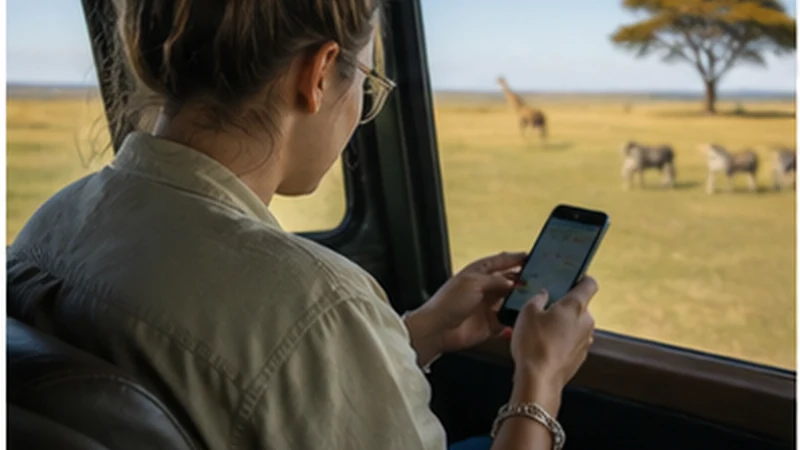

Mobile internet on a Tanzania safari is most reliable when treated as a useful layer rather than a safety system. Service may be available around gateway towns, lodges and some travelled roads, then weaken inside parks or across remote sections.
Terrain, distance from network sites, the chosen partner, camp construction and the exact route all affect reception. A connection reported at one lodge does not prove coverage at another camp or on the drive between them.
NoveSIM Tanzania eSIMs provide data for maps and online communication. They do not include a Tanzanian number, standard calls or carrier SMS.
Quick answer: Download the itinerary, park information, lodge contacts and maps before leaving a connected town. Carry enough power for the full drive and regard any safari mobile signal as supplementary to the guide’s arrangements and offline preparation.
Top Tanzania (United Republic of) eSIMs

Tanzania (United Republic of) eSIM
Fixed
1 GB, 7 days€ 9.322 GB, 15 days€ 15.533 GB, 30 days€ 21.30Unlimited
Unlimited, 1 day€ 10.20Unlimited, 3 days€ 18.19Unlimited, 5 days€ 26.18
Where is mobile coverage most likely on safari?
Gateway towns, main roads and established accommodation may have better access than remote tracks and open wilderness. Signal can disappear over a short distance, especially where hills, vegetation or long distances separate the handset from a network site.
Ask the lodge or safari operator about recent conditions on the exact itinerary. A national network map cannot predict indoor reception at a camp, and partner access can differ between eSIM plans.
What must remain available offline?
- The day-by-day itinerary and meeting points.
- Park and lodge names, addresses and contacts.
- Travel insurance and emergency information.
- Offline maps for the approach and onward journey.
- Copies of essential confirmations and identification details.
These files support the journey when a message is delayed; they do not replace instructions from the licensed guide, park staff or emergency services.
How should you manage battery and data?
A phone searching for weak service can use power faster. Carry a charged power bank, use low-power mode when appropriate and avoid leaving hotspot active when no device needs it.
Pause cloud photo backup and automatic video uploads. Safari photography can create large files, so wait for trusted lodge Wi-Fi or a strong connection before transferring them. Estimate the whole trip’s allowance with the Tanzania data guide.
Can lodge Wi-Fi replace mobile data?
Some lodges and camps offer Wi-Fi in shared areas, but bandwidth, hours and power availability vary. It can be useful for messages without being suitable for large uploads or time-critical work.
Mobile data and lodge Wi-Fi fail for different reasons, so having both may improve resilience. Still, every essential safari detail should be accessible when neither connection works.
How should the Tanzania eSIM be prepared?
Install the eSIM over reliable Wi-Fi before travel and label it clearly. At the appropriate activation time, select it for mobile data, enable Data Roaming for the travel line when instructed and disable roaming and automatic data switching on the home SIM.
Leave operator selection automatic while moving between coverage areas. Review current allowance, validity, networks and hotspot terms in the Tanzania eSIM guide. The Tanzania coverage guide provides wider context without promising service on a particular track.
What should you do when the signal disappears?
Do not alter a working configuration simply because one remote section has no reception. Continue with the guide and offline itinerary, then retest in the next populated or open area.
If the eSIM also fails where usable service is expected, confirm the selected data line and roaming, use aeroplane mode once and restart the phone. When manual APN entry is required, use data.esim. Do not delete the profile; follow the Tanzania troubleshooting sequence.
Related Articles
- Mobile Internet in Tanzania
- Internet for a Tanzania Road Trip
- Mobile Coverage Across Tanzania
- How to Install a Tanzania eSIM
FAQ
Will I have mobile internet throughout a Tanzania safari?
No. Coverage varies by park, road, lodge, device and partner network. Prepare for stretches without service.
Can I upload safari photos every day?
Possibly where strong mobile data or suitable lodge Wi-Fi is available, but large uploads use significant data and power. Keep local backups and upload selectively.
Should I select a Tanzanian network manually in a park?
Leave selection automatic first. Manual selection is a troubleshooting step and should use only a partner supported by the plan.
Can an eSIM replace the safari operator’s emergency arrangements?
No. Mobile data is a convenience, not an emergency guarantee. Follow the guide’s safety procedures and the operator’s communication plan.
Final Recommendation
Prepare a Tanzania safari as an offline-first journey and use mobile data when local conditions permit it.
Download every essential detail, control photo uploads and carry enough power before leaving a gateway town.
A correctly configured eSIM improves communication between connected stops, but the safari guide’s arrangements remain the dependable foundation in remote areas.