


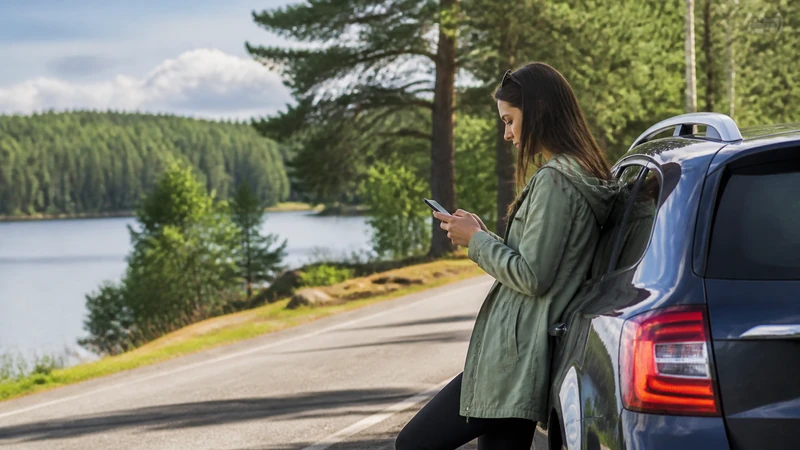

A Sweden road trip can move from reliable city data to long rural stretches where navigation and entertainment need an offline fallback.
Our Sweden travel eSIMs provide mobile data for maps, messages and supported internet-calling apps. They do not add a Swedish number or include ordinary voice minutes and SMS.
Quick answer: Download the required maps and bookings, carry power and treat mobile coverage as a useful layer rather than the only navigation or safety tool.
Top Sweden eSIMs

Sweden eSIM
Fixed
1 GB, 7 days2.50$2 GB, 15 days4.00$3 GB, 30 days5.00$Unlimited
Unlimited, 1 day2.50$Unlimited, 3 days6.00$Unlimited, 5 days9.50$
Europe Extra eSIM
Fixed
1 GB, 7 days2.50$2 GB, 15 days4.00$3 GB, 30 days5.00$Unlimited
Unlimited, 1 day3.00$Unlimited, 3 days6.00$Unlimited, 5 days10.00$Europe+ eSIM
Fixed
1 GB, 7 days3.00$2 GB, 15 days4.50$3 GB, 30 days6.00$Unlimited
Unlimited, 1 day3.00$Unlimited, 3 days7.00$Unlimited, 5 days11.50$Europe Lite eSIM
Fixed
1 GB, 7 days2.50$2 GB, 15 days4.00$3 GB, 30 days5.00$Unlimited
Unlimited, 1 day3.00$Unlimited, 3 days6.00$Unlimited, 5 days10.00$Prepare before leaving the main corridor
Save maps, tickets, access instructions and emergency information before the signal changes. A full battery and suitable charger are part of the connectivity plan. See our Sweden eSIM plans for the connected detail.
Expect movement to affect service
Ferries, valleys, forest roads and trails can pass between cells or behind terrain. A strong signal at the starting point cannot promise uninterrupted coverage farther along. See Sweden destination guide for the connected detail.
Reduce live data dependence
Download entertainment and large map areas on Wi-Fi. Use mobile data for changes, messages and current conditions rather than making every part of the route depend on streaming. See coverage guide for the connected detail.
Keep a safety fallback
Share the itinerary when appropriate and follow local safety guidance. Coverage maps and signal icons are planning aids, not emergency guarantees. See rural coverage advice for the connected detail.
Protect the device and battery
Carry suitable charging equipment, protect the phone from moisture and avoid leaving the display on unnecessarily. A downloaded route remains useful without constant radio activity. Cold weather, continuous navigation and weak-signal searching can shorten battery life. The related NoveSIM guidance is available in rural coverage advice.
Prepare accommodation access
Save these details before the last reliable connection. Also store the host’s contact information and any instructions for reaching the property after dark. Remote cabins and rural properties may use digital check-in messages, gate codes or precise map pins. The related NoveSIM guidance is available in data allowance guide.
Update plans while connectivity is good
This approach uses mobile service when it is strongest instead of waiting until the phone reaches a known weak-signal section. Check weather, transport notices and opening information before leaving a town or station. If conditions change, make the new route stored on the device. The related NoveSIM guidance is available in mobile-data guide.
Route-specific preparation
- Offline maps covering the entire driving route and planned detours.
- A passenger handling live searches rather than the driver.
- Charging available in the vehicle throughout long travel days.
- Entertainment downloaded before entering sparse rural sections.
A practical preparation checklist
- Confirm that the phone is unlocked and supports eSIM.
- Install and label the eSIM while connected to stable Wi-Fi.
- Select the travel line for mobile data and disable automatic data switching.
- Enable data roaming for the eSIM when the plan instructions require it.
- Download maps, tickets and essential contact details before remote travel.
Coverage, 5G and hotspot expectations
Telia, Tele2 or Hi3G may be available through particular Sweden plans, but the information attached to the purchase should be followed. A consistent 4G connection is sufficient for directions, chats and travel bookings. Network access, 5G, hotspot use and performance depend on the purchased plan, the device, the region and the signal present locally.
Complete a final pre-departure review
Confirm these points again after any major phone update, plan change or itinerary revision, because the correct settings and allowance must still match the device and journey you will actually use. Before starting the remote section, check weather, transport notices, battery level, remaining data and the latest downloaded map. Save accommodation access details and emergency guidance on the device, and tell another person the route when the activity calls for it. Data on the journey eSIM can support decisions and communication, but it should sit alongside appropriate local safety planning. Delay large uploads or entertainment streaming until the phone returns to a reliable connection and power source.
Safe checks when data doesn’t start
Do not delete the existing eSIM profile unless the support team at NoveSIM specifically tells you to do so. Verify that the eSIM is on, assigned to handle cellular data and able to use the required roaming setting when instructed. Reconnect through a short aeroplane-mode cycle, restart the mobile device and use APN data.esim if automatic configuration has not supplied it.
Related Articles
- Roaming Charges in Sweden
- Internet in Sweden for Tourists
- Ways to Get Internet in Sweden
- Mobile Data in Sweden
- Best SIM Card for Sweden
- Local SIM vs eSIM in Sweden
- Mobile Networks in Sweden
- Sweden eSIM Coverage
FAQ
What should travellers know before relying on this option?
Store the relevant map areas and bookings, carry power and treat mobile coverage as a useful layer rather than the only navigation or safety tool.
Does a NoveSIM Sweden eSIM include a local number?
Our travel eSIM plans are data-only. Supported messaging and voice-over-data services work through data, but ordinary calls and SMS are not included. No.
Is 5G guaranteed throughout Sweden?
No. Availability varies with the plan, phone, location and local network. Automatic radio-mode selection is normally the most practical setting.
Should I delete the eSIM if it stops working?
Complete the safe checks and contact the NoveSIM support team. Delete it only when support explicitly instructs you to do so. No.
Final Recommendation
Download the complete route, carry enough power and prepare the Sweden data line while a reliable Wi-Fi connection is available.
Offline navigation, adequate power and realistic signal expectations keep remote travel workable even when the mobile connection becomes intermittent.