


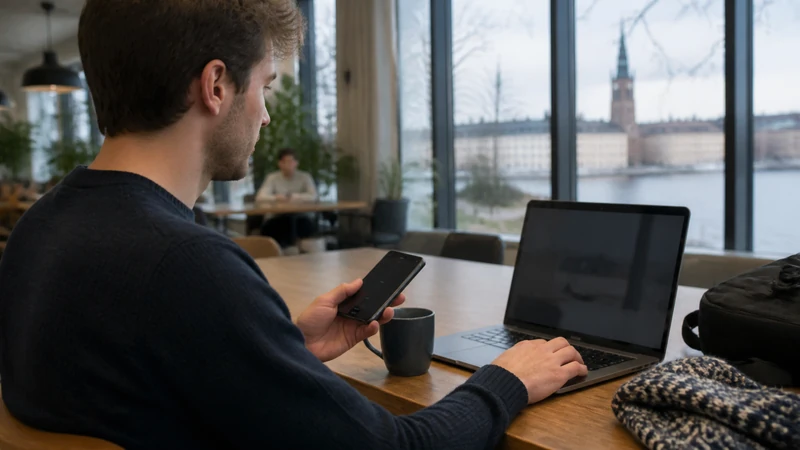

A Sweden eSIM can provide a personal hotspot when tethering is supported by the purchased plan and the phone. Hotspot availability should be checked separately from the headline data allowance.
A connected laptop or tablet can consume data much faster than a phone because of cloud sync, software updates and high-resolution calls.
NoveSIM Sweden plans are data-only. They do not include a Swedish number, traditional calls or carrier SMS.
Quick answer: Confirm hotspot support in the exact plan, select the Sweden eSIM for mobile data, stop background downloads on connected devices and test tethering before relying on it for work.
Top Sweden eSIMs

Sweden eSIM
Fixed
1 GB, 7 days€ 2.222 GB, 15 days€ 3.553 GB, 30 days€ 4.44Unlimited
Unlimited, 1 day€ 2.22Unlimited, 3 days€ 5.32Unlimited, 5 days€ 8.43
Europe Extra eSIM
Fixed
1 GB, 7 days€ 2.222 GB, 15 days€ 3.553 GB, 30 days€ 4.44Unlimited
Unlimited, 1 day€ 2.66Unlimited, 3 days€ 5.32Unlimited, 5 days€ 8.87Europe+ eSIM
Fixed
1 GB, 7 days€ 2.662 GB, 15 days€ 3.993 GB, 30 days€ 5.32Unlimited
Unlimited, 1 day€ 2.66Unlimited, 3 days€ 6.21Unlimited, 5 days€ 10.20Check plan and device support first
Hotspot use depends on the plan, handset and operating system. Do not assume that an unlimited phone plan includes unrestricted laptop tethering. Review the current Sweden eSIM plans and the purchased terms.
Network speed, 5G and hotspot performance also vary with location and local coverage. Stable 4G is sufficient for email, browsing and many calls.
Prepare the phone’s data line
- Turn on the Sweden eSIM.
- Select it for mobile data.
- Disable automatic data switching.
- Enable roaming on the travel line when instructed.
- Open Personal Hotspot or Mobile Hotspot and set a strong password.
Keep the home SIM away from mobile data. The Sweden mobile-data guide explains the dual-SIM controls.
Control laptop and tablet usage
- Pause cloud backup and photo sync.
- Disable automatic system and app updates.
- Lower video-call quality when practical.
- Close streaming services and large downloads.
- Mark the hotspot as a metered connection when supported.
Estimate the full workload with the Sweden data-allowance guide.
Protect battery and connection stability
Hotspot use increases battery consumption and heat. Keep the phone ventilated, use a suitable charger and disconnect devices that are no longer needed.
For a work session, test the connection in the actual location before a meeting. Rural, ferry and indoor reception may differ from central-city performance; see Sweden eSIM coverage.
If the hotspot connects but has no internet
First confirm that mobile data works directly on the phone with Wi-Fi disabled. Then forget the hotspot on the second device, restart tethering and reconnect with the password.
If the phone itself has no data, use Sweden eSIM troubleshooting. If manual APN entry is required, NoveSIM uses data.esim. Do not delete the eSIM unless support instructs you to do so.
Related Articles
- Unlimited Data in Sweden
- Slow Mobile Data in Sweden
- Sweden eSIM APN Settings
- Internet for Digital Nomads in Sweden
- Best Ways to Get Internet in Sweden
FAQ
Can I use a Sweden eSIM as a hotspot?
Yes when tethering is supported by the purchased plan and phone. Check the exact terms rather than assuming hotspot access from the data allowance.
Does hotspot use consume more data?
The hotspot itself does not multiply usage, but laptops and tablets often run large background transfers that consume data faster than typical phone tasks.
Can I share unlimited Sweden data?
Only according to the plan’s hotspot and fair-use rules. Unlimited phone data does not automatically mean unrestricted tethering.
Why is my hotspot connected without internet?
The phone may have no active mobile data, the plan may restrict tethering or the second device may need to reconnect. Test data on the phone first.
Final Recommendation
Use a Sweden eSIM hotspot only after confirming plan and device support.
Stop background downloads, secure the connection and monitor both allowance and battery during longer sessions.
Test the full phone-to-laptop connection before depending on it for work, especially outside major cities.