


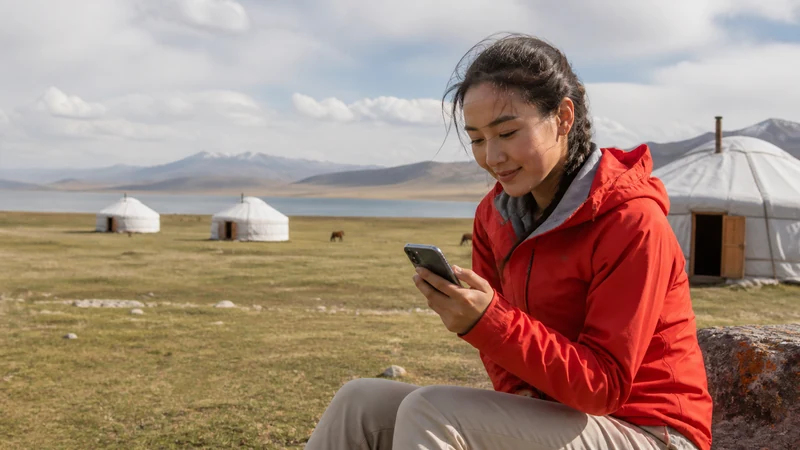

Song-Kul internet should be checked with the exact camp where you are staying. Do not assume either that every camp has a connection or that none does. Prepare to manage your stay without dependable mobile data even if the host reports some reception.
Your most important online tasks may happen before arrival: confirming the camp location, pickup arrangements and return transport. Settle them while you have a working connection rather than depending on a last-minute message at the lake.
Our NoveSIM travel eSIMs provide data only. We do not provide a local number, conventional calls or SMS with these plans. Internet messaging can work where the phone has usable data, but it is not a substitute for an agreed offline meeting arrangement.
Quick answer: Ask your Song-Kul camp which operator was recently usable at its exact location, whether guests can access working Wi-Fi and when charging is available. Save the camp address, meeting instructions and return plan offline. Buy a data plan for the wider Kyrgyzstan journey, not as a guarantee that it will connect at the camp.
Top Kyrgyzstan eSIMs

Kyrgyzstan eSIM
Fixed
1 GB, 7 days3.50$2 GB, 15 days6.50$3 GB, 30 days9.00$Unlimited
Unlimited, 1 day6.00$Unlimited, 3 days13.50$Unlimited, 5 days21.00$
Commonwealth of Independent States eSIM
Fixed
1 GB, 7 days9.00$2 GB, 15 days19.50$3 GB, 30 days20.50$Unlimited
Unlimited, 1 day9.50$Unlimited, 3 days25.50$Unlimited, 5 days41.00$Ask About Song-Kul Internet at Your Actual Camp
A report from another camp does not establish reception at yours. Give the host your booked dates and ask whether someone has recently loaded a fresh page or sent a message from the guest area. A phone displaying signal is less useful evidence than an actual data test.
Ask which operator was used and whether the connection worked inside the accommodation or only at a particular outdoor spot. A domestic SIM working there does not automatically confirm access for every travel eSIM package. Check the networks permitted by your own plan.
The yurt-camp connectivity guide provides the wider questions to ask. Treat the host’s answer as a recent local observation, not a promise for your entire visit.
Separate Wi-Fi, Mobile Reception and Charging
“There is Wi-Fi” can mean a local wireless network without a dependable internet connection. Ask whether guests can use it, whether it currently reaches the internet and whether access is limited to particular places or hours.
Charging is another separate question. Confirm the sockets or charging facilities available to guests and any operating hours. Do not assume that another traveller’s report about a different camp describes your booking.
If an essential task requires a dependable connection, complete it before departure or arrange another way to handle it. Do not promise an online meeting or large upload based only on the presence of a router.
Make Arrival and Return Work Without Messages
- Request the exact camp location and a clear description of the agreed arrival point.
- Save the host’s contact details and written pickup instructions locally.
- Confirm what happens if you cannot send an arrival message.
- Agree the return meeting point and time before the outward journey.
- Test that your saved information opens with Wi-Fi and mobile data off, then restore the connections.
Download the relevant map area rather than saving only a pin in a chat. The offline maps guide explains that distinction. A map does not establish that a road is open or suitable: confirm access and transport arrangements with your organiser for the actual dates.
Choose Data for the Journey, Not a Guaranteed Lake Connection
An eligible Kyrgyzstan eSIM plan can serve online tasks elsewhere on the trip where supported coverage is available. Confirm the handset is unlocked and eSIM-compatible, and check allowance and validity against the whole itinerary.
If data works before departure but not at the camp, missing local reception is one possible cause. Check the plan and settings without assuming that every outage is a failed installation. Keep the installed profile; removal does not create coverage.
Prepare phone power and share the itinerary and expected return with a trusted contact. Follow the organiser’s safety and communication arrangements rather than treating a travel data plan as an emergency system.
Related Articles
FAQ
Is there internet at Song-Kul?
Check with your specific camp for recent mobile-data and guest Wi-Fi observations. This guide cannot confirm every location. Prepare for a stay without dependable internet even when some reception is reported.
Do all Song-Kul camps have no Wi-Fi?
Do not generalise across camps. Ask yours whether guest Wi-Fi exists, actually reaches the internet and has access restrictions or operating hours.
Will a Kyrgyzstan eSIM guarantee data at my camp?
No. The package must be eligible, but usable reception also depends on local conditions, the supported network and your device. Country coverage is not a guarantee for one camp.
What should I confirm before going offline?
Confirm the camp location, pickup and return arrangements, charging availability and any agreed check-in process. Keep the instructions and essential contacts accessible without internet.
Final Recommendation
Plan Song-Kul internet around your booked camp’s current information, not a blanket claim about the whole lake. Ask separately about mobile data, Wi-Fi and power.
Prepare the arrival and return before leaving a dependable connection. Save the instructions and map content locally and keep the phone charged.
Use a travel eSIM where its permitted network is available, while keeping the stay workable without it. The fallback arrangements matter more than a promise of reception.