


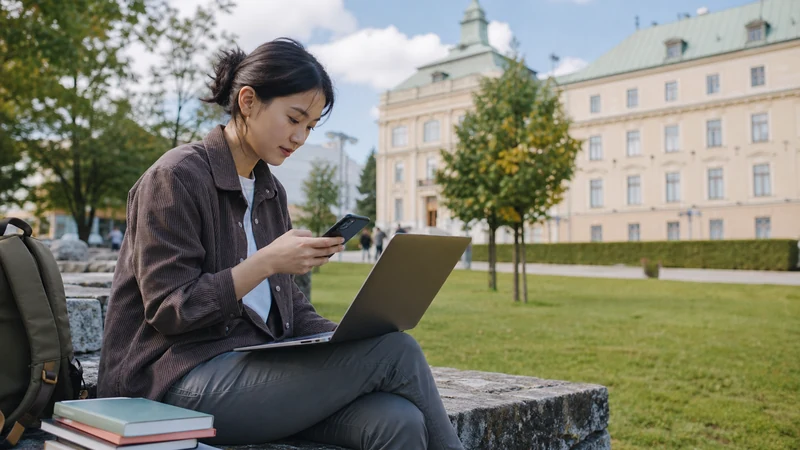

A student staying in Slovakia for a semester needs a different connection plan from a visitor on a weekend break. The decision should cover the first day after arrival, everyday campus life and travel outside the city—not just the largest advertised data allowance.
University and accommodation Wi-Fi can handle large downloads, but mobile data remains important for transport, maps, authentication messages and communication while moving between classes. A backup plan also helps when shared Wi-Fi is overloaded.
NoveSIM travel eSIMs are data-only. We do not provide a Slovak phone number or conventional calls and SMS, although internet-based communication works through the data connection.
Quick answer: EU/EEA students should check their home plan’s Slovakia roaming and fair-use limits first. Non-EU students can use a travel eSIM for immediate arrival data, then compare local prepaid or monthly options for the full semester. Choose by monthly usage, local-number needs and travel plans.
Top Slovakia eSIMs

Slovakia eSIM
Fixed
1 GB, 7 days€ 2.232 GB, 15 days€ 3.563 GB, 30 days€ 4.45Unlimited
Unlimited, 1 day€ 2.23Unlimited, 3 days€ 5.35Unlimited, 5 days€ 8.02
Europe Extra eSIM
Fixed
1 GB, 7 days€ 2.232 GB, 15 days€ 3.563 GB, 30 days€ 4.45Unlimited
Unlimited, 1 day€ 2.67Unlimited, 3 days€ 5.35Unlimited, 5 days€ 8.91Europe+ eSIM
Fixed
1 GB, 7 days€ 2.672 GB, 15 days€ 4.013 GB, 30 days€ 5.35Unlimited
Unlimited, 1 day€ 2.67Unlimited, 3 days€ 6.24Unlimited, 5 days€ 10.24Cover the first days before choosing a semester plan
Arrival is when mobile data is most useful: finding accommodation, receiving university messages and navigating from the airport or station. An eSIM installed over trusted Wi-Fi can provide this bridge on a compatible, unlocked phone. It does not force a decision about the complete semester before you understand local needs.
Check whether EU roaming is suitable for a long stay
Eligible EU and EEA plans generally work in Slovakia under roam-like-at-home rules during periodic travel. A semester can raise fair-use questions because operators may assess whether the line is used more abroad than at home over time. Read the home operator’s current policy rather than assuming short-trip roaming conditions will cover several months unchanged.
Compare local service when a Slovak number matters
A local offer may suit students who need a Slovak number for landlords, work, university administration or local services. Compare the live prepaid and monthly terms, identification requirements, commitment period and top-up method. The Slovakia SIM card guide explains the comparison without assigning a permanent network winner.
Estimate a realistic monthly allowance
Separate campus and accommodation Wi-Fi use from mobile use. Transport searches, messages and email are light; video calls, lecture streaming, cloud backup and laptop tethering are much heavier. Download course files and system updates on trusted Wi-Fi and monitor the phone’s data counter during the first month.
The Slovakia mobile-data guide covers capped and unlimited plans. Check speed-management and hotspot rules before paying for “unlimited” service.
Plan for weekends outside Slovakia
Students often travel to Czechia, Poland, Hungary or Austria. Confirm whether the chosen plan covers those destinations and under what fair-use terms. A regional eSIM can be useful during shorter multi-country trips, but it should not duplicate an existing allowance without a clear reason.
Protect accounts and keep an offline fallback
Do not depend on one app for every ticket or university login. Save the accommodation address, enrolment contacts and first transport route offline. Keep the home number active only when its roaming charges are understood, especially if banking or two-factor authentication depends on it.
Related Articles
- Best Way to Get Internet in Slovakia
- Best SIM Card for Slovakia
- Public Transport Apps for Slovakia
- Unlimited Data in Slovakia
FAQ
Can an international student rely on EU roaming for a semester?
It depends on the home plan and fair-use policy. Check how the operator treats extended use abroad before relying on it for several months.
Should I get a travel eSIM or local Slovak SIM?
A travel eSIM is useful for immediate data and shorter stays. A local SIM may suit a longer stay when a Slovak number or local-plan services are needed.
How much data does a student need in Slovakia?
Estimate mobile-only activities. Video calls, streaming and tethering use far more than maps, messages and email.
Can I keep my home SIM active?
Yes on a dual-SIM phone, but select the intended line for mobile data and understand the home operator’s roaming charges.
Final Recommendation
Arrange reliable arrival data first, then choose the semester connection after checking campus Wi-Fi, monthly usage and local-number needs. Review extended-roaming limits and keep essential university and travel information offline.