


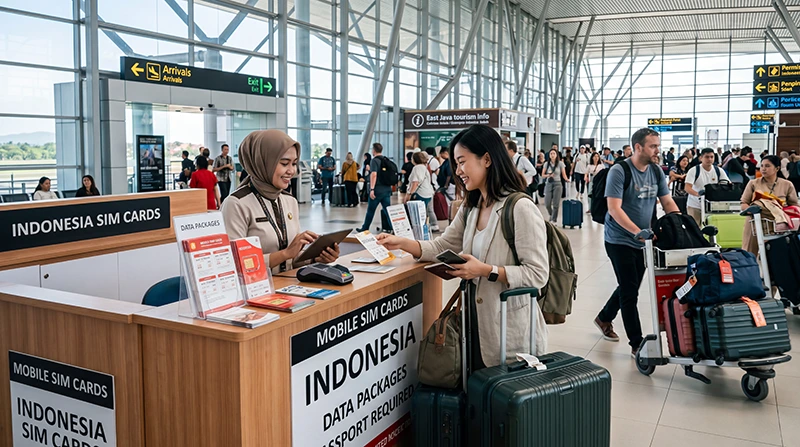

A Surabaya airport SIM card can connect an unlocked phone before you leave Juanda International Airport (SUB). Before buying, establish exactly what the package costs, how much general-purpose data it includes and when its validity ends.
Purchasing at arrivals can provide immediate staff help, but counters, opening hours and stock may change. An eSIM can be prepared before the flight and avoids swapping a physical card on a compatible device.
NoveSIM travel eSIMs are data-only. They support maps, online messages and internet calls but do not provide an Indonesian number, conventional calls or SMS.
Quick answer: Use an authorised seller, confirm registration requirements and ask for the total price, usable high-speed data, validity, network and hotspot policy. Test the connection with airport Wi-Fi turned off before leaving the counter.
Top Indonesia eSIMs


Choose a Surabaya airport SIM card for the East Java route
Juanda is often the start of a trip beyond central Surabaya. Write down the accommodation, stations and road destinations first, then judge the airport offer by the network’s reach along that route. A large allowance is unhelpful where the selected network has weak coverage.
| Onward plan | Question at the counter |
|---|---|
| Surabaya city stay | Does the plan cover the hotel and daily routes? |
| Rail connection | Will data remain useful at the destination? |
| Road itinerary | Which network serves towns along the route? |
| Several weeks | Can the plan be topped up without re-registration? |
| Laptop work | Is hotspot use permitted and limited? |
Registration and identification
Indonesia applies registration requirements to local SIM service, and procedures can change. Buy from an authorised counter, ask which identification is currently needed and keep your passport in sight throughout the process.
Check the activated plan and receipt before leaving. If staff adjust the phone, ask what they changed. The device must be carrier-unlocked and compatible with the network offered.
Late arrivals need a queue-free fallback
A late flight can arrive when retail availability is reduced, and an airport queue can delay booked transport. Save the address and driver details offline. Terminal Wi-Fi or a prepared eSIM can cover the first transfer even if you still plan to buy a local SIM later.
If you only need short-term access inside arrivals, use the separate Surabaya airport internet guide. It covers terminal Wi-Fi and arrival preparation rather than duplicating this buying advice.
Inspect the usable allowance, not the headline
Ask which data works for ordinary browsing and which part is promotional or application-specific. Confirm the final cost and expiry in plain terms. A physical SIM remains suitable for a phone without eSIM support, while a single-slot device requires safe storage of the home SIM.
An eSIM leaves the physical slot available and can be installed in advance, but it requires an unlocked compatible phone. Neither format guarantees superior reception; compare network access and plan terms in the Indonesia SIM versus eSIM guide.
Test the activated service
Disable Wi-Fi, confirm the new line is selected for mobile data and open a webpage. Send a message through a data app and ask how to view remaining allowance. Retain the packaging and receipt in case support is needed later.
Reception at Juanda does not predict every route in East Java or another island. Compare the itinerary with the Indonesia network guide, including accommodation and road destinations.
Prepare an eSIM before arrival
Verify device support and unlocked status before purchase. Install the profile on dependable Wi-Fi, label both lines and follow the plan’s activation timing. Keep the setup information available offline.
At the airport, select the travel line for data and enable roaming on it if instructed. For manual NoveSIM APN entry, use data.esim. Keep the installed profile unless support explicitly tells you to delete it. The Indonesia installation guide explains the process.
Make top-ups part of the purchase decision
Maps, messages and booking checks are light compared with video, uploads and laptop tethering. Review recent device use and include every calendar day from arrival through departure.
Use the Indonesia data allowance guide to estimate the plan size. Confirm whether a top-up merely adds data or also extends the expiry date.
Related Articles
- Best eSIM for Indonesia Travel
- Best SIM Card for Indonesia
- Best Internet Option in Indonesia
- Indonesia Roaming Charges
FAQ
Can I buy a SIM card at Surabaya airport?
Airport sales may be available, but current counters, hours and stock should be checked after arrival.
Will I need identification?
Registration requirements apply and can change. Use an authorised seller and confirm the documents needed for the purchase.
Should I buy at Juanda or in Surabaya?
Choose the airport for immediate convenience or compare later if you already have temporary internet and time to visit a city shop.
How should I test the SIM?
Turn off Wi-Fi, load a webpage and send a data message before leaving the counter.
Final Recommendation
Choose a Surabaya airport SIM card only after verifying the authorised seller, registration process, full cost, allowance and validity.
Test mobile data independently of terminal Wi-Fi and retain the receipt and package information.
For a faster arrival on a compatible phone, prepare an eSIM in advance and save your onward details offline.