
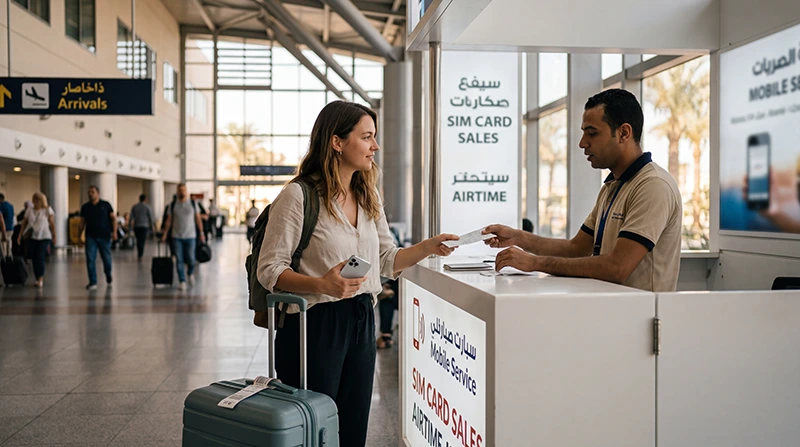

If you are arriving at Sharm El Sheikh International Airport, you may want mobile internet immediately for airport transfers, hotel communication, WhatsApp, maps, taxis, booking confirmations and resort check-in.
Tourists can usually buy a local SIM card after arrival, but many travelers prefer installing an Egypt eSIM before departure to avoid airport queues and use mobile data shortly after landing.
Quick answer: buying a SIM card at Sharm El Sheikh Airport can work, but the easiest option for most tourists is an Egypt travel eSIM. It can be installed before your flight and used after arrival without changing your physical SIM card.
Top Egypt eSIMs
Can You Buy a SIM Card at Sharm El Sheikh Airport?
Yes. Tourist SIM cards are commonly available at airport telecom kiosks after arrival. You may need your passport for registration and the SIM card must be activated before use.
SIM Card vs Egypt eSIM at Sharm El Sheikh Airport
| Feature | Egypt eSIM | Airport SIM Card |
|---|---|---|
| Buy before arrival | Yes | No |
| Physical SIM required | No | Yes |
| Airport queue | No | Possible |
| Passport registration | No | Usually yes |
| Ready after landing | Yes | After purchase and activation |
| Keep home SIM active | Yes | Depends on phone |
| Use existing WhatsApp number | Yes | Yes |
| Local phone number | No | Usually yes |
Why Many Tourists Choose an eSIM Instead
- No airport SIM card queue.
- No physical SIM card needed.
- Install before departure.
- Use mobile data shortly after landing.
- Keep your home SIM active.
- Use WhatsApp with your existing number.
- Avoid expensive roaming data charges.
- Useful for transfers to Sharm El Sheikh resorts and Dahab.
When an Airport SIM Card Makes Sense
A local SIM card at Sharm El Sheikh Airport can be useful if you need a local Egyptian phone number or prefer using a physical SIM card.
- You need a local number for calls.
- Your phone does not support eSIM.
- You are staying in Egypt for a longer period.
- You prefer buying mobile service in person.
Internet for Transfers from Sharm El Sheikh Airport
Many travelers continue from Sharm El Sheikh Airport to nearby Red Sea resort areas. Having mobile internet ready helps with transfer coordination, hotel messages, maps and travel updates.
| Destination | Why Mobile Data Helps |
|---|---|
| Naama Bay | Hotel check-in, taxis and maps |
| Sharks Bay | Transfer coordination and navigation |
| Nabq Bay | Hotel communication and pickup details |
| Soho Square | Maps and reservations |
| Ras Um Sid | Taxi tracking and hotel directions |
| Dahab | Long-distance navigation and messages |
Recommended Phone Settings for Egypt eSIM
| Setting | Recommended Value |
|---|---|
| Mobile Data | Egypt eSIM |
| Calls | Primary SIM |
| SMS | Primary SIM |
| Data Roaming | ON for the eSIM |
| Primary SIM Data Roaming | OFF |
| Network Selection | Automatic |
| Automatic Data Switching | OFF |
| APN | data.esim if required |
APN Settings
Most phones configure the APN automatically. If mobile data does not work, enter the APN manually.
| Field | Value |
|---|---|
| APN | data.esim |
| Username | Leave blank |
| Password | Leave blank |
| Authentication | None |
Can You Keep Your Home SIM?
Yes. Most Dual SIM smartphones allow you to keep your regular SIM card active while using an Egypt eSIM for mobile data.
- Keep your regular phone number.
- Receive SMS verification codes.
- Use WhatsApp normally.
- Avoid roaming data charges on your primary SIM.
Does WhatsApp Work After Arrival?
Yes. WhatsApp works with mobile data and WiFi in Egypt. Your WhatsApp account stays linked to your existing phone number even if you use an eSIM only for internet.
How Much Data Do You Need?
| Trip Type | Recommended Data |
|---|---|
| Weekend in Sharm El Sheikh | 3–5 GB |
| One-week Red Sea holiday | 5–10 GB |
| Two-week Egypt holiday | 10–20 GB |
| Dahab and Sharm El Sheikh trip | 10–20 GB |
| Family trip with hotspot | 20 GB+ |
| Heavy video or social media use | 20 GB+ or unlimited |
Common Problems After Arrival
- Data Roaming is disabled on the eSIM.
- The wrong SIM is selected for Mobile Data.
- Network Selection is set manually.
- APN settings are missing.
- Automatic Data Switching is enabled.
- The phone does not support eSIM.
What to Do If Mobile Data Does Not Work
- Turn on your Egypt eSIM.
- Select it for Mobile Data.
- Enable Data Roaming.
- Restart your phone.
- Turn Airplane Mode on for 30 seconds.
- Keep Network Selection on Automatic.
- Use APN data.esim if needed.
Related Egypt and Sharm Airport Guides
- Egypt eSIM
- Internet at Sharm El Sheikh Airport
- WiFi at Sharm El Sheikh Airport
- Best eSIM for Sharm El Sheikh
- Internet in Sharm El Sheikh
- Best eSIM for Dahab
- Internet in Dahab
- Egypt eSIM APN Settings
FAQ
Can tourists buy a SIM card at Sharm El Sheikh Airport?
Yes. Tourists can usually buy prepaid SIM cards at airport telecom kiosks after arrival. Passport registration may be required.
Is an eSIM better than a SIM card at Sharm El Sheikh Airport?
For most tourists, yes. An eSIM avoids airport queues, does not require a physical SIM card and can be installed before departure.
Do I need a passport to buy a SIM card at Sharm El Sheikh Airport?
Usually yes. Local SIM card registration in Egypt commonly requires passport identification.
Can I keep my regular SIM active with an Egypt eSIM?
Yes. You can use your Egypt eSIM for mobile data while keeping your primary SIM active for calls and SMS.
Does WhatsApp work with an Egypt eSIM?
Yes. WhatsApp works normally with mobile data and keeps your existing phone number.
What APN should I use?
If manual configuration is required, use data.esim.
Final Recommendation
Buying a SIM card at Sharm El Sheikh Airport can be useful if you need a local Egyptian number, but for most tourists, an Egypt travel eSIM is easier. It can be installed before departure, works shortly after landing and helps you stay connected for airport transfers, hotel check-in, maps, WhatsApp and your Red Sea holiday.


