


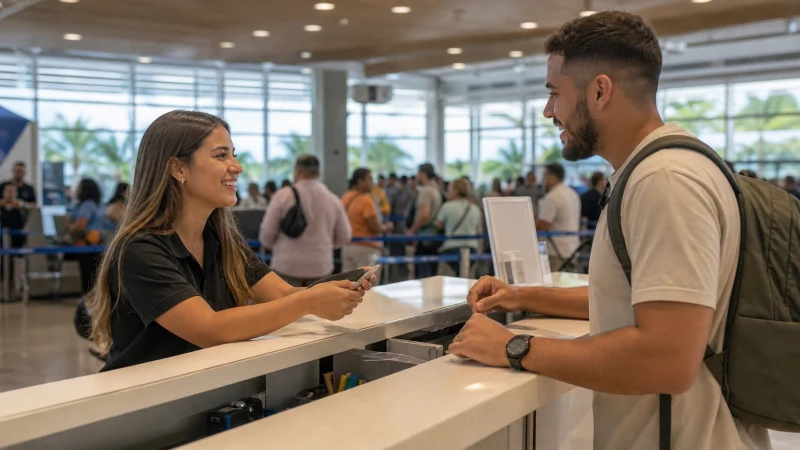

Buying a SIM at Luis Muñoz Marín International Airport depends on current retailer access, opening hours, registration and the time available before onward transport.
The terminal connection solves only the first few minutes after arrival. When buying a SIM card at San Juan Airport, save the onward address and decide how the phone will stay online after leaving the airport.
Our Puerto Rico option adds a dedicated travel-data line to the phone. Leave conventional calls and texts on the relevant home or local line while apps use travel data. Separating those roles helps prevent accidental roaming on the home line.
Quick answer: When buying a SIM card at San Juan Airport, verify retailer access, registration, allowance and validity; prepare an eSIM alternative when arrival timing makes a shop uncertain.
Top Puerto Rico eSIMs

Puerto Rico eSIM
Fixed
1 GB, 7 days4.00$2 GB, 15 days7.00$3 GB, 30 days9.00$Unlimited
Unlimited, 1 day4.00$Unlimited, 3 days10.00$Unlimited, 5 days15.50$
Buying a SIM Card at San Juan Airport After Landing
Airport shop hours, stock and prepaid registration can change. Verify the current outlet and ask about allowance, validity, activation and hotspot use before paying. Use the actual route and the next essential task to make the decision.
After landing in San Juan, a late flight or tight connection may leave too little time to compare bundles. Preparing an eSIM before departure removes that uncertainty without preventing a later local-SIM purchase.
More detail is available in Wi-Fi at Rafael Hernández Airport: An Arrival Guide and Internet in Rincón for Tourists.
Allow time for purchase and registration
Keep the home SIM available for its usual number when needed, but switch the data connection to the Puerto Rico eSIM and disable automatic data switching. Roaming should remain off on the home line. The difference matters most when the onward transfer begins and the airport retailer is no longer nearby.
After landing in San Juan, review the phone’s SIM labels before the flight. Clear names make it easier to see which line carries data and which line receives conventional calls or SMS.
Read next: Useful Apps for Travelling in Puerto Rico and Mobile Internet for Vieques and Culebra Ferry Trips.
Compare a physical SIM with advance eSIM setup
For the next stage, open Internet in Puerto Rico for Tourists: A Practical Guide and How Much Mobile Data Do You Need for a Puerto Rico Trip?.
Save key tickets, contacts and the first route for offline access. Confirm power and workspace arrangements before relying on a hotspot for an important session. Use the actual route and the next essential task to make the decision.
Identify the tasks that cannot wait: authentication, navigation, family coordination or a work call. Estimate laptop and shared-device use separately from ordinary phone activity. Save the next step of the journey so a delay does not make the phone the only source of essential details.
Decide whether a local number is necessary
For the next step, open Mobile Coverage in Rural Puerto Rico: How to Prepare and How to Use a Puerto Rico eSIM on Android.
At San Juan Airport, save the route, transfer information, accommodation contact and next fuel or charging point while the connection is strong. Coastal roads, transfer approaches and quieter areas can include weaker sections.
Tell travelling companions where to meet if messages are delayed. Carry a power bank and keep the phone charged during long transfer and sightseeing days. Use the actual route and the next essential task to make the decision.
Install and test the selected line
For the traveller, an airport purchase can be convenient, but opening hours, queues, identity checks and stock are not guaranteed by the flight schedule. Compare that uncertainty with installing an eSIM before departure. Whichever option is chosen, test a web page over cellular data before leaving the terminal and keep the first address available without a connection.
Save the onward route before leaving arrivals
- Carry enough battery power for the longest planned transfer.
- Pause automatic updates, cloud backup and video downloads.
- Save the first address, booking reference and one useful contact.
- Confirm the exact handset is unlocked and supports eSIM.
- Keep installation details where another device can display them.
After landing in San Juan, review the live Puerto Rico eSIM plans shortly before travel, paying attention to validity, data allowance, networks and tethering. Use the Puerto Rico destination guide to continue planning the rest of the itinerary.
Keep a fallback if the shop is closed
If mobile data stops while buying a SIM card at San Juan Airport, confirm signal, the enabled eSIM and the selected mobile-data line. Data Roaming should be on for the Puerto Rico eSIM and off for the home line. Allow automatic network selection to register, try aeroplane mode and one restart, then verify data.esim only if manual APN entry is required. Do not delete the eSIM unless NoveSIM support specifically requests it.
For a connection issue while travelling, more focused help is available in Internet in Culebra for Tourists.
Related Articles
- Mobile Internet at Puerto Rico’s Beaches
- Reliable Internet for Business Travel in Puerto Rico
- Which Mobile Network Is Best for Tourists in Puerto Rico?
- How to Install an eSIM for Puerto Rico Before You Travel
FAQ
What should be prepared first?
Prepare the phone and first transfer before travel, especially details that would be difficult to recover without data. Install on secure Wi-Fi and keep key information offline.
Does a Puerto Rico eSIM include a local number?
No. In Puerto Rico, remember that our Puerto Rico travel plans are data-only and do not include a Puerto Rican number, ordinary voice minutes or carrier SMS.
Where can I check the supported networks for Puerto Rico?
Open the exact live Puerto Rico plan before purchase. The current plan description is the authority for supported networks, access and included features.
Should the eSIM be removed if data stops?
No. When troubleshooting, check the active line, Data Roaming, network selection and APN data.esim first, then contact NoveSIM support before removing an installed profile.
Final Recommendation
When buying a SIM card at San Juan Airport, save the onward address and pickup details before leaving the terminal. Airport access is most useful when it supports a prepared mobile-data option for the rest of the journey.