


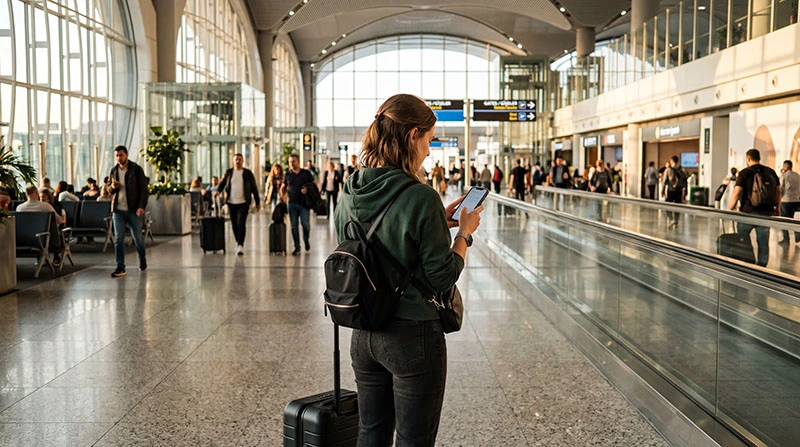

Internet at Sabiha Gökçen Airport is available through terminal Wi-Fi, a Turkish prepaid SIM, roaming or a travel eSIM. Mobile data is especially useful after leaving SAW because the onward journey may cross a large part of Istanbul.
Sabiha Gökçen (SAW) is not Istanbul Airport (IST). Confirm the airport code before opening directions or messaging a driver, as a route from the wrong airport can send you to the opposite side of the metropolitan area.
NoveSIM travel eSIMs are data-only, without a Turkish number, conventional calls or SMS. Maps and online messaging work over data.
Quick answer: Use official terminal Wi-Fi for immediate messages or setup, then test an eSIM or local SIM before starting the city transfer. Save the hotel address, route and driver contact offline and verify that your booking says SAW.
Top Turkey eSIMs

Turkey eSIM
Fixed
1 GB, 7 days€ 2.202 GB, 15 days€ 3.083 GB, 30 days€ 3.96Unlimited
Unlimited, 1 day€ 2.64Unlimited, 3 days€ 5.72Unlimited, 5 days€ 9.25
Europe Extra eSIM
Fixed
1 GB, 7 days€ 2.202 GB, 15 days€ 3.523 GB, 30 days€ 4.40Unlimited
Unlimited, 1 day€ 2.64Unlimited, 3 days€ 5.28Unlimited, 5 days€ 8.81Europe+ eSIM
Fixed
1 GB, 7 days€ 2.642 GB, 15 days€ 3.963 GB, 30 days€ 5.28Unlimited
Unlimited, 1 day€ 2.64Unlimited, 3 days€ 6.16Unlimited, 5 days€ 10.13Europe Lite eSIM
Fixed
1 GB, 7 days€ 2.202 GB, 15 days€ 3.523 GB, 30 days€ 4.40Unlimited
Unlimited, 1 day€ 2.64Unlimited, 3 days€ 5.28Unlimited, 5 days€ 8.81How can you get internet at Sabiha Gökçen Airport?
An eSIM installed before departure avoids a shop queue on an unlocked compatible phone. A local SIM offers a Turkish number and shop support, but requires purchase and registration. Home roaming should be enabled only after confirming the operator’s Turkey charges.
Compare plan options in the Turkey eSIM guide and physical cards in the Turkey SIM guide.
How should you use airport Wi-Fi?
Follow current airport signage for the official network and sign-in process. Avoid similarly named hotspots. Use Wi-Fi to retrieve booking information and check the travel line, but do not assume it will continue outside the terminal.
Should you buy a SIM at SAW?
An airport outlet is convenient when you need a local number immediately. Ask for the complete price, allowance, validity and included calls before payment. Let the representative activate it, switch off Wi-Fi and test a webpage before leaving.
How do you prepare the Istanbul transfer?
- Confirm the SAW airport code and destination address.
- Enable the travel line and select it for mobile data.
- Enable roaming on the eSIM when required.
- Keep data roaming disabled on the home line.
- Download the full route and save the driver contact.
Continue with the Istanbul tourist internet guide. Travellers arriving at IST should instead use the Istanbul Airport connectivity guide.
What if the eSIM has no data?
Check the selected line, required roaming and automatic network selection. The manual NoveSIM APN is data.esim. Do not delete the profile unless support instructs you; follow the Turkey troubleshooting guide.
Related Articles
FAQ
Is Wi-Fi available at Sabiha Gökçen Airport?
Passenger Wi-Fi is available, but sign-in conditions can change. Follow official airport instructions.
Can tourists buy a SIM card at SAW?
Airport mobile outlets may offer tourist packages. Confirm the full price and test activation before leaving.
Will a Turkey eSIM work at Sabiha Gökçen?
It can work where its supported partner network has coverage. Install before travel and test it in the terminal.
Is SAW close to Istanbul Airport?
No. They are separate airports on different sides of the Istanbul area, so transfers and routes must use the correct code.
Final Recommendation
Arrange internet at Sabiha Gökçen Airport before beginning the long Istanbul transfer. Use official Wi-Fi for setup and a tested mobile line on the road.
Confirm the airport code, data line and hotel address while still inside the terminal.
Keep the route offline and preserve the installed eSIM if troubleshooting is required.