


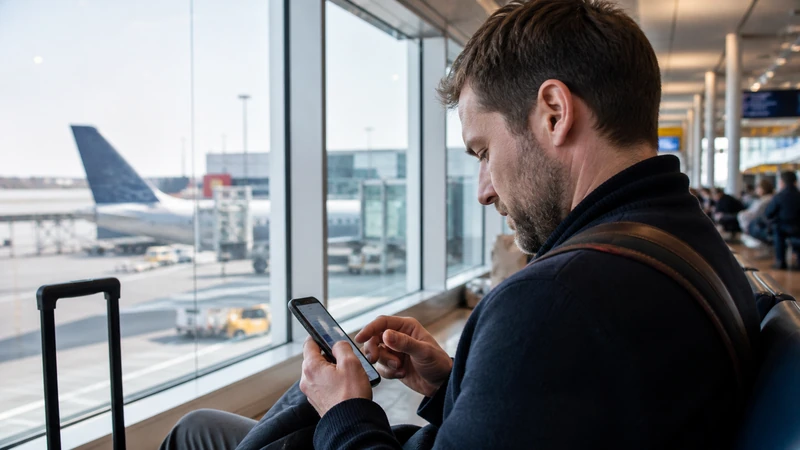

Malmö Airport WiFi is free, and Swedavia’s current terminal map indicates wireless coverage throughout the airport. It can help with an arrival message, a bus check or retrieving an accommodation address.
The airport is at Sturup, outside Malmö itself. Once you leave the terminal, you need mobile data or saved offline information for the journey through Skåne.
A NoveSIM Sweden eSIM provides travel data but no Swedish number, conventional calls or carrier SMS. Internet-based communication apps can work over the data connection.
Quick answer: Connect only to the official free airport network, save the exact bus or road route from Sturup, then switch Wi-Fi off and confirm that your travel eSIM works before leaving the building.
Top Sweden eSIMs

Sweden eSIM
Fixed
1 GB, 7 days€ 2.212 GB, 15 days€ 3.543 GB, 30 days€ 4.43Unlimited
Unlimited, 1 day€ 2.21Unlimited, 3 days€ 5.31Unlimited, 5 days€ 8.41
Europe Extra eSIM
Fixed
1 GB, 7 days€ 2.212 GB, 15 days€ 3.543 GB, 30 days€ 4.43Unlimited
Unlimited, 1 day€ 2.66Unlimited, 3 days€ 5.31Unlimited, 5 days€ 8.85Europe+ eSIM
Fixed
1 GB, 7 days€ 2.662 GB, 15 days€ 3.983 GB, 30 days€ 5.31Unlimited
Unlimited, 1 day€ 2.66Unlimited, 3 days€ 6.20Unlimited, 5 days€ 10.18How to use Malmö Airport WiFi
- Turn on Wi-Fi inside the terminal.
- Identify the official network from current Swedavia signage.
- Open a browser if an access page does not appear automatically.
- Follow the displayed terms without installing unknown software or sharing unrelated credentials.
If the portal stalls, disconnect and reconnect before opening a simple webpage. Avoid choosing a lookalike network merely because its name contains “airport” or “free”.
Download the route from Sturup before walking outside
Check the current bus, taxi or rental-car instructions and save the departure point. Keep the destination address and any accommodation entry details available offline.
This matters because Malmö Airport is not in the city centre. A late arrival, timetable change or onward connection towards Lund, Copenhagen or another part of Skåne may require several pieces of information after terminal Wi-Fi ends.
Use airport Wi-Fi carefully
Public Wi-Fi is appropriate for low-risk tasks such as transport checks and messages. Postpone sensitive account changes and payments when you cannot verify the network or website security.
For operating-system updates or large downloads, consider whether there is enough time and whether the connection is stable. A partial download is less useful than having the route and tickets ready.
Choose mobile internet for the rest of the trip
A pre-installed eSIM avoids having to depend on a physical SIM purchase at the airport. Check allowance, validity and partner details on the selected Sweden eSIM plan.
If you need a Swedish number, compare local options in the Sweden SIM-card guide. For a wider comparison with roaming and Wi-Fi, see the best ways to get internet in Sweden.
Check the data line before leaving Malmö Airport
- Install and label the eSIM before travel when possible.
- At arrivals, turn off Wi-Fi and select the eSIM for mobile data.
- Disable automatic data switching so the home SIM cannot take over.
- Enable roaming for the eSIM if required by its instructions.
- Load a route or lightweight webpage using cellular data alone.
Reliable 4G is enough for maps, messages and tickets. 5G, hotspot use and speed depend on the plan, phone, partner network and local signal.
If mobile data does not start
Verify that the profile is switched on and assigned to mobile data. Use a brief aeroplane-mode reset, then restart the phone. The Sweden eSIM troubleshooting guide explains when to check APN data.esim.
Do not delete the eSIM while troubleshooting. Removal can make recovery harder, so wait for an explicit instruction from NoveSIM support.
Related Articles
- Sweden eSIM Plans
- Best Ways to Get Internet in Sweden
- Mobile Data in Sweden
- Sweden eSIM Coverage
- Install an eSIM for Sweden
FAQ
Is Wi-Fi free at Malmö Airport?
Yes. Swedavia currently describes Malmö Airport Wi-Fi as free, and its terminal map shows wireless internet throughout the airport.
Can I use airport Wi-Fi all the way to Malmö?
No. It is a terminal network. Download the route and use mobile data or offline information after leaving the building.
Should I buy a SIM at Malmö Airport?
Not necessarily. An unlocked eSIM-compatible phone can use a plan installed before departure. A physical Swedish SIM is more relevant when you need a local number or have an incompatible device.
Why should I test the eSIM before leaving?
The test gives you time to correct the selected line, roaming or APN settings while free airport Wi-Fi is still available for instructions or support.
Final Recommendation
Use Malmö Airport’s official free Wi-Fi to retrieve tickets and save the full route from Sturup to the correct destination.
Switch to the Sweden eSIM before walking outside and confirm that mobile data works without the home SIM taking over.
That preparation provides a clean hand-off from Malmö Airport WiFi to navigation and communication across Malmö, Lund or the wider Skåne region.