


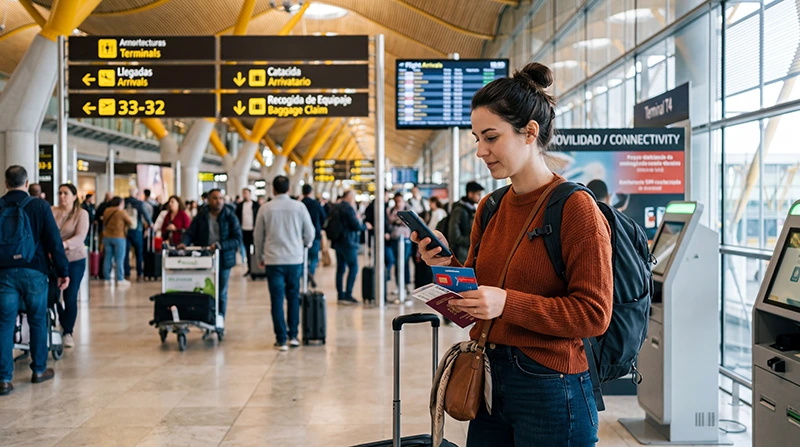

A SIM card purchase at Adolfo Suárez Madrid–Barajas Airport depends on the terminal, arrival time and the retailers operating that day. Madrid has several passenger terminals, so a shop elsewhere in the airport may not be practical after a long-haul arrival or before an onward connection.
A travel eSIM offers a different route: install before departure and connect after landing without removing the home SIM. A Spanish prepaid SIM is more relevant when the traveller needs a local number or ordinary domestic calls.
NoveSIM travel eSIMs are data-only. We do not provide a Spanish number, conventional calls or SMS.
Quick answer: Use an airport retailer only after confirming its current location, hours and prepaid offer for your MAD terminal. If the priority is mobile data for the transfer into Madrid, an eSIM installed before travel is usually the more predictable arrival option.
Top Spain eSIMs

Spain eSIM
Fixed
1 GB, 7 days€ 1.772 GB, 15 days€ 3.553 GB, 30 days€ 4.44Unlimited
Unlimited, 1 day€ 2.22Unlimited, 3 days€ 4.88Unlimited, 5 days€ 7.99
Europe Extra eSIM
Fixed
1 GB, 7 days€ 2.222 GB, 15 days€ 3.553 GB, 30 days€ 4.44Unlimited
Unlimited, 1 day€ 2.66Unlimited, 3 days€ 5.32Unlimited, 5 days€ 8.87Europe+ eSIM
Fixed
1 GB, 7 days€ 2.662 GB, 15 days€ 3.993 GB, 30 days€ 5.32Unlimited
Unlimited, 1 day€ 2.66Unlimited, 3 days€ 6.21Unlimited, 5 days€ 10.20Can You Buy a SIM at Madrid-Barajas Airport?
Retail availability can change, and the terminal layout matters. Check the official airport directory for the exact arrival terminal rather than assuming that a counter is beside baggage reclaim. Passengers in transit should also consider whether they can leave the secure area and return in time.
Spanish prepaid activation may require identity registration. Ask the seller to explain the allowance, validity, calls, renewals and whether activation is complete before leaving the counter.
Compare the Three Practical Options
| Option | Useful when | Check first |
|---|---|---|
| MAD airport SIM | A physical local line is needed immediately | Terminal, opening hours, ID and total price |
| Madrid city SIM | There is time to compare domestic offers | How to navigate from the airport without it |
| Travel eSIM | Data is needed as soon as the aircraft lands | Phone compatibility, unlock status and activation rule |
Getting Online for the Madrid Transfer
Save the hotel address, booking reference and first transport route offline. Airport WiFi can help, but it may require a portal and does not continue onto the metro, train, bus or taxi.
For an installed eSIM, enable the travel line, select it for Mobile Data and turn on Data Roaming for that line. Keep roaming off on the home SIM and disable automatic data switching.
Price and Plan Questions to Ask
Confirm whether the quoted price includes the starter SIM, recharge and activation. Check expiry, included data, speed or fair-use restrictions and whether a local number is supplied. Do not pay for calls that will never be used.
For an eSIM, compare the live allowance, validity, Spain coverage, hotspot support and partner-network terms. A digital purchase is convenient only if the exact handset supports eSIM and is carrier-unlocked.
If Mobile Data Does Not Start
Verify plan status, Spain coverage, the selected data line, Data Roaming and Automatic Network Selection. Toggle Airplane Mode and wait for registration. For manual NoveSIM APN configuration, use data.esim with no username or password.
Keep the eSIM installed unless NoveSIM Support specifically directs removal.
Related Articles
- Spain eSIM plans
- WiFi at Madrid Airport
- Internet at Madrid Airport
- SIM card options for Spain
- Install a Spain eSIM
- Check eSIM compatibility
FAQ
Can I buy a SIM card at Madrid Airport?
Airport retailers may sell prepaid connectivity, but location, opening times and stock vary by terminal and date. Check the official MAD directory before arrival.
Is an airport SIM or eSIM faster to arrange?
An eSIM can be installed before departure on a compatible unlocked phone. An airport SIM requires finding an open retailer and completing any registration.
Does a Spanish airport SIM include a phone number?
Many local prepaid products do, but inclusions differ. Confirm the number, calls, SMS, data and validity with the seller.
Can I use an eSIM on the Madrid Metro?
It can use available mobile coverage, but underground reception varies. Save the first route and address offline.
Final Recommendation
Buy a Madrid Airport SIM only when a local physical line is required and the correct-terminal retailer and package have been verified.
For data from arrival through the city transfer, prepare an eSIM before flying and keep essential directions accessible offline.
Protect the home line from roaming, preserve the eSIM during troubleshooting and judge both options by complete cost and required services.