
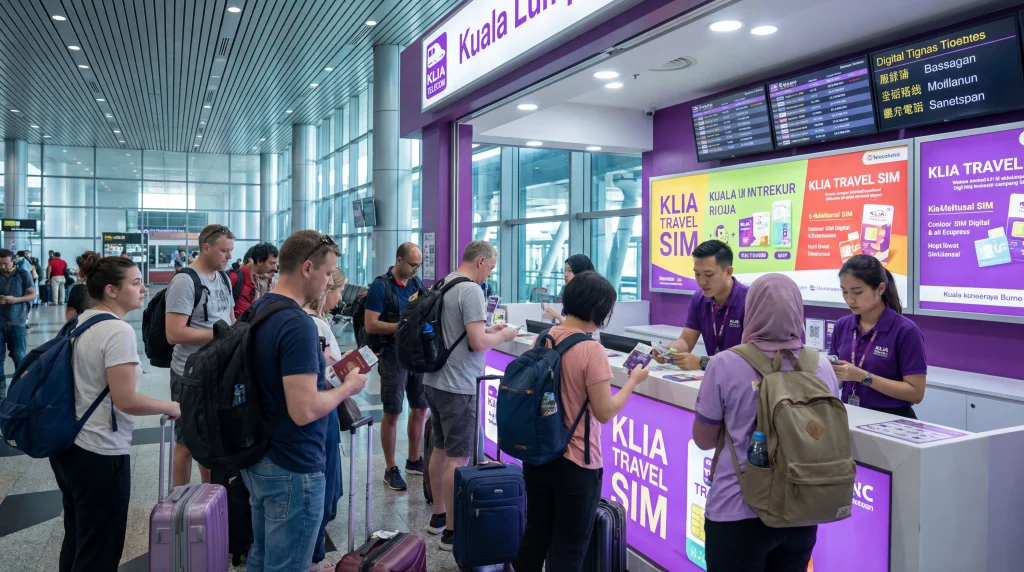

Kuala Lumpur International Airport connectivity should be planned around the immediate airport task and the onward journey. This guide separates verified airport facilities from mobile options that continue beyond the terminal.
The airport code is KUL. Retail locations, opening hours, prices and stock can change, so operational details should be checked again through the official airport or provider immediately before travel.
NoveSIM travel eSIM plans are data-only and do not provide a local telephone number, ordinary calls or standard SMS. Network access, hotspot, 4G and 5G depend on the purchased plan, device, route and local coverage.
Quick answer: Compare the complete airport price and registration terms before buying. Use the official airport network for immediate checks, or install a compatible travel eSIM before departure when a local number is not required.
Top Malaysia eSIMs
Terminal and Counter Checks at KUL
Kuala Lumpur Airport operates separate terminal areas and retailer availability can vary by arrival hall, flight time and current concession. Confirm whether the flight uses Terminal 1 or Terminal 2, then use the official airport directory rather than following an old counter photograph or blog location.
Passport Registration for a Malaysian SIM
Physical prepaid SIM activation in Malaysia requires subscriber registration. Expect the authorised seller to inspect an identity document and follow the current provider process. Use an official or clearly authorised counter, verify the package is registered to the correct person and keep the receipt.
Compare Malaysian Offers
Malaysia has several mobile brands and network arrangements, and airport tourist bundles change. Compare total price, validity, high-speed allowance, any speed reduction, hotspot support, local-number inclusion and coverage for the actual route. Do not choose only from a large headline allowance.
eSIM Alternative before the Flight
A Malaysia travel eSIM avoids searching for a counter after arrival. Install it on stable internet before travel when permitted, then enable it after landing. NoveSIM plans are data-only and do not provide a Malaysian number.
Airport SIM, City SIM or Travel eSIM?
| Option | Advantage | Limitation |
|---|---|---|
| Airport physical SIM | Staff may help with registration and setup | Airport stock, queues, hours and price can vary |
| City physical SIM | More shops and easier price comparison | Requires internet or offline directions to reach a shop |
| Travel eSIM | Can be prepared before arrival | Requires compatible unlocked device and is data-only |
| Airport Wi-Fi | Useful for immediate messages and installation | Does not provide continuous connectivity outside the terminal |
How to Compare the Real Price
A useful price comparison includes the SIM or eSIM cost, data allowance, validity, taxes, activation fee, top-up rules and any high-speed or fair-use threshold. Ask for the total in the local currency and do not convert from an old online price. A cheaper package is not better if it expires before the trip ends or excludes hotspot use that the traveller needs.
Documents and Registration
Physical prepaid registration rules vary by country and provider. Use an authorised seller, present only the documents required under the current process and retain the receipt. A travel eSIM order may still require account and payment information, but NoveSIM data-only plans do not create a local telephone number.
Before You Leave the Counter or Wi-Fi Area
- Confirm the plan name, allowance and validity.
- Check the phone is unlocked and the intended line is enabled.
- Select the new line for mobile data.
- Enable roaming for a travel eSIM when instructed.
- Disable primary-SIM data roaming if costly.
- Turn Wi-Fi off and load two lightweight services.
- Save the receipt, support route and accommodation address offline.
Calls, SMS and Local Numbers
A physical prepaid SIM may include a local number, calls or SMS depending on the selected package. NoveSIM travel eSIM plans are data-only and support internet calling and messaging apps instead. Keeping the primary SIM active can preserve the normal number, but voice and SMS charges remain controlled by the home operator.
Coverage, 5G and Hotspot
No airport counter can guarantee coverage in every building, road or rural area. Network access, 4G, 5G, speed and hotspot depend on the plan, device bands, route and local coverage. Check the official provider map for important remote travel and download offline maps before departure.
Safe Public Wi-Fi Use
Confirm the exact network name from airport signage or the official airport site. Complete the captive portal before starting a VPN, use HTTPS services and avoid sensitive transactions on an unverified network. Forget temporary networks after use and disable automatic joining of similarly named hotspots.
Troubleshoot without Removing the eSIM
If cellular data fails, check that the line is enabled, selected for data and valid in the destination. Enable roaming for the travel eSIM when required, restart once and leave network selection automatic first. NoveSIM uses data.esim when an APN is required. Do not delete the installed eSIM unless NoveSIM support instructs you to do so.
Prepare an Offline Arrival Plan
Save the terminal map, accommodation address, transfer ticket and first route before travel. A screenshot should open without an account refresh. Airport Wi-Fi, a physical SIM and an eSIM are useful tools, but none should be the only place where essential arrival information is stored.
Check Device Compatibility and Lock Status
A physical SIM or eSIM cannot solve a carrier lock. Confirm the exact handset model, regional variant and supported radio bands before travel. For eSIM, verify the device appears on the compatible-device list and that the menu can add a new profile. Complete these checks before joining a retail queue or scanning an activation code.
Installation and Activation Timing
Install a travel eSIM on stable internet before departure when the product instructions permit, but do not assume installation and validity start at the same moment. Read the plan terms and follow the correct activation event. A physical SIM is normally activated through the retailer or provider process; confirm that the allowance and validity are visible before leaving the counter.
Keep Connectivity through the Airport Transfer
Airport Wi-Fi may end near the terminal exit, car park, coach bay or railway platform. Open the transfer ticket and route before walking away from coverage. If using a travel eSIM, test it with Wi-Fi disabled in a permitted area. If buying a physical SIM later in the city, keep an offline address and payment alternative for the journey.
What a Useful Receipt Should Show
Keep evidence of the provider, package, purchase time, allowance, validity and amount paid. For a physical SIM, record the SIM number or account route without publishing identity details. For an eSIM, keep the order and support information private. This documentation helps resolve an activation or allowance mismatch without relying on memory or an unverified airport reseller description.
Make the Choice before Arrival Pressure
Decide in advance whether the trip genuinely needs a local number, ordinary carrier calls or standard SMS. If it does, research an authorised physical-SIM option and its registration process. If the priority is data for maps, messaging and bookings, a prepared travel eSIM may remove the airport retail dependency. Travellers who remain undecided should save two acceptable city shops, the airport directory and an offline transfer route. That keeps a delayed flight, closed counter or high airport price from forcing an unsuitable purchase.
Related Articles
- Malaysia Esim
- Best Sim Card Malaysia
- Wifi Kuala Lumpur Airport
- Destinations
- Compatible Devices
- Install Esim Before Travel
- Does Esim Work Without Wi Fi
- Do You Need Roaming For Esim
- Local Sim Vs Esim
- Which Esim Should I Choose
- How Much Data Do You Need For 7 Days Of Travel
- Help — Troubleshooting — Esim No Internet After Activation
- Help — Troubleshooting — Esim Installed But Not Working After Arrival
- Travel Guides — Airport Wifi
- Travel Guides — Travel Internet Tips
- Wifi Toronto Airport
- Sim Card Toronto Airport
- Sim Card Vancouver Airport
- Sim Card Vienna Airport
- Sim Card Kuala Lumpur Airport
FAQ
What is the best way to get connected at KUL?
Compare the complete airport price and registration terms before buying. Use the official airport network for immediate checks, or install a compatible travel eSIM before departure when a local number is not required.
Are airport SIM prices fixed?
No. Stock, bundles, taxes, promotions and retailer pricing change. Check the current displayed total and included allowance before purchase.
Does a travel eSIM provide a local number?
NoveSIM travel eSIM plans are data-only and do not provide a local telephone number.
Should I delete an eSIM that does not connect?
No. Check the line, mobile-data selection, roaming, plan validity and network registration first. Delete only if NoveSIM support instructs you.
Final Recommendation
For KUL, choose the connection according to the whole onward journey: official airport Wi-Fi for immediate tasks, a verified physical SIM when a local number is essential, or a prepared travel eSIM for data without an airport retail dependency.
Recheck official airport hours, counter locations, live prices and registration requirements on the travel date because operational information can change.
Keep tickets, maps and the first onward route offline so a temporary captive-portal, retail or cellular problem does not block arrival.


