


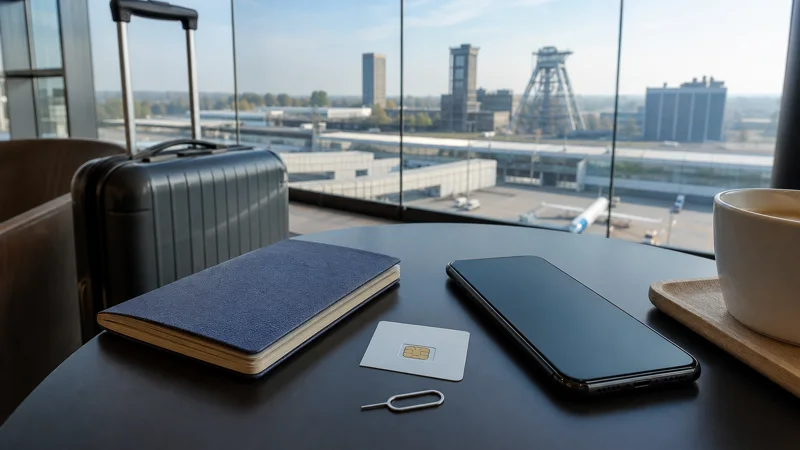

A local Polish SIM can suit a longer stay after arriving at Katowice Airport, particularly when a domestic number is genuinely necessary. Prepaid registration, changing retail availability and the physical SIM swap make it less predictable than a Poland eSIM installed before departure.
The correct choice depends on the complete regional journey, not only the terminal. Travellers should compare included data, validity, registration, support, hotspot use and onward roaming before paying for an airport offer.
NoveSIM travel plans are data-only and normally do not provide a Polish number, traditional calls or SMS. Maps, messages and app-based calls work through data while the home SIM can remain installed.
Quick answer: Prepare a compatible unlocked phone and offline transfer details before flying. Buy a registered local SIM only when its domestic features justify the setup; otherwise use a preinstalled Poland eSIM and test it before leaving Katowice Airport.
Top Poland eSIMs

Poland eSIM
Fixed
1 GB, 7 days€ 1.772 GB, 15 days€ 3.553 GB, 30 days€ 4.44Unlimited
Unlimited, 1 day€ 2.22Unlimited, 3 days€ 4.88Unlimited, 5 days€ 7.99
Europe Extra eSIM
Fixed
1 GB, 7 days€ 2.222 GB, 15 days€ 3.553 GB, 30 days€ 4.44Unlimited
Unlimited, 1 day€ 2.66Unlimited, 3 days€ 5.32Unlimited, 5 days€ 8.87Europe+ eSIM
Fixed
1 GB, 7 days€ 2.662 GB, 15 days€ 3.993 GB, 30 days€ 5.32Unlimited
Unlimited, 1 day€ 2.66Unlimited, 3 days€ 6.21Unlimited, 5 days€ 10.20What to check before buying a Katowice Airport SIM
Do not assume that a particular operator, package or opening hour remains permanent. Check current airport information shortly before the flight and keep a fallback for a delayed or late arrival. An airport retailer may have a smaller range than an official city store and may not provide detailed activation support.
Ask for the complete price, the amount of full-speed data, validity, renewal method and any fair-use limit. Confirm whether calls, SMS and a Polish number are included. A starter balance and an active data bundle can be separate, so test a webpage with WiFi disabled before leaving the seller.
Polish prepaid service requires registration. Use an authorised process, carry accepted identification and keep the receipt and SIM packaging privately. They can contain support information, PIN or account references.
If the home SIM must be removed, store it immediately in a rigid labelled holder. Losing the card can interrupt verification messages, account recovery and the return journey. A dual-SIM or eSIM-capable phone avoids this physical risk.
Plan the onward regional transfer
Save the final destination, accommodation address and first transfer step offline. Mobile data is useful for live changes, but the route should not exist only inside an app. A power bank protects against a different failure mode from a second network.
A domestic SIM may not be the most convenient choice for a later border crossing. Verify every country and fair-use rule in the itinerary. A regional travel plan can be simpler even when a Polish prepaid package has a lower domestic price.
Connection options at Katowice Airport
| Option | Main advantage | Important limitation |
|---|---|---|
| Travel eSIM | Install before departure | Needs compatible unlocked phone |
| Local SIM | May include Polish number | Registration and retailer required |
| Home roaming | No new profile | Account-specific cost and fair use |
| Airport WiFi | Temporary terminal access | Public network that ends outside |
Pre-departure checklist
- Confirm device compatibility and carrier unlock.
- Choose validity covering arrival through departure.
- Install on trusted WiFi and label the line Poland.
- Keep activation details private and available offline.
- Download the first route, booking and destination address.
- Carry sufficient battery power for the transfer.
Compare current options on the Poland eSIM page. Review the compatible-device list and setup overview before purchase.
Correct arrival settings
- Disable Airplane Mode and enable the Poland line.
- Select it for cellular data.
- Enable roaming on that travel line when required.
- Keep home-line roaming and automatic data switching off.
- Leave network selection automatic.
- Test with WiFi disabled.
Troubleshoot without deleting the profile
Confirm the correct line, roaming, plan validity and remaining allowance. Toggle Airplane Mode once, restart the phone and compare the APN with the supplied value. Test again in an open public area.
Do not delete an installed eSIM unless support instructs you to do so. Some profiles cannot be reinstalled after activation. Use the NoveSIM FAQ for general guidance.
Manage data and battery
Pause cloud backup, video autoplay and system updates on cellular. Use trusted WiFi for large transfers, review usage after the first day and preserve enough allowance for the airport return.
Navigation and weak-signal searching consume battery. Keep a charging cable or power bank available, and make sure companions know the destination and a meeting point.
Prepare before departure
Complete compatibility and installation checks while there is trusted WiFi, enough time and access to another screen. Check the exact device model rather than only the product family, because regional variants can differ. Carrier unlock and eSIM capability are separate requirements.
Read the plan’s activation and validity instructions before scanning. Installation does not always start validity, but the rule depends on the product. Label the new line Poland, store the order reference privately and never share a QR code publicly.
Download the relevant map area, accommodation address, booking confirmation and first route. GPS can still locate the phone without mobile data when the map is stored locally, although live traffic, new searches and current transport changes require a connection.
Verify the line after arrival
Change one setting at a time: enable the profile, choose it for cellular data, apply its required roaming setting and allow automatic partner-network registration. Keep the home line’s data roaming and automatic switching disabled.
Test a simple webpage, a map route and a data-based message with WiFi off. Then review cellular statistics or the active-line indicator. This proves the full data path more reliably than signal bars, which can belong to a line that is not carrying internet traffic.
If registration takes time, move to an open public area before changing advanced settings. Toggle Airplane Mode once, restart the phone and compare the APN with the supplied value. Do not copy settings from a domestic operator unless they belong to the selected product.
Plan for companions and several devices
A hotspot can connect a companion or laptop for a short task when the plan allows tethering. It also increases battery consumption and makes everyone dependent on the host phone’s allowance, location and connection. Use a strong password and disconnect unknown or finished clients.
Separate plans provide more independence when travellers split up. Regardless of the number of connections, every person should know the accommodation address and a meeting point offline. This protects the group if a phone is lost, discharged or temporarily without service.
Protect privacy and account access
Keep file sharing and automatic public-WiFi joining off. Avoid password resets, financial transactions and confidential work on an unverified connection. Use official support channels and share screenshots of settings only after removing personal order or account information.
Dual SIM makes it possible to retain the home number for an expected verification message, but incoming and outgoing calls, SMS and voicemail follow the home provider’s tariff. Disabling data roaming does not make every other home-line service free.
Keep service through the return journey
Arrival and departure are both connectivity days. Check the remaining allowance and validity the evening before returning, save the boarding pass or rail ticket, and download the route to the correct airport or station.
Keep the travel profile installed until the journey is complete. Switch back to the home data line only when its normal tariff is appropriate. Deleting the eSIM early provides no advantage and can prevent later troubleshooting or reuse.
Related Articles
FAQ
What is the easiest internet option for a short Warsaw or Katowice visit?
A preinstalled eSIM is usually the most direct option for a compatible unlocked phone because it avoids a physical SIM swap and can be prepared before departure.
Do I need data roaming on?
Travel eSIMs commonly require roaming on the eSIM line. Keep it off on the home line unless intentional.
Can I keep my usual number?
Usually yes on a Dual-SIM phone. The home line can remain available while the Poland eSIM provides data, but calls and SMS can still create charges.
Can I rely only on public WiFi?
It is useful for selected indoor tasks but does not provide continuous coverage. Keep offline essentials and an independent mobile option.
Should I delete an eSIM that does not connect?
No. Check supported settings and contact support first because an activated profile may not be reinstallable.
Final Recommendation
Prepare a compatible unlocked phone and offline transfer details before flying. Buy a registered local SIM only when its domestic features justify the setup; otherwise use a preinstalled Poland eSIM and test it before leaving Katowice Airport.
Prepare offline essentials, monitor data and battery, and verify current plan, airport or transport information immediately before the trip.
Choose the method that supports the complete itinerary with the least avoidable setup risk.