


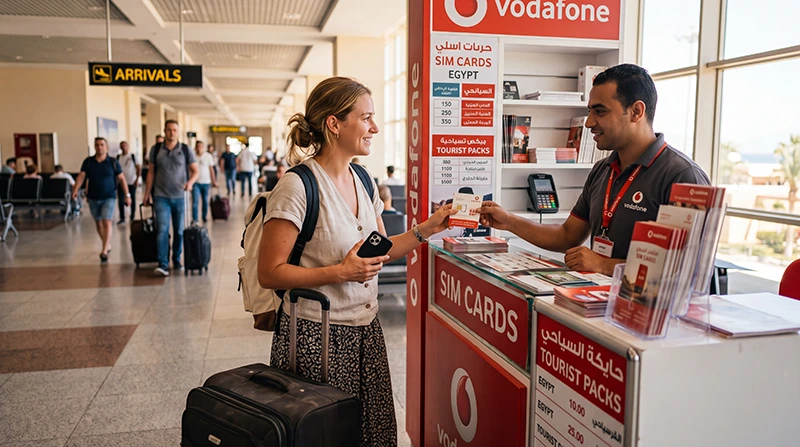

You can look for a local SIM card at Hurghada Airport if you need an Egyptian number or your phone does not support eSIM. Orange’s official store directory lists a Hurghada Airport outlet; check its current details rather than assuming every counter is open when your flight lands.
The important purchase decision is the package behind the advertised number. Confirm how much general internet data you receive, when it expires and whether the quoted total includes the SIM and applicable charges.
If you only need mobile data, our NoveSIM Egypt eSIM is an alternative for an unlocked, compatible phone. We do not provide an Egyptian phone number, conventional calls or SMS with these travel plans.
Quick answer: Use a verified operator outlet, bring your original passport and documentation of your permitted stay, and ask for the package terms in writing. Do not leave the counter until registration is complete and mobile data works with Wi-Fi off. Choose a travel eSIM instead when you need data rather than a local number and prefer to install before flying.
Top Egypt eSIMs

Egypt eSIM
Fixed
1 GB, 7 days5.00$2 GB, 15 days8.00$3 GB, 30 days11.00$Unlimited
Unlimited, 1 day5.50$Unlimited, 3 days13.00$Unlimited, 5 days21.00$
Africa eSIM
Fixed
1 GB, 7 days11.50$2 GB, 15 days21.50$3 GB, 30 days30.00$Unlimited
Unlimited, 1 day15.50$Unlimited, 3 days44.50$Unlimited, 5 days73.50$Where to look for an airport SIM shop
Orange’s Hurghada Airport listing provides a directly verifiable starting point. It does not establish that every Egyptian operator has a staffed counter in every arrival area, or that a particular package is in stock.
Ask airport staff for an operator outlet accessible from your arrival route. Check the branding and obtain a receipt identifying the seller. Confirm opening hours before travelling if an airport purchase is essential; do not assume a staffed counter will be beside baggage reclaim.
If your resort transfer is waiting, decide how long you can spend on registration before joining a queue. A city operator shop can be a later option; you still need a way to meet your driver without the new SIM.
Bring documents—not just a passport photograph
Egypt’s NTRA SIM sales rules require foreign customers to present an original valid passport and residency documentation, appear in person and receive a copy of their signed contract. Bring evidence of your lawful stay and ask the operator which document applies to your visitor status.
Keep the contract and receipt. They matter if you need support or a replacement SIM. For a longer stay, ask how your residency period affects line validity; topping up data is not the same as extending the registration of the line.
Six questions to ask before paying
- What is the final price? Ask for the SIM, activation, bundle and any other charges together, with the payment currency stated.
- How much unrestricted data is included? Distinguish general gigabytes from app-specific allowances, promotional bonuses or units with different conversion rules.
- When does the bundle begin and end? Check the expiry date against your departure, not only the label “tourist package”.
- Does it include a local number? Confirm the call and SMS allowances separately, including whether international calls are included.
- Can I share data? Check hotspot terms if another phone or a tablet will rely on yours.
- How do I check the balance and buy more? Ask staff to show the official app or balance method and explain what happens when the allowance runs out.
A large allowance is not automatically better value for a short resort holiday. If you will mostly use messages and maps outside the hotel, compare a smaller package with the same validity before buying the largest option. The Egypt SIM-card comparison covers the broader choice beyond the airport.
Test the line before the seller hands your phone back
- Confirm that the number and registration belong to you, and keep your contract copy.
- Select the new local SIM for mobile data, then switch Wi-Fi off.
- Load a new webpage and send a message. A signal indicator alone does not demonstrate working data.
- Check the remaining allowance and expiry in the operator’s official balance service.
- If you bought voice service, ask how to make a local call and how to check the call balance.
- Label both SIMs clearly and put any removed home SIM somewhere safe.
Keep your phone in view during setup. An operator may need to configure its own APN; data.esim is the NoveSIM APN, not a universal setting for Egyptian local SIM cards.
Local SIM or travel eSIM for the Red Sea stay?
A local SIM is useful when a conventional Egyptian number is part of your plan, or when an unlocked phone has a SIM slot but no eSIM support. An eSIM-capable handset does not automatically require a data-only plan: local operators may offer their own eSIM products, subject to their registration and device rules.
A NoveSIM travel eSIM suits the different task of arranging data before arrival. Check your exact handset model, its carrier-unlocked status and the current package conditions. Follow the Egypt eSIM activation instructions, including when validity starts.
Whichever you buy, reception depends on the network and your location. A successful airport test is not a guarantee for every room in El Gouna, Makadi Bay or Soma Bay. Ask your accommodation about Wi-Fi where you will actually use it.
Related Articles
- Hurghada Airport Wi-Fi and login help
- Using internet during a Hurghada holiday
- Checking home-SIM roaming costs in Egypt
FAQ
Can I buy a SIM card at Hurghada Airport?
Orange lists an airport outlet in its official directory. Check current access and opening details for your arrival; we do not guarantee that every operator or package is available in every terminal.
Do foreign visitors need a passport?
Yes. NTRA rules require an original valid passport and residency documentation, with the customer present for registration. Ask the operator which evidence of your permitted stay is needed.
How much does a Hurghada Airport SIM cost?
The total depends on the seller and package. Obtain a current all-in quote and check general data, validity and call allowances before comparing it with another offer.
What should I do if the SIM has signal but no data?
Stay at the counter and ask staff to verify bundle activation, the selected data SIM and the operator’s APN. Test with Wi-Fi disabled before leaving. Do not use another provider’s APN as a shortcut.
Final Recommendation
Buy a SIM card at Hurghada Airport when you need local-number service or in-person setup. Choose the package by usable data, expiry and final cost—not the largest number on the sign.
Bring the original registration documents, retain your contract and test the line while the seller can still help. Save your resort transfer instructions before spending time at a counter.
If your unlocked phone supports eSIM and you only need internet, arranging travel data before departure avoids making the airport shop your only way to get connected.