


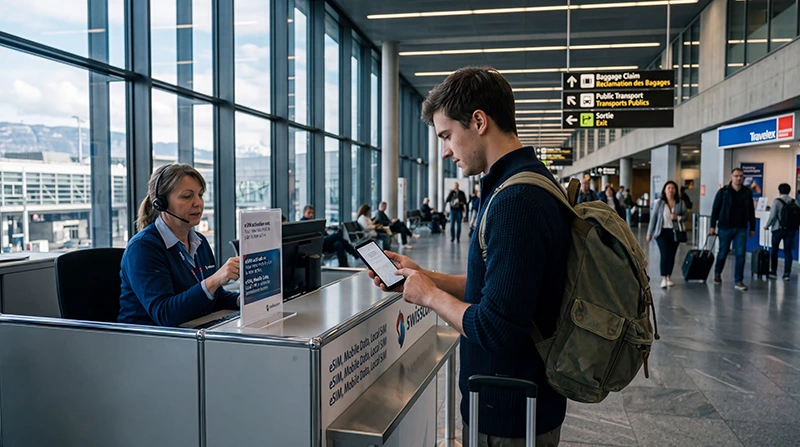

Can you buy a SIM card at Geneva Airport? Yes: the airport lists international SIM-card sales at its Change Helvetic currency-exchange counters. It does not promise that a particular Swiss operator, local-number plan or data bundle will be available when your flight lands.
Decide where you need the connection after arrivals. Central Geneva is in Switzerland, but some airport transfers and accommodation are across the nearby French border; a one-country plan can stop being useful partway through that journey.
NoveSIM travel eSIMs are data-only: they provide internet for transport, maps and app-based communication, without a Swiss telephone number or conventional calls and SMS.
Quick answer: Check the Change Helvetic counter if you need a physical SIM, but ask which country and number the actual card covers before buying. If you need mobile data as soon as you leave arrivals, set up a compatible travel eSIM in advance and verify that its country list covers your full Switzerland–France route.
Top Switzerland eSIMs

Switzerland eSIM
Fixed
1 GB, 7 days€ 2.212 GB, 15 days€ 3.103 GB, 30 days€ 4.43Unlimited
Unlimited, 1 day€ 2.66Unlimited, 3 days€ 5.75Unlimited, 5 days€ 9.29
Europe Extra eSIM
Fixed
1 GB, 7 days€ 2.212 GB, 15 days€ 3.543 GB, 30 days€ 4.43Unlimited
Unlimited, 1 day€ 2.66Unlimited, 3 days€ 5.31Unlimited, 5 days€ 8.85Europe+ eSIM
Fixed
1 GB, 7 days€ 2.662 GB, 15 days€ 3.983 GB, 30 days€ 5.31Unlimited
Unlimited, 1 day€ 2.66Unlimited, 3 days€ 6.20Unlimited, 5 days€ 10.18Where Can You Buy a Geneva Airport SIM Card?
Geneva Airport’s service directory identifies Change Helvetic counters in the arrivals public area and baggage reclaim, as well as departure and transit areas. The airport currently lists daily opening hours of 06:00–23:00, but check its directory before travelling: outlet hours and access to a particular counter can change.
The airport describes the cards as international SIM cards. Ask the seller to show the package terms, rather than assuming it includes a Swiss number or Swiss domestic rates. Confirm the total price, data allowance, validity, top-up method, identity requirements and Switzerland/France coverage. Your phone must also be unlocked to accept a different physical SIM.
Use Free Airport Wi-Fi While You Decide
Geneva Airport provides free, unlimited Wi-Fi throughout the terminal on Free_WiFi_GVA, but you must authenticate. If you cannot receive an SMS, the airport says you can obtain an access code by scanning your boarding pass at a terminal kiosk or through GVApp. Another option is to present valid ID at the Visitors Centre on the Arrivals level.
Use this connection to retrieve an eSIM order or check a train platform. It is not a substitute for mobile data on the onward journey. Save the first route, accommodation address and any border-crossing instructions offline before you leave the terminal.
Physical SIM or eSIM After Landing?
| Choice | Good fit | Check first |
|---|---|---|
| Airport SIM | Travellers who need a physical card | Actual number, covered countries, outlet hours, stock, registration and price |
| Travel eSIM | Data immediately after landing while retaining the main SIM | Device lock, compatibility and included countries |
| Home-SIM roaming | A tariff that explicitly includes Switzerland | Daily fee, allowance and pass trigger |
For a country-wide comparison, see the best SIM card options for Switzerland and eSIM versus physical SIM.
Check Switzerland and France Coverage Separately
Some arrivals travel into central Geneva; others cross into nearby France or continue through both countries. Read the eSIM or SIM country list rather than relying on a “Europe” label. Switzerland is outside EU roam-like-at-home rules, so a French domestic plan may charge extra across the border.
Automatic network selection is normally the simplest starting point. If your plan covers only one side of the border, do not assume a newly displayed network is included; check the plan terms before using data there. The wider issue is explained in our Switzerland EU roaming guide.
Set Up Mobile Data Before Leaving Arrivals
- Connect to Free_WiFi_GVA and complete its authentication if you still need internet for setup.
- Install the eSIM according to the order instructions, or complete the physical-SIM purchase and any required registration.
- Select the new line for mobile data and disable automatic data switching to the home SIM.
- Enable data roaming on the travel eSIM if its instructions require it; keep it off on the home line unless you deliberately use your home tariff.
- Turn Wi-Fi off, then load a new web page. This tests the mobile connection itself, not the airport Wi-Fi.
If a NoveSIM line registers but data fails, confirm its APN is data.esim. Keep the installed eSIM and follow the Switzerland troubleshooting steps; do not delete it unless support instructs you.
Related Articles
- Best SIM Card for Switzerland
- eSIM vs SIM Card in Switzerland
- Does EU Roaming Work in Switzerland?
- How to Activate a Switzerland eSIM
FAQ
Can I buy a SIM card at Geneva Airport?
Yes. The airport lists international SIM-card sales at Change Helvetic. Ask what number and countries the available card includes; current stock and terms are not guaranteed.
Is Wi-Fi free at Geneva Airport?
Yes. Free_WiFi_GVA is free and unlimited throughout the terminal, but authentication is required.
Can I access the Wi-Fi without receiving an SMS?
Yes. Obtain a code by scanning your boarding pass at a kiosk or through GVApp, or show valid ID at the Arrivals Visitors Centre.
Does a Swiss SIM work in nearby France?
Only when the plan includes France or suitable roaming. Check the exact country list and charges before crossing the border.
Final Recommendation
A Geneva Airport SIM card is a reasonable option when you need a physical card and can inspect the actual offer at Change Helvetic. Do not infer a Swiss number from the airport’s general statement that it sells international SIM cards.
For immediate data, prepare a compatible eSIM before travel. Use authenticated airport Wi-Fi if installation requires it, then switch Wi-Fi off to confirm that mobile data works before leaving arrivals.
Whichever option you choose, verify Switzerland and France separately when the itinerary crosses the border.