


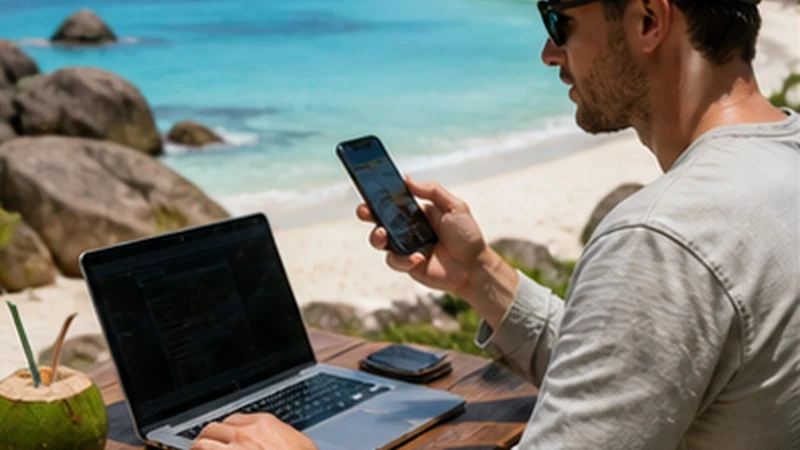

A Seychelles travel eSIM can share mobile data only when the purchased plan permits tethering and the phone and partner network support it. eSIM compatibility or an Unlimited label does not confirm hotspot access.
Sharing may help a laptop or companion who stays nearby, but relies on the host phone’s connection and battery. It is not independent service for someone visiting another part of the island.
NoveSIM travel plans are data-only. Sharing does not add a local number, ordinary calls or carrier SMS to either device.
Quick answer: Confirm permission for the exact package, test phone data with Wi-Fi off, then enable a password-protected hotspot and test one second device. Monitor the shared allowance and disconnect when finished. Permission and limits are not confirmed for every Seychelles package.
Top Seychelles eSIMs


What the current NoveSIM guidance confirms
The official NoveSIM hotspot guidance makes sharing conditional on the plan, phone and network. The Seychelles product page asks travellers to confirm permission; it does not establish unrestricted hotspot use for every option.
Before buying for laptop or group use, check tethering permission, any separate hotspot allowance and how high-speed or fair-use conditions affect sharing. If the selected option does not state the answer, ask Support before relying on it. Do not infer permission or a fixed device limit from another package.
Test the phone, then the second device
- Follow the package’s activation timing and select the travel eSIM for mobile data.
- Apply its supplied roaming settings and prevent unintended home-line data or automatic switching.
- Switch Wi-Fi off briefly and open a small, fresh webpage on the host. If this fails, resolve mobile data first with the Seychelles troubleshooting guide.
- When phone data works and permission is confirmed, open Personal Hotspot or Mobile Hotspot. Menu names vary by handset.
- Set a strong password, connect one second device and load a lightweight webpage. Avoid a large download as the first test.
- Disconnect the receiving device and turn hotspot off after use.
Identify which connection has failed
If the phone itself has no internet, the problem is not limited to hotspot sharing. Check the selected line, validity, allowance and supplied setup instructions before changing the receiving device.
If phone data works but the second device cannot join, check the hotspot switch, password and proximity. Reconnect to the intended hotspot rather than another saved network. If it joins without internet, confirm permission and compare with another receiving device where practical.
Use the NoveSIM hotspot troubleshooting guide for further diagnosis. Use data.esim only when manual APN entry is required. Do not invent a separate tethering APN or copy a domestic operator’s settings. Do not disable managed security controls by guesswork.
Keep the installed eSIM. If reversible checks fail, send Support the package, exact phone model and results of the phone and second-device tests.
Protect shared data and battery
Receiving devices use the host connection’s data under the package terms. Laptop updates, cloud synchronisation, backups and video can use it while the phone screen is idle. Pause avoidable downloads and mark the receiving device’s connection as metered where supported.
Check remaining allowance and expiry, including any relevant sharing or fair-use conditions. Count hotspot traffic once when estimating usage, not again on each device. Use How Much Data for Seychelles for the full calculation method.
The host must remain powered and within usable range. Companions who separate need their own suitable connection or an offline meeting plan. Save pickup, accommodation and return details on each relevant device before an outing.
Related Articles
- Comparing Seychelles data plans
- Internet checks for remote work
- Coverage limits and offline preparation
FAQ
Does every Seychelles eSIM allow hotspot?
No universal permission is confirmed here. Check the exact package and device support; ask Support if permission or limits are unclear.
Why does phone data work but the laptop has no internet?
Check permission, hotspot settings and the receiving device. Working phone data does not prove sharing is permitted or correctly configured.
Does Unlimited mean unlimited hotspot?
No. Check the selected plan’s hotspot restrictions and high-speed or fair-use conditions rather than assuming unrestricted sharing.
Can companions share while visiting different places?
Hotspot needs the receiving device within range of the powered host phone. It is not an independent connection for someone who leaves.
Final Recommendation
Confirm permission for the exact Seychelles package before relying on a shared connection.
Test phone data first and the receiving device next. Secure the hotspot, monitor usage and turn it off when finished.
Retain offline travel details and the installed eSIM. A successful test does not guarantee continuous sharing elsewhere on the itinerary.