


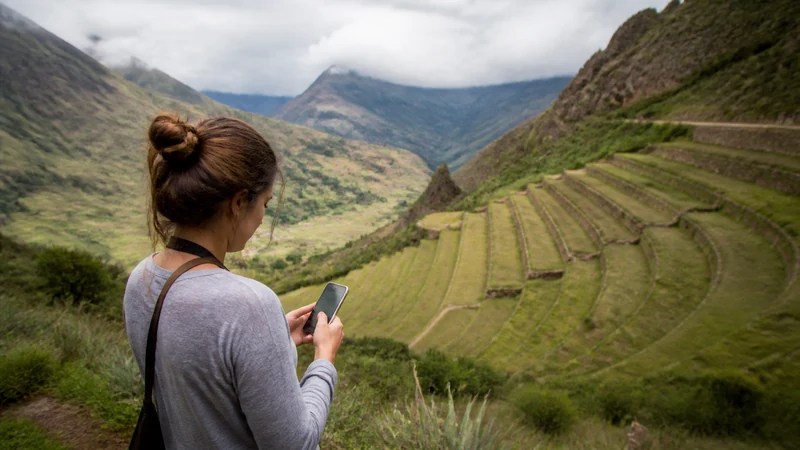

Sacred Valley mobile internet can support driver messages, map checks and booking changes, but reception can vary as the route moves between towns, archaeological sites and mountain roads.
The valley is not one compact destination. A traveller may sleep in one town, visit several sites and continue towards a station or Cusco, so each day’s essential details should be stored offline.
NoveSIM Peru plans are data-only and do not provide a Peruvian number, traditional calls or SMS. Internet calling and messaging apps can use the data connection.
Quick answer: Install a Peru eSIM before entering the Sacred Valley, download a map covering the entire route and save every pickup and accommodation detail. Use mobile data when coverage is available, but organise the day so a temporary signal gap cannot break the journey.
Top Peru eSIMs

Peru eSIM
Fixed
1 GB, 7 days€ 4.442 GB, 15 days€ 7.103 GB, 30 days€ 9.76Unlimited
Unlimited, 1 day€ 4.88Unlimited, 3 days€ 11.54Unlimited, 5 days€ 18.19
Sacred Valley Mobile Internet Is a Route Question
A single coverage check at an accommodation does not answer what happens on the road. The useful planning unit is the full chain: departure point, stops, lunch or ticket location, accommodation, station and return. Terrain and distance from populated areas can change reception between them.
| Travel moment | Keep offline | Why it matters |
|---|---|---|
| Departure from Cusco | Driver, vehicle and pickup point | Early changes may arrive by message |
| Movement between towns | Full route and accommodation address | Signal can change on mountain roads |
| Site visit | Ticket, meeting place and return time | Entrances and parking points may be separated |
| Rail connection | Station, booking and boarding time | Do not depend on loading email at the platform |
Prepare in Cusco using the Cusco mobile internet guide. If the route continues towards the main heritage site, also save the steps in the Machu Picchu internet guide.
Choose a Connection Before Entering the Valley
A travel eSIM is convenient for a short itinerary because it can be installed before departure and leaves the physical SIM slot unchanged. A local SIM may suit a longer stay or someone who needs a Peruvian number. Hotel Wi-Fi is useful for large transfers, but it cannot support movement between towns.
Compare these options at country level in mobile internet in Peru. If using eSIM, the exact phone must support it and be carrier-unlocked. Review current Peru eSIM plans and choose validity for the entire journey, including the return.
Prepare the Phone and Documents
- Confirm the exact handset on the compatible-device list.
- Verify unlocked status before purchase.
- Install the eSIM on dependable private Wi-Fi.
- Label the line Peru and keep its QR code private.
- Download a broad map, not only a small town tile.
- Screenshot tickets, pickup details and accommodation addresses.
- Open each saved file once to confirm it works offline.
Installation adds the profile, while connection occurs later on a supported Peruvian network. Do not repeatedly scan the installation code after the profile appears in settings.
Settings for Mobile Data
| Setting | Recommended starting point |
|---|---|
| Mobile Data | Peru eSIM |
| Data Roaming on travel line | On |
| Data Roaming on primary line | Off |
| Automatic data switching | Off |
| Network Selection | Automatic |
| Manual APN | data.esim only if required |
Automatic selection allows the phone to register again as coverage changes. Manually forcing a network cannot create service where no supported signal reaches the route.
Driver and Tour Coordination
Save a driver’s name, vehicle details and phone number outside the chat thread. Write down whether the same person handles the return, where the final drop-off is and what to do if either party cannot connect.
- Agree on a precise landmark rather than “near the square”.
- Confirm the local time and date for early pickups.
- Keep the accommodation address in Spanish.
- Tell the operator about a rail or entry deadline.
- Set a fallback meeting point before leaving coverage.
These details remain useful even when the phone has excellent service; they reduce ambiguity in a route with multiple stops.
Coverage Between Towns and Sites
Performance depends on the selected plan, supported network, device, exact location, terrain and congestion. A signal in a town centre does not guarantee the next road section, valley bend or archaeological area.
Check current operator-reported maps through the process in the Peru eSIM coverage guide. Treat the result as planning evidence rather than a guarantee. 5G also depends on the plan, phone, network and local coverage; Automatic mode can use stable 4G instead.
Accommodation Wi-Fi and Remote Work
Ask the property directly when internet is essential for a meeting. A listing that says Wi-Fi does not describe speed, backup power, room coverage or capacity when many guests connect. Complete critical work before a transfer and keep files stored locally.
Use trusted accommodation Wi-Fi for large uploads and updates. Confirm the network name with staff, avoid sensitive activity on unknown open networks and turn off automatic joining afterwards.
Data and Battery for a Full-Day Route
Maps and messages are lighter than social video, cloud photo backup and streaming. Pause automatic media uploads so they do not restart when signal returns after a gap. Use the Peru data guide to size the complete trip rather than one valley day.
Weak-signal searching, navigation, camera use and screen brightness drain the battery. Begin with a full charge, carry a power bank and reserve power for the return pickup. An offline map generally uses less battery and data than repeatedly reloading live pages.
What to Do When the Signal Drops
Continue with the saved route and wait until the vehicle reaches a populated or open area before changing settings. A temporary gap during movement is not proof of a damaged eSIM.
- Confirm that the Peru line remains enabled.
- Toggle Airplane Mode for 30 seconds after entering a new area.
- Allow time for Automatic registration.
- Restart the phone if the status does not change.
- If signal returns without data, verify the active line and allowance.
- Enter data.esim only if manual APN setup is required.
Do not delete the installed eSIM unless NoveSIM Support instructs you to do so. For persistent problems, send the order number, model, location and safe screenshots while retaining the profile.
Related Articles
- Mobile Internet in Cusco
- Machu Picchu Mobile Internet
- Peru eSIM Coverage
- Peru Road-Trip Mobile Internet
- Best eSIM for Peru
- How Much Data Do You Need in Peru?
FAQ
Is there mobile internet throughout the Sacred Valley?
Do not assume continuous service. Reception changes with the network, device, terrain and exact route, so save maps and coordination details before leaving Cusco or accommodation Wi-Fi.
Can I work online from Sacred Valley accommodation?
Possibly, but ask the property about actual room coverage, speed and reliability. Keep critical files offline and avoid scheduling an essential call during a road transfer.
Will an eSIM work on the route to Machu Picchu?
It can work where a supported partner network has coverage, but service may change along roads and rail sections. Keep every ticket and meeting point offline.
Should I manually choose a network after a signal gap?
Use Automatic selection first and allow the phone to register in the new area. Manual selection is a later diagnostic step for a network supported by the plan.
Final Recommendation
Use Sacred Valley mobile internet to support a route that already works offline. Save the complete day’s sequence, driver details, tickets and return point before travelling between towns.
Select the Peru eSIM for Mobile Data, enable its Data Roaming and use data.esim only if manual APN entry is required. Keep the installed profile during troubleshooting.
Preserve battery and mobile data for coordination, and use accommodation Wi-Fi for large transfers. A temporary gap then becomes an expected part of the route rather than a disruption to the entire plan.