


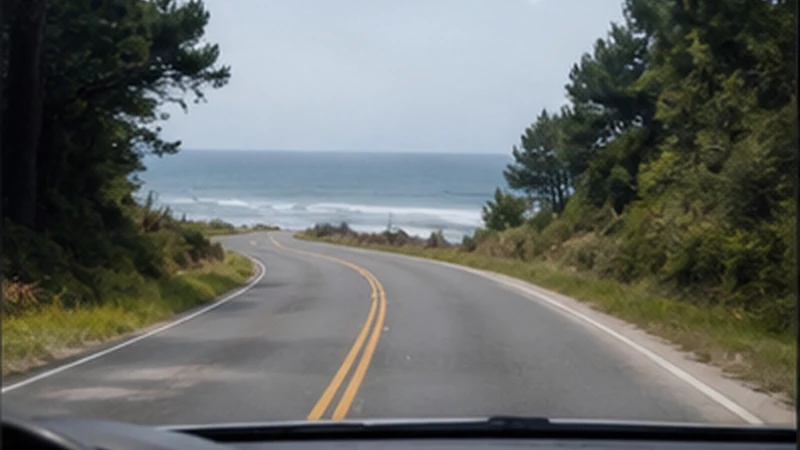

Punta del Este to Rocha mobile internet becomes important when the trip leaves a densely visited resort area and divides between Rocha city and the department’s coastal destinations. Those are different endpoints and require different offline maps.
Data can update navigation, weather and accommodation messages, but a phone connection should not decide whether the traveller can identify the correct turn. Save the route before leaving Maldonado Department.
NoveSIM Uruguay plans are data-only and do not include a local number, ordinary calls or SMS. Internet calls and messages can use mobile data where an included partner network is available.
Quick answer: Decide first whether “Rocha” means the departmental capital or a resort such as La Paloma. Download the main road route and the final local approach, pin the exact accommodation entrance and test the Uruguay eSIM before departure from Punta del Este.
Top Uruguay eSIMs


Punta del Este to Rocha Mobile Internet Starts with the Endpoint
| Destination | Likely route task | Offline preparation |
|---|---|---|
| Rocha city | Reach services, accommodation or the bus terminal | City map and exact address |
| La Paloma | Continue south from Route 9 toward the coast | Resort map, rental entrance and check-in note |
| La Pedrera or another beach | Navigate beyond a familiar urban grid | Beach access, property pin and return route |
| Multiple coastal stops | Recalculate between small resorts | Whole Rocha coast map and fuel plan |
The official Rocha tourism portal treats Rocha city and its resorts as distinct destinations. Use its current planning information for orientation, then verify the actual property and road conditions close to travel.
Prepare the Change from Resort Roads to Route Travel
Punta del Este navigation may rely on named streets and dense local landmarks. Farther east, the task becomes staying on the correct main route and recognising the branch for the chosen destination. Save both stages rather than one broad pin labelled Rocha.
Set the route while parked, mount the phone securely and let a passenger handle changes. If the map proposes a shortcut onto a minor road, check that it suits the rental vehicle and current conditions instead of accepting it solely to save a few minutes.
The Uruguay road-trip mobile internet guide covers offline maps, power and safe network recovery. Travellers continuing between resorts should also keep the Uruguay coast connectivity guide available.
For Coach Travel, Save Both Terminals
A coach ticket should remain available as a screenshot or PDF with the operator, departure point, time and destination. “Punta del Este” may refer to the main terminal or another stop, while “Rocha” may be the city terminal rather than a coastal resort.
If the journey needs a change, store the second ticket and transfer instructions separately. Do not assume the first vehicle’s Wi-Fi or mobile coverage will remain available during the connection. Confirm current timetables directly with the operator.
Test the eSIM Before Leaving Punta del Este
Confirm that the handset is carrier-unlocked and that its exact model appears on the NoveSIM compatibility list. Install the profile on reliable private Wi-Fi at the accommodation and label it clearly.
- Open the phone’s mobile or cellular settings.
- Select the Uruguay eSIM and make sure it is switched on.
- Choose it as the mobile-data line.
- Enable Data Roaming on the travel eSIM.
- Disable roaming on the home SIM and turn automatic data switching off.
- Open a map and webpage before starting the journey.
Do not wait until a rural stop to discover that the profile was never installed. Installation, plan validity and network registration can be separate events, so follow the order instructions.
Recommended Settings on the Road to Rocha
| Setting | Recommended choice |
|---|---|
| Mobile Data | Uruguay travel eSIM |
| Travel eSIM Data Roaming | On |
| Home SIM Data Roaming | Off |
| Automatic Data Switching | Off |
| Network Selection | Automatic initially |
| Manual APN | data.esim only when required |
A move from 5G to 4G during the journey is not necessarily a problem. The displayed technology depends on the plan, handset bands, network load and local coverage. A stable 4G connection is sufficient for maps and messages.
Arriving in Rocha City
If the destination is the capital, store the terminal, accommodation and any onward transport separately. Rocha city is a useful service and transfer point, but it is not on the beach. The Rocha city mobile internet guide focuses on its transport and service role.
Complete large downloads in the city before heading to a smaller coastal or rural property. A good signal in the centre is not evidence that the same phone will perform identically at the next stop.
Continuing to La Paloma or Another Resort
Save the coastal branch and property access while still on the main road. Holiday rentals may use informal directions, lockboxes or a host meeting rather than a staffed reception. Screenshot those details and agree on an arrival window.
For La Paloma, the La Paloma connectivity guide explains the differences between the centre, port and beaches. Other resorts need the same principle: exact location and offline preparation, not copied signal promises.
If Data Stops Between Departments
- Continue on the downloaded route and wait for a safe stopping place.
- Confirm the Uruguay eSIM is on and selected for mobile data.
- Check travel-line roaming and disable automatic data switching.
- Use Airplane Mode for about 30 seconds, then wait for registration.
- Restart the phone and keep network selection on Automatic.
- If signal appears without data, check the allowance and enter data.esim only if manual APN entry is required.
Do not delete the installed eSIM during roadside checks because its activation code may not allow reinstallation. Keep the profile and follow the Uruguay eSIM troubleshooting guide after reaching a safe place.
Related Articles
- Punta del Este Mobile Internet
- Mobile Internet Across Uruguay’s Interior
- Mobile Coverage in Uruguay for Travellers
FAQ
Will one Uruguay eSIM work from Punta del Este to Rocha?
It can connect along the domestic route wherever an included partner network has service. Actual reception and speed vary with location, device and network conditions.
Is Rocha city the same destination as La Paloma?
No. Rocha is the departmental capital, while La Paloma is a coastal resort reached by a separate branch. Store the correct map and arrival pin.
Can I depend on live navigation for the whole drive?
Use live data for updates, but download the main route and final approach first. That prevents a brief network gap from hiding a necessary turn.
Should I manually change networks while driving?
No. Leave selection on Automatic initially and troubleshoot only after stopping safely. Keep the installed eSIM rather than deleting it.
Final Recommendation
Prepare Punta del Este to Rocha mobile internet by resolving the destination first: Rocha city, La Paloma or another beach cannot share one vague endpoint.
Test the eSIM before departure, enable roaming on the travel line, disable home-line roaming and switching, and use data.esim only when manual APN setup is required.
Download the main road and the final local approach. Data can refine the route, but the offline map should still lead to the correct town and property.