


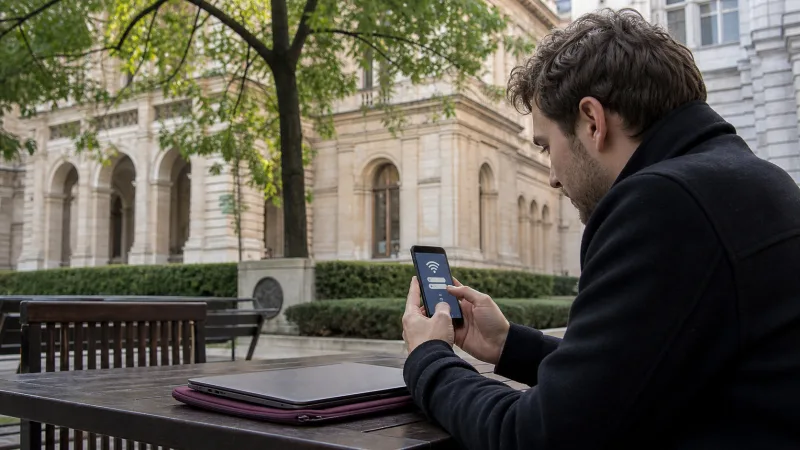

Tourists may find public or guest Wi-Fi in Budapest Airport, hotels, cafés, restaurants, shopping centers, libraries, coworking spaces and some attractions. Availability, login rules and speed depend on the individual venue.
Wi-Fi is useful for large downloads and saving mobile data, but it is not a reliable citywide connection. It ends when you leave the venue and can be slow or insecure when shared by many users.
A Hungary eSIM provides continuous mobile data for maps, transport, tickets and communication between Wi-Fi locations. Use the two connection types together rather than depending entirely on public networks.
Quick answer: Ask the venue for the exact network name, complete the official login page and avoid sensitive transactions on open Wi-Fi. Keep file sharing off, use updated apps and prepare a Hungary eSIM or offline maps for movement around Budapest.
Top Hungary eSIMs

Hungary eSIM
Fixed
1 GB, 7 days€ 1.772 GB, 15 days€ 3.553 GB, 30 days€ 4.44Unlimited
Unlimited, 1 day€ 2.22Unlimited, 3 days€ 4.88Unlimited, 5 days€ 7.99
Europe Extra eSIM
Fixed
1 GB, 7 days€ 2.222 GB, 15 days€ 3.553 GB, 30 days€ 4.44Unlimited
Unlimited, 1 day€ 2.66Unlimited, 3 days€ 5.32Unlimited, 5 days€ 8.87Europe+ eSIM
Fixed
1 GB, 7 days€ 2.662 GB, 15 days€ 3.993 GB, 30 days€ 5.32Unlimited
Unlimited, 1 day€ 2.66Unlimited, 3 days€ 6.21Unlimited, 5 days€ 10.20Where Tourists May Find Wi-Fi
| Location | Typical use | Main limitation |
|---|---|---|
| Budapest Airport | Arrival messages and setup | Ends outside terminal coverage |
| Hotel or hostel | Backups, calls and trip planning | Room quality can vary |
| Café or restaurant | Short browsing session | Purchase or password may be required |
| Shopping center | Messages and directions | Captive portal and crowds |
| Library or cultural venue | Quiet work and research | Access policy and hours |
| Coworking space | Remote work | Day pass or membership |
Do not assume every branch of a café chain or every municipal building offers the same service. Ask staff or check current venue information.
Wi-Fi at Budapest Airport
Budapest Airport publishes an official free network across its main passenger areas. The network name is bud:free wifi, with a currently stated four-hour access period.
The portal requests an email address and acceptance of the terms. Verify the exact SSID before joining and use Wi-Fi at Budapest Airport for the full login guide.
Hotel and Hostel Wi-Fi
Accommodation Wi-Fi is usually the most useful free connection for:
- Downloading offline maps
- Backing up photos
- Updating travel apps
- Long video calls
- Downloading entertainment
- Checking the next day’s itinerary
Ask whether Wi-Fi reaches the actual room, not only reception. Large historic buildings can have dead zones, and a busy evening network may be slower than daytime access.
Café and Restaurant Wi-Fi
Many cafés and restaurants may offer guest access, often with a password, receipt code or captive portal. Treat it as a convenience for customers rather than a guaranteed public utility.
Do not occupy a table solely for a long download during busy periods. Use headphones for calls, protect screens from view and avoid leaving a laptop unattended.
Shopping Center Wi-Fi
Shopping centers can offer guest networks that require accepting terms or registration. The connection can be useful for messages, maps and price checks while inside.
Signal and login sessions may reset when moving between floors. A mobile plan is more reliable for navigation after leaving.
Libraries, Museums and Cultural Venues
Some libraries, museums and visitor centers may provide Wi-Fi according to their own visitor policy. Access can require a ticket, library registration or on-site password.
Check opening hours and rules. Do not visit a cultural venue solely on the assumption of free internet without current confirmation.
Coworking Spaces
A coworking day pass offers a more suitable environment for sustained work than a public café. It can include stable Wi-Fi, power and meeting facilities.
Remote workers should still keep a mobile backup for arrival, transit and temporary outages. A Hungary eSIM hotspot may provide that backup when tethering is permitted.
How to Connect Safely
- Ask staff or signage for the exact network name.
- Avoid similarly named unknown hotspots.
- Open the official captive portal.
- Read the terms and required data.
- Disable file sharing and local discovery.
- Use HTTPS websites and updated apps.
- Forget the network when finished.
If you use a VPN, complete the captive portal first and then enable the trusted VPN connection. A VPN does not make a fraudulent hotspot legitimate, so SSID verification remains important.
Public Wi-Fi Security Risks
- Fake networks using a venue-like name
- Shared local network exposure
- Unencrypted legacy services
- Malicious captive portals
- Screen and password observation
- Automatic reconnection later
- Lost or unattended devices
Avoid banking, cryptocurrency, password changes and sensitive work when a more trusted connection is available. Enable two-factor authentication and a strong device screen lock.
What Is a Captive Portal?
A captive portal is the login or terms page displayed before a guest network provides internet. It may request an email address, room number, access code or acceptance of conditions.
It is normal for a venue network, but verify the venue and requested information. Do not enter a primary email password or banking credentials into a Wi-Fi portal.
Login Page Does Not Appear
- Disconnect and reconnect.
- Open a browser manually.
- Visit a simple non-sensitive webpage.
- Disable VPN, Private Relay or custom DNS temporarily.
- Forget the network and join again.
- Restart Wi-Fi on the device.
- Ask staff whether the service is working.
Re-enable security tools after completing the portal. If the connection remains unreliable, use mobile data rather than repeatedly changing the phone.
Connected but No Internet
The Wi-Fi icon can appear even when the venue’s internet connection is down or the login session has expired. Open the portal again, check whether other pages load and ask staff.
Turning the Hungary eSIM off does not improve the venue network. Instead, switch Wi-Fi off and use mobile data for urgent tasks.
Why Public Wi-Fi Can Be Slow
- Many connected users
- Limited venue broadband
- Distance from the access point
- Thick walls and multiple floors
- Large downloads by other guests
- Device power-saving settings
Move closer to the access point, pause cloud backup and test again. Speed at one café says nothing about the wider Budapest mobile network.
Public Wi-Fi vs Hungary eSIM
| Feature | Public Wi-Fi | Hungary eSIM |
|---|---|---|
| Cost | Often free with venue access | Paid data plan |
| Mobility | Limited to venue | Works across supported coverage |
| Login | Portal or password | One-time eSIM setup |
| Privacy | Shared local network | Cellular connection |
| Best for | Large downloads and backup | Maps, transport and continuous travel |
Combine them: use venue Wi-Fi for updates and video, and mobile data while moving. See Mobile Data in Budapest.
How Much Data Can Wi-Fi Save?
Wi-Fi can save substantial mobile allowance when used for video streaming, cloud backup, app updates and large downloads. Maps, messaging and normal browsing consume much less.
A 2–3 GB mobile plan can cover a short city break when heavy tasks happen over trusted Wi-Fi. Read How Much Data for a Hungary Trip.
Using Wi-Fi for WhatsApp
WhatsApp works over Wi-Fi while retaining its existing registered number. Text is lightweight; video calls require more bandwidth.
If the venue network blocks calls or becomes unstable, switch to the Hungary eSIM. See WhatsApp with a Hungary eSIM.
Using Wi-Fi for Remote Work
Ask whether the venue permits long work sessions and whether calls are appropriate. Use a coworking space for confidential meetings or sustained productivity.
Keep essential files offline and use an eSIM hotspot as a backup. Review Hungary eSIM Hotspot.
Offline Preparation
- Download Budapest maps.
- Save accommodation and door-code details.
- Keep tickets and booking references offline.
- Download translation languages.
- Save an airport-transfer route.
- Carry a charged power bank.
Offline preparation makes public Wi-Fi a convenience instead of a single point of failure.
Can You Rely Only on Free Wi-Fi?
A disciplined traveler can complete many tasks through accommodation and venue networks, but gaps occur while walking, using transport, checking live changes or arriving late.
For a short visit, a small eSIM plus free Wi-Fi provides better flexibility than Wi-Fi alone. The How to Get Internet in Budapest guide compares all options.
Frequently Asked Questions
Does Budapest have free public Wi-Fi?
Many individual venues offer guest access, but availability is not guaranteed citywide. Check each location.
Is Budapest public Wi-Fi safe?
It is shared infrastructure. Verify the network, avoid sensitive activity, disable sharing and use updated secure apps.
Does Budapest Airport have free Wi-Fi?
Yes. The airport publishes the bud:free wifi network in its main passenger areas.
Why does the login page not appear?
Reconnect, open a browser and temporarily disable VPN or private DNS to trigger the captive portal.
Can I use Wi-Fi for WhatsApp calls?
Yes, when the connection is stable and the venue does not block the service.
Is hotel Wi-Fi enough for a Budapest trip?
It helps at the accommodation but does not provide maps or live information while moving. Use mobile data or offline downloads.
Should I use a VPN?
A reputable VPN can add privacy after portal login, but it does not replace verifying the network or following account-security practices.
Final Public Wi-Fi Checklist
- Exact network name verified
- Official captive portal used
- File sharing disabled
- Sensitive transactions avoided
- VPN enabled after login when appropriate
- Network forgotten after use
- Offline maps and bookings saved
- Hungary eSIM available between venues
Public Wi-Fi can reduce mobile-data use in Budapest, but it works best as a supplement. Verify every network, protect the device and keep an eSIM or offline information for continuous travel.