


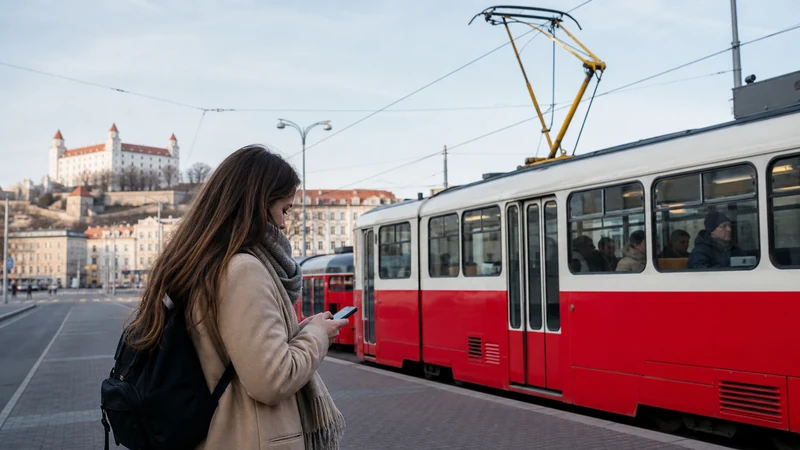

Slovakia does not have one app that replaces every operator, ticket rule and city system. The practical setup is a small toolkit: the national railway service for train tickets, IDS BK for Bratislava regional transport and a nationwide journey planner for comparing connections.
The important distinction is between finding a journey and holding a valid ticket. A planner may show a connection without selling the correct ticket, while an operator app may sell tickets only for services covered by that operator.
NoveSIM travel eSIMs provide data for timetable checks, purchases and messages. We do not provide a Slovak phone number or conventional calls and SMS.
Quick answer: Use ZSSK’s official mobile service for eligible Slovak rail tickets, IDS BK for public transport in Bratislava and the Bratislava Region, and CP.sk to search across train, bus and urban connections. Buy through the relevant operator, check when a mobile ticket becomes valid and keep the ticket available in the required app.
Top Slovakia eSIMs

Slovakia eSIM
Fixed
1 GB, 7 days€ 2.222 GB, 15 days€ 3.553 GB, 30 days€ 4.44Unlimited
Unlimited, 1 day€ 2.22Unlimited, 3 days€ 5.32Unlimited, 5 days€ 7.99
Europe Extra eSIM
Fixed
1 GB, 7 days€ 2.222 GB, 15 days€ 3.553 GB, 30 days€ 4.44Unlimited
Unlimited, 1 day€ 2.66Unlimited, 3 days€ 5.32Unlimited, 5 days€ 8.87Europe+ eSIM
Fixed
1 GB, 7 days€ 2.662 GB, 15 days€ 3.993 GB, 30 days€ 5.32Unlimited
Unlimited, 1 day€ 2.66Unlimited, 3 days€ 6.21Unlimited, 5 days€ 10.20ZSSK for national rail journeys
Železničná spoločnosť Slovensko is the national passenger rail operator. Its mobile service, IDeme vlakom, supports journey searches and the purchase of eligible domestic travel documents. Use it when the chosen train is operated and sold by ZSSK, and read the ticket conditions before boarding.
Create the account and add payment details before a busy travel morning. After purchase, verify the date, departure, passenger details and train. Do not rely on a screenshot if the conditions require the ticket to be displayed inside the functioning app.
IDS BK for Bratislava and the surrounding region
The official IDS BK app covers journey searches, timetables, service information and mobile tickets within the integrated Bratislava Region system. It includes participating city, regional bus and rail services within the ticket’s zones and validity.
Pay attention to activation timing. A single-journey ticket can begin immediately after purchase or at a selected future time, depending on how it is bought. Confirm the countdown before boarding rather than waiting until an inspector appears.
The app is available in English and can hold multiple tickets for people travelling together. Keep the phone charged because the valid ticket must remain displayable during the journey.
CP.sk for nationwide connection planning
CP.sk is useful when comparing trains, long-distance buses and local public transport in one search. It can show direct and connecting journeys across multiple transport types, which makes it valuable for reaching smaller towns.
Treat it primarily as a planner. Check the named operator in the result, then follow that operator’s ticket link or official sales channel. A route appearing in the timetable does not automatically mean one mobile ticket covers every leg.
Use the city operator’s current information outside Bratislava
For Košice or another Slovak city, verify the current app, fare and validation rules on the local transport operator’s site. Do not assume that an IDS BK ticket is valid outside the Bratislava integrated region or that the same activation process applies in another city.
Prepare tickets before the connection becomes urgent
- Install the relevant apps over trusted Wi-Fi and update them.
- Create required accounts and confirm that the payment card works.
- Search the precise station or stop, not only the city name.
- Check the operator, platform information and transfer time.
- Buy through the authorised channel and confirm activation rules.
- Save the train number, address and an offline map separately.
Transport searches use modest data, but live information is most valuable during disruption. The Slovakia mobile-data guide helps size a plan, while navigation apps for Slovakia covers walking directions at either end of the journey.
What to do when the app will not load
First check whether other websites load. If none do, confirm the correct data line, required roaming setting and remaining data. Toggle airplane mode briefly and try the operator website in a browser. Do not delete an installed eSIM as a first response; follow the Slovakia slow-data checks.
If the ticket itself cannot be displayed, contact the transport operator and follow its rules. A booking confirmation email or screenshot may not be accepted as a valid travel document.
Related Articles
- Wi-Fi and Mobile Data on Slovak Trains
- Navigation Apps for Slovakia
- Mobile Data in Slovakia
- Best Way to Get Internet in Slovakia
FAQ
Which app should I use for trains in Slovakia?
Use ZSSK’s official service for eligible journeys operated and sold by the national rail company. Check the operator when another company appears in the search result.
Which app sells Bratislava public transport tickets?
The official IDS BK app sells eligible tickets within the integrated Bratislava Region system and also provides journey planning and service information.
What is CP.sk useful for?
It compares connections across trains, buses and city transport. Confirm the operator and buy through an authorised ticket channel.
Can I show a screenshot of a mobile ticket?
Do not assume so. Some ticket conditions require the active ticket inside a functioning app. Follow the rules attached to the specific ticket.
Final Recommendation
Use ZSSK for national rail purchasing, IDS BK for Bratislava regional travel and CP.sk to compare wider connections. Set everything up before departure, verify the ticket’s activation rules and keep the phone charged throughout the journey.