


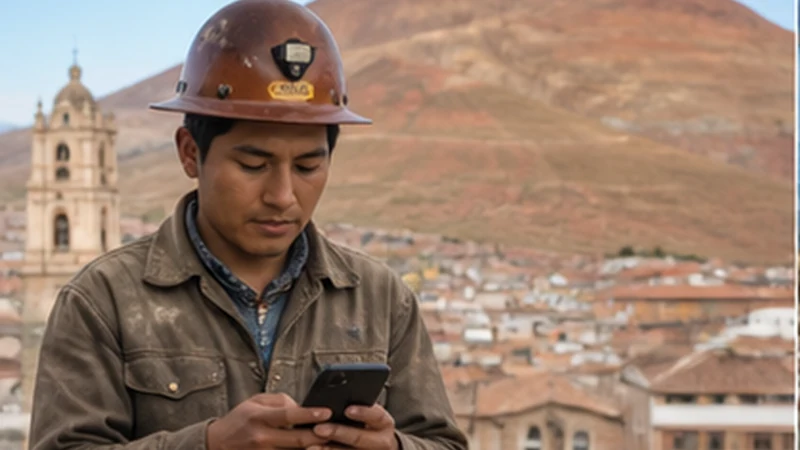

Potosi mobile internet supports navigation, accommodation contact and onward transport planning in one of Bolivia’s high-altitude city stops.
A travel eSIM can provide data without requiring an immediate mobile-shop visit. Travellers should still store essential directions offline and protect the phone’s battery during cold mornings, evenings and long road transfers.
NoveSIM travel eSIM plans are data-only and do not include a Bolivian telephone number, traditional calls or SMS. Messaging and internet-calling apps can work through data where a connection is available.
Quick answer: For Potosi mobile internet, install the eSIM before travelling, download the city and onward route offline, and carry a charged power bank because navigation, network searching and cold conditions can reduce usable battery time.
Top Bolivia eSIMs


Potosi Mobile Internet for Arrival and Check-In
Save the accommodation’s full address, check-in instructions and a nearby named landmark before arriving. A screenshot remains available if a map application cannot reload or the phone takes time to register after a bus journey.
Once connected, confirm any late arrival or pickup through the original booking channel. Keep the destination visible offline while travelling from the terminal rather than depending on an uninterrupted live route.
Install and Activate the Travel eSIM
- Confirm that the exact phone model supports eSIM and is carrier-unlocked.
- Select a plan that includes Bolivia and check its allowance, validity and activation rule.
- Install the profile over reliable private Wi-Fi and label it Bolivia or Travel.
- After arrival, enable the travel profile and choose it for mobile data.
- Turn Data Roaming on for the travel line.
- Keep roaming and automatic data switching off for the home SIM.
Complete the steps in the Bolivia eSIM installation guide before a long transfer. Profile installation, plan activation and local network registration are separate events and may not happen at the same time.
Signal Inside Potosi and Around the City
Mobile service can vary between open streets, interior rooms, transport buildings and the edges of the urban area. Walls, surrounding terrain, congestion, supported radio bands and the local network available to the plan can all affect reception.
If data works outdoors but weakens inside accommodation, test near an exterior opening before changing settings. Download a map area that covers the city rather than saving only individual pins. The Bolivia eSIM coverage guide explains the limits of using coverage information as a trip guarantee.
Protect Data Allowance and Battery
- Maps, text messages and email generally need modest amounts of data.
- Video, cloud backups and automatic updates can consume an allowance quickly.
- Continuous navigation and repeated network searches increase power use.
- Cold conditions can shorten practical battery life, especially on an already depleted phone.
Estimate an allowance with the Bolivia mobile data guide. Carry a suitable power bank, keep the phone protected when not in use and complete large downloads through a trusted Wi-Fi network.
Prepare for Routes from Potosi
A working city connection does not promise continuous service on the road towards Sucre, Uyuni or another regional destination. Before departure, save the ticket, terminal details, destination address, map region and expected arrival instructions.
Travellers continuing towards the salt flats can use the Uyuni mobile internet guide to prepare for the next stage. Share the planned route and arrival time with a trusted contact because mobile data is not an emergency system.
Safe Troubleshooting in Potosi
- Confirm that the Bolivia eSIM is enabled and selected for mobile data.
- Check that Data Roaming is on for the travel line and off for the home line.
- Use Airplane Mode for 30 seconds, reconnect and allow time for registration.
- Restart the phone and leave network selection on Automatic.
- If signal appears without internet, enter data.esim only when manual APN configuration is required.
Do not delete the installed eSIM during routine connection checks because its code may not permit another installation. Keep the profile and follow the Bolivia eSIM troubleshooting guide before contacting support.
Related Articles
FAQ
Can travellers use an eSIM in Potosi?
Yes, when the handset is unlocked and eSIM-compatible and the selected plan includes Bolivia. Actual service depends on the device, location and available network.
Should I download a Potosi map offline?
Yes. Save the terminal, accommodation, planned city locations and the next route so essential navigation remains available during an interrupted connection.
Why should I carry a power bank in Potosi?
Navigation and network searching use power, while cold conditions can reduce practical battery performance. Start transfers with a charged phone and suitable backup power.
Will mobile data work continuously between Potosi and Uyuni?
Continuous service cannot be guaranteed. Download the route and arrival details before departure and do not rely on a last-minute message for essential arrangements.
Final Recommendation
Potosi mobile internet is most dependable when the eSIM, offline map and accommodation details are prepared before the journey.
Select the travel profile for data after arrival, enable roaming only on that line and keep the installed profile during troubleshooting.
Protect the phone’s battery and download the complete onward route before leaving Potosi, particularly when continuing towards Uyuni or another highland destination.