


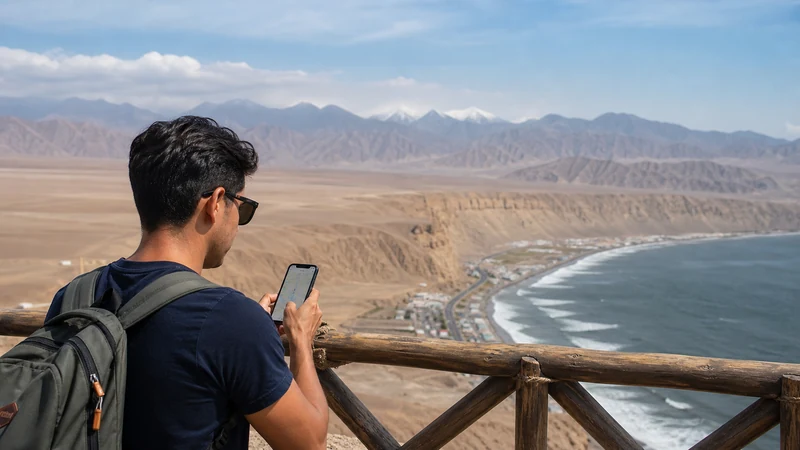

Peru eSIM coverage is strongest where the supported local network has service; the eSIM itself does not create a separate network. Expect better continuity in populated cities than on mountain roads, remote trails or Amazon journeys.
Coverage maps are useful for planning, but they describe predicted or reported availability rather than guaranteeing the signal inside a particular hotel, train, canyon or archaeological site.
NoveSIM Peru plans are data-only and use supported partner networks. The exact plan, phone, location and local conditions determine whether you connect and which radio technology appears.
Quick answer: Plan on practical mobile data in major urban areas, variable reception during Andean transfers and limited or absent service in some remote and Amazon locations. Check each important stop in Peru’s official coverage tool and download maps, tickets and meeting points before leaving a city.
Top Peru eSIMs


How Peru eSIM Coverage Actually Works
A travel eSIM stores the credentials that let an eligible phone register on networks supported by the selected plan. Once connected, the experience is shaped by the same physical realities as other mobile users: distance from a site, terrain, building materials, network capacity and the phone’s supported bands.
Before buying, verify that the product explicitly includes Peru and review the current Peru eSIM plan. Then use the regulator’s Checa tu señal coverage map to inspect locations. OSIPTEL states that the tool compares operator-reported 2G, 3G, 4G and 5G coverage and distinguishes guaranteed coverage from additional-capacity areas where performance can vary.
What to Expect by Type of Place
| Environment | Planning expectation | Best preparation |
|---|---|---|
| Lima and large urban districts | Generally the best chance of continuous service, with indoor variation | Check the exact accommodation and airport route |
| Cusco and other regional cities | Useful urban service, but hills and buildings can affect reception | Save addresses and day-trip details |
| Sacred Valley and Machu Picchu route | Connection may change between towns, rail sections and mountain terrain | Download tickets, maps and meeting points |
| Intercity roads and highlands | Gaps are possible between populated areas | Keep an offline route and emergency plan |
| Amazon and river travel | Service may be limited outside towns and lodges | Ask the operator or lodge about local communication arrangements |
This is a planning framework, not a claim that every point within one region behaves the same. Check the precise district, town or centre on the current map whenever connectivity is essential.
Lima Coverage and Airport Arrival
Lima is the point at which many travellers first test their eSIM. After landing, select the travel line for Mobile Data, enable Data Roaming on that line and allow several minutes for registration. Airport structures can weaken indoor signal, so move to a public arrivals area before concluding that the plan does not work.
Once outside, coverage can still differ by district, building and congestion. Save the accommodation address and transfer instructions before the flight. The dedicated guides to internet at Lima Airport and mobile internet in Lima cover the arrival sequence and city use without expanding this page into an airport guide.
Cusco, the Sacred Valley and Machu Picchu
Cusco’s altitude does not by itself determine coverage, but its topography and dense construction can create local differences. Day trips then move through valleys, cuttings and smaller settlements where the handset may change service or temporarily lose it.
For the Sacred Valley, save driver details, tour contacts and the day’s route before departure. For Machu Picchu, keep tickets and passport-related booking information available offline. A signal at Aguas Calientes or one viewpoint does not promise the same reception throughout the journey or site.
Use the location-specific pages for Cusco mobile internet, Sacred Valley connectivity and mobile internet at Machu Picchu.
Arequipa, Colca and Southern Routes
Arequipa is a major city, while journeys towards Colca and other southern highland areas cross very different terrain. Do not extrapolate an urban speed test to a canyon road or remote viewpoint. Download the route, accommodation coordinates and pickup information before leaving the city.
The Arequipa mobile internet guide addresses the city and the practical transition towards Colca. For any long route, verify more than the destination pin: inspect settlements and road sections that matter along the way.
Iquitos and Amazon Travel
Iquitos can provide urban connectivity, but an Amazon itinerary may continue by boat to areas far from ordinary mobile infrastructure. Ask the lodge or tour operator what communication is realistically available at the property and during transfers. “Wi-Fi available” may refer to a limited shared connection rather than a service suitable for work or large uploads.
Save return arrangements, emergency contacts and copies of documents before leaving town. The Iquitos and Amazon internet guide explains this transition in more detail.
4G and 5G Do Not Mean Continuous Speed
OSIPTEL’s current tool allows users to compare technologies by location, and operator maps also distinguish coverage areas. A 5G-capable plan and handset still require a compatible network at the exact position. When one condition is missing, the phone may use 4G or another available technology.
Signal bars and a 5G symbol do not guarantee throughput. Congestion, indoor construction, backhaul and radio conditions affect real performance. Avoid forcing 5G-only mode: Automatic network mode gives the handset room to use a stable alternative.
Check the Map for Your Own Itinerary
- List the accommodation, airport, rail station and remote stops that are genuinely time-sensitive.
- Open the official OSIPTEL coverage tool.
- Search the exact address or choose the department, province, district or populated centre.
- Compare supported operators and relevant technologies.
- Note whether the map shows guaranteed coverage or a broader variable-performance area.
- Repeat the check for intermediate route points, not only the destination city.
- Download the essentials regardless of the map result.
A network shown on the public map is not automatically available through every travel eSIM. The selected NoveSIM product remains the authority for partner access.
Phone Settings That Affect Registration
- Use an unlocked phone that supports eSIM and the relevant radio bands.
- Select the Peru eSIM for Mobile Data.
- Enable Data Roaming for the travel line.
- Keep home-line data roaming and automatic data switching off.
- Leave Network Selection on Automatic for normal use.
- Use data.esim only if manual APN entry is required.
Hotspot and 5G availability depend on the plan, device, region and local network. Test data directly on the phone before troubleshooting a connected laptop.
What to Do During a Coverage Gap
If service disappears while moving, wait until you reach a populated or open area before changing settings. Repeated manual network changes cannot create coverage where no supported signal reaches the phone.
- Confirm that the travel line remains enabled.
- Toggle Airplane Mode for 30 seconds after entering a new coverage area.
- Restart the phone and allow time for automatic registration.
- Check the remaining plan allowance.
- If signal returns without data, verify the active line and APN.
Do not delete the installed eSIM unless NoveSIM Support instructs you to do so. If a problem persists in an area expected to have service, send the order number, exact model, location and safe screenshots.
Related Articles
- Best eSIM for Peru
- Mobile Internet in Peru
- Peru Road-Trip Mobile Internet
- Mobile Internet at Machu Picchu
- Sacred Valley Mobile Internet
- Iquitos and Amazon Mobile Internet
FAQ
Does an eSIM have coverage throughout Peru?
No service can guarantee continuous coverage throughout Peru. Availability depends on the supported network, plan, phone, terrain and exact location, with greater uncertainty on remote mountain and Amazon routes.
Will my Peru eSIM connect to 5G?
It may connect where the plan, partner network, phone, software and local coverage all support 5G. Otherwise the handset can use 4G or another available technology.
How can I check coverage before visiting Machu Picchu?
Check the relevant towns and route points in OSIPTEL’s official tool, then save tickets, maps and meeting information offline. A map indication is useful planning evidence, not a guarantee at every point.
Should I manually select a network in Peru?
Leave selection on Automatic first. Manual testing is a troubleshooting step and should be limited to networks supported by the selected plan or recommended by NoveSIM Support.
Final Recommendation
Treat Peru eSIM coverage as a route-planning question, not a country-wide yes-or-no promise. Check cities, accommodation and critical transfer points individually in the current official map.
Use Automatic network selection, enable Data Roaming on the travel line and enter data.esim only if manual APN setup is required. Keep the installed profile during troubleshooting.
Most importantly, download maps, tickets and contacts before Andean roads or Amazon travel. Good offline preparation protects the journey when terrain or distance interrupts mobile service.