


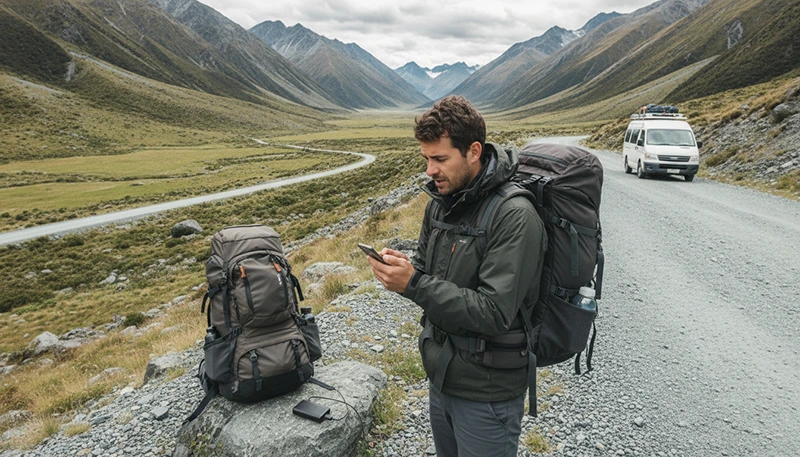

New Zealand is one of the best destinations in the world for road trips, hiking and outdoor adventures. However, travellers exploring remote landscapes may sometimes experience no mobile signal or unstable internet connection.
Losing signal in New Zealand does not always mean there is a problem with your phone or eSIM. Mountains, valleys, national parks and remote roads can naturally limit mobile coverage.
Quick answer: If you have no mobile signal in New Zealand, first check your location, network settings and eSIM configuration. In remote areas, the lack of signal is often caused by limited network coverage rather than an eSIM problem.
Top New Zealand eSIMs

New Zealand eSIM
Fixed
1 GB, 7 days€ 2.182 GB, 15 days€ 3.923 GB, 30 days€ 5.22Unlimited
Unlimited, 1 day€ 2.61Unlimited, 3 days€ 6.53Unlimited, 5 days€ 10.44
Asia eSIM
Fixed
1 GB, 7 days€ 4.352 GB, 15 days€ 7.833 GB, 30 days€ 10.44Unlimited
Unlimited, 1 day€ 5.66Unlimited, 3 days€ 15.23Unlimited, 5 days€ 24.80Why Is There No Mobile Signal in New Zealand?
New Zealand has excellent mobile coverage in cities and popular tourist destinations, but the country’s geography creates challenges for mobile networks.
Common reasons for no signal include:
- Remote mountain areas.
- National parks and hiking regions.
- Deep valleys blocking mobile signals.
- Long rural roads between towns.
- Distance from mobile towers.
- Temporary network congestion.
Popular adventure destinations such as Fiordland, Mount Cook, Tongariro and parts of the West Coast may have areas with limited connectivity.
Does New Zealand Have Good Mobile Coverage?
Yes. Most tourists experience reliable mobile coverage in:
- Auckland.
- Wellington.
- Christchurch.
- Queenstown.
- Rotorua.
- Taupo.
- Major highways.
- Popular tourist towns.
Problems usually appear when travelling beyond populated areas.
| Location Type | Expected Signal |
|---|---|
| Major cities | Excellent |
| Tourist towns | Very good |
| Main roads | Usually available |
| Remote countryside | Variable |
| Mountain areas | Limited |
| Remote hiking trails | Often unavailable |
No Signal on New Zealand Road Trips
Many visitors discover mobile coverage changes during scenic road trips. This is normal because some of New Zealand’s most beautiful routes pass through remote terrain.
Common routes with changing coverage include:
- Queenstown to Milford Sound.
- Christchurch to Mount Cook.
- West Coast glacier routes.
- Tongariro National Park areas.
- Remote Northland roads.
Before starting a long journey:
- Download offline maps.
- Save accommodation details.
- Download important travel documents.
- Charge your phone.
Why Is My New Zealand eSIM Showing No Signal?
If your eSIM shows no signal, there are several possible reasons.
| Possible Cause | Solution |
|---|---|
| No local coverage | Move to another location or wait until reaching a town |
| Incorrect settings | Check mobile data and roaming settings |
| Network selection issue | Use automatic network selection |
| Phone connection issue | Restart your device |
| eSIM not activated | Check eSIM installation and activation |
How to Fix No Mobile Signal on New Zealand eSIM
1. Check Your eSIM Settings
Make sure:
- The eSIM line is enabled.
- The eSIM is selected for mobile data.
- Data Roaming is enabled on the eSIM.
- Your main SIM is not selected for data.
2. Restart Your Phone
A simple restart can force your phone to reconnect to available local networks.
3. Enable Automatic Network Selection
Keep network selection on automatic so your phone can choose an available partner network.
4. Check Your Location
If you are in a remote area, move closer to a town, higher ground or an open area and test again.
5. Check APN Settings
If required, confirm your APN settings:
| Setting | Value |
|---|---|
| APN | data.esim |
Best Networks When Travelling New Zealand
New Zealand has three major mobile networks:
| Network | Best For |
|---|---|
| Spark | Rural travel and wider coverage |
| One NZ | Cities and popular destinations |
| 2degrees | Value-focused travellers |
The strongest network depends on your exact location and travel route.
No Signal in New Zealand National Parks
Many visitors expect mobile coverage everywhere because New Zealand is a developed country. However, national parks and wilderness areas often have limited infrastructure.
Examples include:
- Fiordland National Park.
- Aoraki Mount Cook National Park.
- Tongariro National Park.
- West Coast wilderness areas.
When hiking or exploring remote areas:
- Do not rely only on mobile internet.
- Use offline navigation tools.
- Inform someone about your route.
- Carry appropriate outdoor equipment.
How to Prepare for Areas Without Mobile Signal
| Preparation | Why It Helps |
|---|---|
| Offline maps | Navigation without internet |
| Downloaded bookings | Access travel details offline |
| Power bank | Keeps phone available longer |
| Printed information | Backup when technology fails |
Recommended New Zealand eSIM Settings
| Setting | Recommended |
|---|---|
| Mobile Data | New Zealand eSIM |
| Data Roaming | Enabled on eSIM |
| Main SIM roaming | Disabled |
| Network Selection | Automatic |
| APN | data.esim |
Related New Zealand Connectivity Guides
- New Zealand eSIM
- No Internet New Zealand eSIM
- Mobile Coverage New Zealand for Tourists
- Mobile Data Remote New Zealand
- Best Network in New Zealand for Tourists
FAQ
Why do I have no mobile signal in New Zealand?
The most common reason is being in a remote area with limited network coverage.
Is my New Zealand eSIM broken if there is no signal?
Not necessarily. Check your location and settings first because remote areas may naturally have no coverage.
Does mobile signal work in Milford Sound?
Coverage varies along the route and some areas may have limited or no service.
Should I use offline maps in New Zealand?
Yes. Offline maps are strongly recommended for road trips and outdoor adventures.
Can an eSIM improve mobile coverage?
No. An eSIM provides access to available networks but cannot create signal where no network exists.
Final Recommendation
No mobile signal in New Zealand is usually a normal part of travelling through remote landscapes rather than a problem with your eSIM.
The best approach is to combine reliable mobile data with offline preparation. Install your eSIM before travelling, keep the correct settings enabled and download important information before entering remote areas.
With the right preparation, you can enjoy New Zealand’s most beautiful destinations while staying connected wherever coverage is available.