


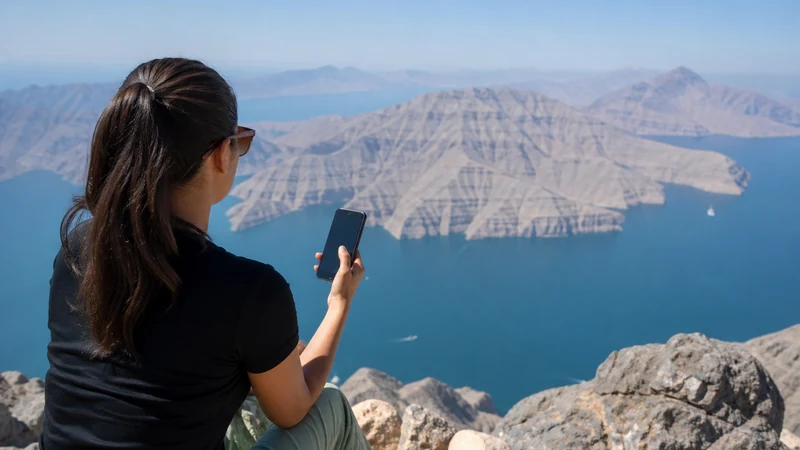

Musandam mobile internet requires more planning than a standard city stay because the Omani peninsula is separated from mainland Oman by the UAE. The route used to reach Khasab can matter as much as the destination coverage.
An Oman-only eSIM should not be assumed to work during UAE transit. Mountain terrain, coastal roads and dhow trips also create conditions that a national coverage label cannot predict.
NoveSIM Oman plans are data-only. They do not provide an Omani number, ordinary calls or SMS, although internet apps can use mobile data where the plan and network are available.
Quick answer: map every country and travel segment before buying data. Choose coverage that explicitly includes Oman and any required UAE transit, save the full route and booking details offline, and do not rely on continuous signal in mountains or offshore.
Top Oman eSIMs

Oman eSIM
Fixed
1 GB, 7 days€ 6.662 GB, 15 days€ 12.423 GB, 30 days€ 17.30Unlimited
Unlimited, 1 day€ 9.32Unlimited, 3 days€ 25.73Unlimited, 5 days€ 42.15
Build Musandam Mobile Internet around the Access Route
| Journey type | Coverage question | Preparation |
|---|---|---|
| Road journey through the UAE | Does the plan explicitly include both UAE and Oman? | Save border, insurance and route documents offline |
| Direct flight to Khasab | When does Oman service become available? | Save airport transfer details before departure |
| Ferry or sea arrival | Will service change away from shore? | Keep ticket, port and pickup information offline |
| Dhow excursion | Is offshore reception required? | Agree meeting and return arrangements in advance |
| Mountain drive | Where can terrain block signal? | Download complete maps and turnaround points |
Do not infer border eligibility from mobile coverage. Entry, visa, vehicle and insurance requirements are separate and should be checked with the relevant official authorities close to travel.
Do Not Extend an Oman-Only Plan into the UAE
A phone may detect UAE networks while the purchased Oman plan has no authorisation to use them. Near the border, it may also see networks from both countries. A visible operator name is not proof that data is included.
For a road route crossing the UAE, choose a regional plan that explicitly lists both countries or arrange separate service. The Oman–UAE border internet guide covers data switching and document preparation in more detail.
Prepare for Khasab without Assuming Every Indoor Signal
Khasab is the main service base for many visitor itineraries, but building interiors, harbour structures, local congestion and the selected partner still affect performance. Use accommodation Wi-Fi for large downloads when trusted, and keep mobile data for movement.
If service fails inside a building, test outdoors before changing settings. A local obstruction can look like a plan fault. Review the route-based Oman eSIM coverage guide for the difference between national availability and a particular spot.
Keep Mountain Drives Offline-Ready
- Download the full road and alternative routes.
- Save fuel, accommodation and meeting coordinates.
- Record any guide or tour-operator instructions.
- Carry a charged power bank and suitable vehicle charger.
- Share the itinerary and expected arrival time.
Ridges and valleys can interrupt radio paths. Reception at a viewpoint does not prove service on the next section. Road access, vehicle suitability and safety decisions must not depend on a live mobile connection.
Expect Different Conditions on the Water
A harbour connection should not be projected across a dhow route. Distance from shore and surrounding terrain can change reception. Download tickets, meeting instructions and any media before boarding.
Mobile data is not a maritime safety system. Follow the operator’s safety process and agreed return arrangements independently of the phone’s signal.
Configure the eSIM at the Right Border
Use clear labels such as Oman and UAE if more than one travel profile is installed. Select the line that matches the country, enable Data Roaming on that travel line and keep roaming off on the primary SIM.
Disable automatic mobile-data switching so the home line cannot take over. Near a border, leave network selection on Automatic unless the plan instructions or NoveSIM Support direct a manual test.
Choose Enough Data for the Musandam Itinerary
Maps, messaging and booking checks are relatively light. Video uploads from dhow trips, cloud photo backup, streaming and hotspot use consume much more. Pause uploads until trusted Wi-Fi if the allowance is intended mainly for navigation.
Hotspot permission depends on the plan, phone and conditions. Do not schedule a critical laptop call around an unverified mountain or offshore connection.
Recover Service without Losing the Profile
- Confirm the current country is included in the selected plan.
- Choose that travel eSIM for mobile data.
- Enable its Data Roaming and disable primary-line fallback.
- Leave Network Selection on Automatic.
- Toggle Airplane Mode briefly and restart if needed.
- Move to an open area when safe before diagnosing coverage.
If signal appears without data, use data.esim only when manual APN configuration is required. Do not delete the eSIM as an early fix. Contact NoveSIM Support with the order number, exact device, country and location; remove the profile only when Support explicitly instructs you.
Related Articles
FAQ
Will an Oman eSIM work while driving to Musandam through the UAE?
Do not assume it will. An Oman-only plan may not include UAE transit. Choose coverage that explicitly names both countries or arrange separate plans.
Can I rely on mobile internet during a Musandam dhow trip?
No. Reception can change away from shore. Keep tickets, meeting details and safety arrangements usable offline.
Does mobile data work on every Musandam mountain road?
No provider can guarantee every location. Terrain can block radio paths, so download the complete route and alternatives.
What APN should a NoveSIM Oman profile use?
Enter data.esim only if manual APN setup is required. Keep the profile installed while contacting Support.
Final Recommendation
Plan Musandam mobile internet from the complete route, including every UAE transit segment, border crossing, mountain road and sea excursion.
Buy only coverage that explicitly names the required countries, label each line clearly and keep automatic fallback to the home SIM disabled.
Use mobile data for live convenience while keeping maps, documents and meeting instructions offline. Musandam’s geography makes that redundancy part of the itinerary, not an optional extra.