


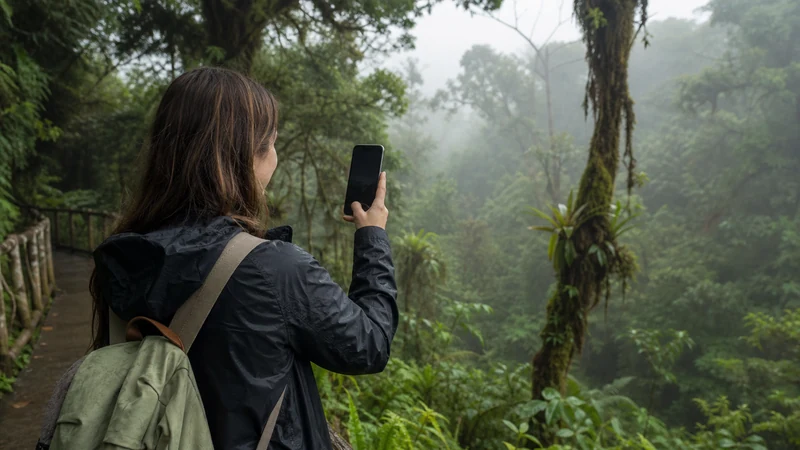

Monteverde mobile internet can be usable around Santa Elena, yet change quickly on mountain roads, at hillside lodges and inside cloud-forest reserves. The practical strategy is to connect in town, download everything needed and treat mobile signal on excursions as optional.
Quick answer: A Costa Rica eSIM can help with transfers, maps and messages in connected parts of Monteverde, but do not assume continuous coverage outside Santa Elena. Download reserve tickets, trail information, accommodation directions and the next transfer before departure. If you need to work, confirm Wi-Fi performance with the exact property rather than relying on mobile hotspot.
Top Costa Rica eSIMs

Costa Rica eSIM
Fixed
1 GB, 7 days€ 3.112 GB, 15 days€ 4.883 GB, 30 days€ 6.21Unlimited
Unlimited, 1 day€ 3.55Unlimited, 3 days€ 7.54Unlimited, 5 days€ 11.54
Central America eSIM
Fixed
1 GB, 7 days€ 7.102 GB, 15 days€ 11.543 GB, 30 days€ 15.53Unlimited
Unlimited, 1 day€ 6.66Unlimited, 3 days€ 16.42Unlimited, 5 days€ 26.18Monteverde mobile internet across four connectivity zones
| Location | Planning expectation | What to save offline |
|---|---|---|
| Santa Elena | Most practical place for everyday mobile data | Property pin and next day’s plan |
| Hillside accommodation | Signal and Wi-Fi can vary by building or room | Check-in instructions and reception hours |
| Cloud-forest reserves | Patchy or absent mobile signal is possible | Ticket, rules, trail map and return transport |
| Approach roads | Service can drop during the mountain journey | Full route and driver or shuttle contact |
Why Monteverde needs an offline-first plan
Mountain terrain and dense vegetation block radio paths. A coverage map represents an area, not one bend in the road or one room in a lodge. Weather, building materials, congestion and the network available to the selected plan also affect performance.
If service disappears after leaving Santa Elena, wait until the route returns to coverage before changing settings. The eSIM profile has not necessarily failed. See the wider Costa Rica coverage guide for the regional pattern.
Prepare the transfer to Monteverde
Download a broad map area while connected. Store the accommodation pin, written address, gate instructions and reception contact. If using a shuttle, keep its company name, meeting point and pickup time as a screenshot.
Trips from La Fortuna, San José or the Pacific side follow different roads and may involve separate stages. Use the current transport provider’s instructions rather than an old generic route description. Tell the accommodation the expected arrival time before entering the mountain section.
Using an eSIM
- Confirm the phone supports eSIM and is unlocked.
- Install the Costa Rica profile on reliable Wi-Fi before travel.
- After arrival, select it for Mobile Data.
- Enable Data Roaming on the travel line.
- Keep home-line roaming and automatic data switching off.
- Leave Network Selection on Automatic.
NoveSIM Costa Rica plans are data-only unless the exact product states otherwise. They do not provide a local number, calls or SMS, but internet communication apps can use the data connection.
Reserve visits and trail days
Download the current official ticket or confirmation, entrance location, opening information and visitor rules. Similar attraction names can lead to different entrances, so verify the exact reserve rather than navigating only to “Monteverde.”
A phone is not a substitute for reserve signage, qualified guidance or an agreed return plan. Keep the device protected from rain and humidity, carry a charged power bank and avoid handling it on slippery trails.
Accommodation Wi-Fi
Ask whether Wi-Fi reaches the booked room and whether the property has experienced outages or slow evening periods. A lodge can have good service around reception but little in detached cabins. For a critical call, request a recent test from the actual workspace.
Use trusted Wi-Fi for photo backup, app updates and entertainment downloads. Verify the network name with staff. Keep essential bookings offline even when the property promises connectivity.
Remote work in Monteverde
Do not book a high-stakes workday on the assumption that mobile hotspot will rescue weak lodge Wi-Fi. Both may depend on limited local infrastructure. Identify a second working location in Santa Elena and download necessary files before arrival.
If tethering is permitted, test mobile data on the phone first and mark the laptop connection as metered. Pause cloud sync and software updates. Video calls require upload stability, not only an impressive download result.
Managing data and battery
Maps and messages consume relatively little. Automatic wildlife photos, video uploads and cloud backup can use several gigabytes. Pause them until tested Wi-Fi is available. The Costa Rica data guide helps size an allowance.
Weak-signal searching increases battery consumption. Use Airplane Mode when deliberately offline for a long period, provided you do not need incoming service, and re-enable the line after returning to town.
If the connection does not return
Once back in a populated area, confirm the travel eSIM is enabled, selected for data and allowed to roam. Toggle Airplane Mode for about 30 seconds and wait. Check allowance and validity before changing the APN.
NoveSIM uses data.esim when manual APN entry is required. Do not delete the profile as an early fix. Contact support with the phone model, location and screenshots if nearby devices are connected but yours is not.
FAQ
Does eSIM work in Monteverde?
It can work where the selected plan has usable local partner coverage. Santa Elena, mountain roads, lodges and forest reserves should not be assumed to have the same reception.
Will I have signal inside the cloud forest?
Do not rely on it. Download tickets, trail information and return arrangements before entering a reserve.
Is Monteverde Wi-Fi suitable for remote work?
Some properties may provide a good connection, but performance varies by building and time. Confirm the exact workspace and keep a tested alternative in Santa Elena.
Will mobile data work from La Fortuna to Monteverde?
Coverage can drop during the mountain or lake transfer. Store every meeting point, operator contact and accommodation direction offline.
Final Recommendation
Use a Costa Rica eSIM as the Monteverde mobile internet connection in Santa Elena and for messages around transfers, but prepare the area as an offline-capable destination. Confirm the exact reserve and accommodation location before travelling.
Download tickets, maps and onward plans, protect the phone from moisture and verify Wi-Fi directly when work matters. In Monteverde, preparation is more reliable than trying to force a signal through the cloud forest. Review multi-stop preparation in the Costa Rica road-trip internet guide.