


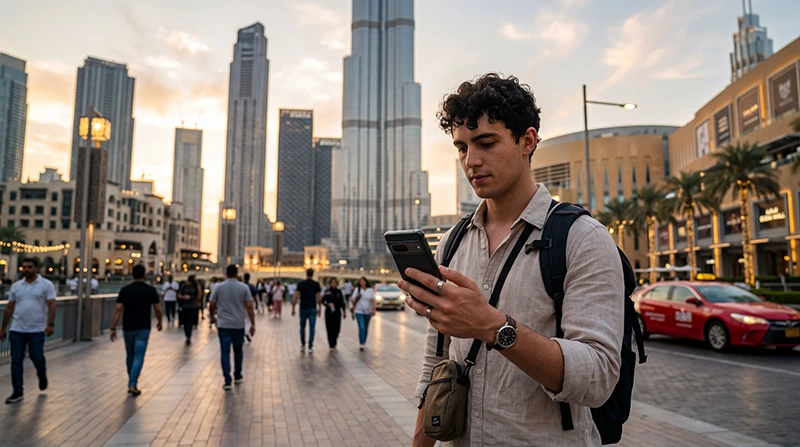

Mobile internet in Dubai is available through a travel eSIM, a local tourist SIM or an international roaming package. A travel eSIM is usually the quickest data-only option, while a UAE tourist SIM is more suitable when you need a local telephone number.
Your connection matters from the first airport transfer: travellers use it for maps, Careem or Uber, Metro directions, booking messages and digital tickets. Hotel and mall Wi-Fi can help, but it does not replace mobile data between locations.
NoveSIM plans for the UAE provide mobile data without a local number, conventional calls or SMS. You can normally keep your home SIM enabled for incoming texts while using the eSIM as the phone’s data line.
Quick answer: install a UAE travel eSIM before departure if you want mobile data ready after landing. Choose a local visitor SIM instead when UAE calls, SMS or a local number are essential, and use public Wi-Fi as a backup rather than your only connection.
Top United Arab Emirates eSIMs

United Arab Emirates eSIM
Fixed
1 GB, 7 days4.00$2 GB, 15 days6.50$3 GB, 30 days8.50$Unlimited
Unlimited, 1 day5.00$Unlimited, 3 days12.50$Unlimited, 5 days20.00$
Four ways to get mobile internet in Dubai
Each option solves a slightly different problem. The best choice depends on whether you need only data, a UAE number, several connected devices or the absolute minimum setup.
| Option | Best suited to | Main limitation |
|---|---|---|
| Travel eSIM | Visitors with a compatible unlocked phone who mainly need data | No UAE number on a data-only plan |
| Local tourist SIM | Travellers who need local calls, SMS or a UAE number | Identity registration and an arrival purchase may be required |
| Home-network roaming | Short visits with a clearly priced roaming bundle | Out-of-bundle use can be expensive |
| Public Wi-Fi | Occasional use at the airport, hotel or mall | No continuous connection while moving around |
When a travel eSIM is the practical choice
An eSIM removes the need to swap a physical card or find a shop after a flight. It is particularly useful when your first journey requires navigation, when you arrive late, or when Dubai is one stop in a wider UAE trip.
Before buying, verify that the phone is eSIM-compatible and network-unlocked. Compare validity, high-speed data, hotspot policy and the local network offered by the specific plan. Network availability, 4G or 5G access and tethering depend on the plan, device, location and local coverage.
If this is the route you prefer, compare the selection factors in the UAE eSIM buying guide before choosing an allowance.
When a local tourist SIM makes more sense
Local visitor plans are offered by UAE operators, including e& and du. They may combine data with local or international minutes and can provide a UAE number. Registration rules apply, so carry the required passport and visa documentation when buying in person.
A local number may be useful when a service expects a UAE callback or local SMS. By contrast, a data-only travel eSIM supports internet access but does not turn your usual number into a UAE number. Our Dubai SIM card comparison explains the purchase decision in more detail.
Can you rely on free Wi-Fi?
Dubai Airport, many hotels, shopping centres and cafés offer Wi-Fi. It is useful for installing an app, checking a booking or conserving mobile data. Coverage ends when you leave the venue, however, and captive portals can interrupt urgent tasks.
A safer travel routine is to download essential documents in advance and keep mobile data available for the journey between Wi-Fi locations. Avoid sensitive transactions on an unfamiliar public network unless you can verify the network and protect the connection.
What to prepare before landing
- Download an offline map covering the airport, accommodation and first-day route.
- Save your hotel address and booking reference outside the booking app.
- Install the eSIM while reliable Wi-Fi and purchase details are available.
- Label the home line and travel line clearly in the phone settings.
- Disable data roaming on the home SIM before the flight.
For arrivals at DXB, the practical connection choices and Wi-Fi fallback are covered separately in Internet at Dubai Airport.
How to configure dual SIM for Dubai
- Keep your home line enabled only if you need calls or verification texts.
- Select the UAE eSIM as the mobile-data line.
- Turn off automatic mobile-data switching so the phone cannot silently use the home SIM.
- Enable roaming on the travel eSIM only when its instructions require it.
- Check that background backups will not consume the allowance unexpectedly.
Installing the profile and activating service are not always the same event. Follow the plan’s timing instructions; the device-specific paths are available in the Dubai eSIM installation guide.
How much data will a Dubai trip use?
Maps, text messages and occasional ride-hailing generally use modest amounts of data. Social video, cloud photo backup, video calls and laptop tethering can increase consumption quickly. A plan should cover real behaviour rather than an arbitrary daily figure.
Estimate each travel day, add heavier activities, then leave a buffer for delays or itinerary changes. See How Much Data Do You Need for Dubai? for activity-based examples.
Will mobile data work across the city?
Dubai generally has extensive urban mobile coverage, including major visitor districts and transport corridors. Indoor construction, underground areas, crowded venues and temporary network conditions can still affect reception.
The operator name alone does not guarantee an identical experience on every travel plan. Check the plan’s supported network and use the automatic network setting unless support advises manual selection. The UAE mobile network guide explains what visitors should compare.
What to do when data does not start
Confirm that the travel line is switched on and selected for mobile data. Check its roaming requirement, toggle Airplane Mode once, then restart the device. If the NoveSIM plan requires manual APN entry, use data.esim.
Do not delete an installed eSIM unless support specifically tells you to do so. Deletion can remove the profile you need to troubleshoot. Use the ordered checks in UAE eSIM Not Working if the basic settings are correct but service is still unavailable.
Related Articles
- UAE Roaming Charges
- Pocket Wi-Fi vs eSIM in Dubai
- Does WhatsApp Work in the UAE?
- Best Apps for Dubai Travel
FAQ
What is the easiest way to get mobile internet in Dubai?
For a visitor with an unlocked eSIM-compatible phone who needs data rather than a UAE number, installing a travel eSIM before departure is usually the easiest option.
Do tourists need a passport to buy a Dubai SIM card?
Local visitor SIM registration requires identification. The UAE government advises visitors to provide their passport and visa documentation when obtaining a tourist line.
Can I use my normal number with a UAE eSIM?
On a dual-SIM phone, you can generally retain the home line for calls and incoming SMS while assigning mobile data to the UAE eSIM. Keep home-line data roaming disabled.
Is Dubai mobile internet always 5G?
No. 5G availability depends on the purchased plan, compatible device, precise location and local network conditions. A phone may use 4G where 5G is unavailable.
Final Recommendation
For dependable mobile internet in Dubai, visitors should choose according to the service they need: a travel eSIM for convenient data, a local visitor SIM for a UAE number, or roaming only when the home operator’s terms are clear.
Prepare the phone before departure, keep offline copies of essential travel information and prevent the home SIM from using data unexpectedly.
With those settings in place, you can move from the airport to hotels, attractions and transport connections without depending on the next available Wi-Fi network.