


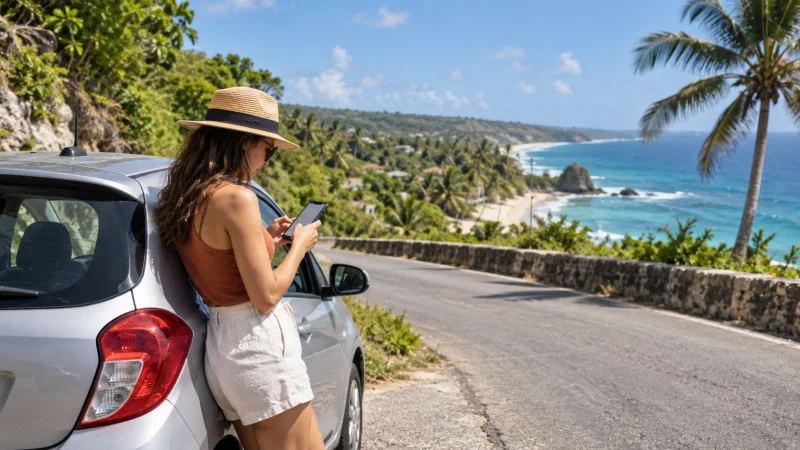

Travellers can get mobile internet in Barbados through a travel eSIM, a local Flow or Digicel SIM, an international roaming add-on or Wi-Fi.
The right option depends on whether you need data immediately after landing, a local telephone number, heavy hotspot use or only occasional access away from the hotel.
NoveSIM provides data-only travel eSIMs. A Barbados plan does not add a local number, ordinary voice calls or carrier SMS, but it supports internet-based communication where the selected plan has service.
Quick answer: A travel eSIM is usually the simplest arrival option for an unlocked compatible phone; a local visitor SIM suits travellers who need a Barbados number or local calling; roaming is convenient but requires a cost check; Wi-Fi works best as a supplement rather than the only connection.
Top Barbados eSIMs

Barbados eSIM
Fixed
1 GB, 7 days€ 9.372 GB, 15 days€ 16.963 GB, 30 days€ 23.65Unlimited
Unlimited, 1 day€ 12.94Unlimited, 3 days€ 37.93Unlimited, 5 days€ 62.48
Compare the four realistic internet options
| Option | Best for | Main limitation |
|---|---|---|
| Travel eSIM | Data ready without changing the physical SIM | Compatible unlocked phone required |
| Local visitor SIM/eSIM | Local number, calls or operator bundle | Registration, local terms and setup |
| Home-network roaming | Very short trips with a confirmed pass | Potentially high or unclear charges |
| Hotel and public Wi-Fi | Large downloads in a trusted location | No continuous connection between places |
When does a travel eSIM make sense?
A travel eSIM avoids removing the home SIM and can be prepared before departure. It is particularly useful for opening directions, contacting accommodation or arranging onward transport after leaving the terminal. Review the available options on the Barbados eSIM product page.
Check device compatibility, validity, activation timing and hotspot terms first. Do not infer the underlying network or guaranteed speed unless it is stated for the particular plan.
When is a local SIM the better choice?
Choose a local SIM when a Barbados number, local calls or a specific domestic bundle matters. Flow and Digicel are the principal choices, and Digicel publishes a dedicated Visitor SIM offer. The Barbados SIM-card comparison explains the purchase decision in more detail.
Bring valid identification and allow time for registration and activation. Test data with Wi-Fi switched off before leaving the shop or authorised agent.
Can you rely on roaming from home?
Only after checking Barbados in the exact roaming zone for your tariff. Do not assume that an inclusive European allowance applies in the Caribbean. Daily passes, capped speeds and out-of-plan charges vary by carrier and can change.
The Barbados roaming guide provides a checklist for avoiding accidental use by the home SIM.
How useful is Wi-Fi in Barbados?
Accommodation and restaurant Wi-Fi can reduce mobile-data use, but quality and access conditions vary. Public Wi-Fi should not be the only way to reach maps, booking details or a driver. Verify the network name with staff and avoid sensitive transactions on an untrusted connection.
For arrival planning, use the consolidated Grantley Adams Airport internet guide. Save the accommodation address and first route before leaving the terminal.
Set up dual SIM without accidental roaming
- Label the home line and Barbados data line clearly.
- Select the travel eSIM as the only mobile-data line.
- Disable mobile-data switching or cellular-data switching.
- Enable Data Roaming on the travel eSIM when required by its plan.
- Keep data roaming disabled on the home SIM.
- Test a webpage with Wi-Fi turned off.
If NoveSIM manual APN configuration is required, enter data.esim. Do not delete an installed eSIM during troubleshooting unless NoveSIM support specifically instructs you to remove it.
Plan for coverage rather than assuming it
Barbados is compact, but indoor reception, congestion and local geography can still affect service. Review the Barbados coverage guide, carry a power bank and keep essential details offline.
Related Articles
- Best eSIM for Barbados
- Best SIM Card for Barbados
- Barbados eSIM Coverage
- Internet at Grantley Adams Airport
FAQ
What is the easiest way to get internet in Barbados?
For an unlocked eSIM-compatible phone, installing a travel eSIM on reliable Wi-Fi before departure usually removes the need for an arrival shop visit.
Can I use hotel Wi-Fi instead of mobile data?
You can use it for downloads and routine browsing, but mobile data is more dependable for directions and communication while moving between locations.
Will my European roaming allowance work in Barbados?
Do not assume so. Check Barbados in the current destination list and pricing for your exact home tariff before enabling roaming.
Can I keep my usual SIM active?
Yes. Dual-SIM phones can keep the home line available, but disable its data roaming and automatic data switching to prevent unexpected charges.
Final Recommendation
Use a travel eSIM for straightforward arrival data, a local SIM for local-number needs, and roaming only after confirming the full cost.
Configure dual SIM before relying on the connection and retain offline copies of essential travel information.
A primary mobile connection plus trusted Wi-Fi for large downloads is the most resilient setup for a Barbados trip.