


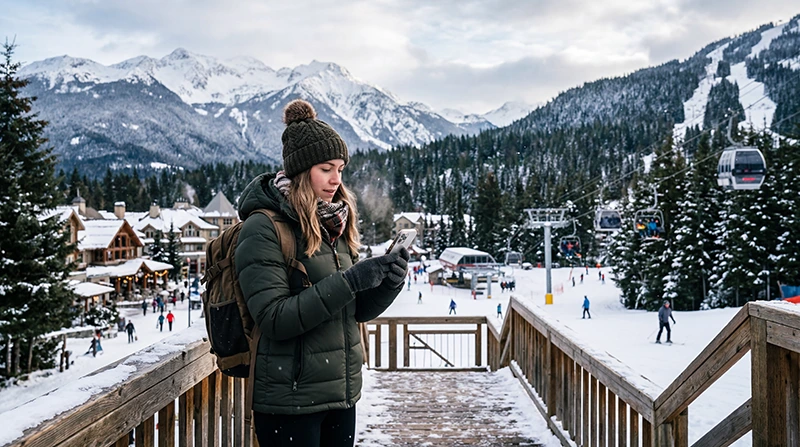

To get mobile data in Whistler, choose a Canada eSIM or SIM plan whose permitted partner networks serve both Whistler and the route you will use to reach it. Check the exact accommodation and travel corridor rather than assuming that a Canada-wide plan guarantees the same connection everywhere.
Most visitors need data before they reach the resort: at Vancouver airport, during the transfer, when locating accommodation and while coordinating an arrival. Once in Whistler, conditions can differ between the village, indoor spaces, roads and mountain terrain.
NoveSIM travel eSIMs provide data only. We do not provide a Canadian number or conventional calls and SMS with these plans; messaging and internet-calling apps can work wherever the phone has a usable data connection.
Quick answer: Check the chosen plan’s Canadian partner networks against Vancouver, the Sea-to-Sky travel route and your exact Whistler accommodation. Install before departure, then activate and test the travel line before leaving Vancouver. Save the transfer details, resort map, booking information and a group meeting point offline because mountain coverage is not continuous or guaranteed.
Top Canada eSIMs

Canada eSIM
Fixed
1 GB, 7 days€ 3.992 GB, 15 days€ 6.663 GB, 30 days€ 9.76Unlimited
Unlimited, 1 day€ 5.32Unlimited, 3 days€ 15.09Unlimited, 5 days€ 23.52
Start With How You Will Reach Whistler
Whistler is not an airport-arrival destination. Travellers commonly begin in Vancouver and continue by coach, private transfer or car. That makes the journey to the resort part of the connectivity decision, not an afterthought.
List the arrival airport or city, transfer operator or driving route, accommodation and any planned stops. Open the exact package on the Canada eSIM page, identify its permitted partner networks and compare their current coverage maps with those locations.
A country-level coverage image is too broad for this job. Zoom in on the route and Whistler address. Coverage maps are useful planning references, but buildings, terrain, congestion, device capability and local conditions can affect the real connection.
Whistler Village and the Mountain Are Different Tests
| Location | Typical data need | Useful preparation |
|---|---|---|
| Vancouver arrival | Transfer messages, directions and booking details | Activate and test the travel line before continuing north. |
| Transfer route | Arrival coordination and official journey updates | Keep the operator details and destination address offline. |
| Whistler Village | Maps, restaurant bookings, messages and local information | Check the exact accommodation rather than only the resort name. |
| Slopes and mountain areas | Meeting companions and checking official resort information | Agree a meeting point and time that do not rely on live data. |
A phone that connects in the village may not maintain the same service on every lift, run, valley or road. Conversely, a possible gap in mountain terrain does not mean the whole resort lacks mobile service. Judge each part of the trip separately.
Which Plan Details Matter in Whistler?
The largest data allowance is not automatically the best choice. First establish whether the plan permits networks relevant to the itinerary, then compare validity and data.
- Country coverage: the package must explicitly include Canada.
- Partner networks: check the selected plan, because network access can differ between packages.
- Validity: include the Vancouver arrival, all resort days and the return transfer.
- Data allowance: estimate maps, messaging, resort information and any work or uploads you genuinely expect.
- Hotspot terms: tethering depends on the purchased plan and device.
The Canada network guide explains how to compare coverage for a route. Use the Canada data guide to estimate usage; automatic photo backups, video and hotspot use consume considerably more data than maps and messages.
4G or 5G availability and speed depend on the plan, phone, network, region and current local coverage. Do not select a plan on a 5G label alone, and do not assume that every NoveSIM package has identical high-speed or hotspot conditions.
Can You Rely on Accommodation or Resort Wi-Fi?
Wi-Fi can be useful in a hotel, lodge, restaurant or other fixed location. It may reduce mobile-data use for larger downloads, but it does not follow you during the Vancouver transfer or between buildings and outdoor areas.
Ask the accommodation whether Wi-Fi is included, whether it reaches the room and whether there are login or device limits if the connection is important for work. Treat it as a separate service from the mobile network rather than proof that mobile data is unnecessary.
A practical setup is often to use trusted accommodation Wi-Fi for large, non-urgent downloads and keep mobile data available for travel, maps and communication away from the property.
Install Before Flying, Then Test in Vancouver
Prepare the eSIM over stable internet before departure. The transfer to Whistler is not the right moment to discover that the phone is carrier-locked or that installation instructions are still in an inaccessible email account.
- Confirm that the phone supports eSIM and is carrier-unlocked.
- Choose a plan after checking Canada inclusion, permitted networks, validity and data allowance.
- Follow the supplied installation instructions and keep the QR code and order information private.
- Label the new line clearly, such as Canada travel data.
- After arriving, select it for mobile data and enable Data Roaming on that line if the purchased plan requires it.
- Open a map or webpage and send a message before leaving Vancouver for Whistler.
The Canada eSIM installation guide covers device preparation. Installation and activation are not necessarily the same event; follow the activation rules sent with the exact package.
Prepare for a Weak or Missing Connection
An eSIM connects through the underlying local network. It cannot create service in a coverage gap. Before starting the transfer or heading into mountain terrain, save:
- the Whistler accommodation address and check-in instructions;
- coach, shuttle or rental details;
- the relevant section of the route and resort map;
- tickets or booking references needed on arrival;
- a meeting place and time for companions.
Low temperatures can temporarily reduce phone-battery performance. Keep the phone protected from prolonged cold and carry an appropriately charged power bank. Mobile data is only useful while the device has power.
For a wider Canadian ski itinerary, the Canada skiing eSIM guide compares resort and transfer considerations. If Whistler is one stop on a self-drive holiday, the Canada road-trip internet guide is the more relevant route-planning companion.
What to Check if Data Does Not Connect
First decide whether the problem is setup or coverage. If other people on the same local network also lack service in the area, repeatedly changing phone settings may not solve the underlying gap.
In a place where service is expected, check that the plan is active, the travel eSIM is selected for mobile data and Data Roaming is enabled on that line when required. Allow automatic network selection time to register on a permitted partner network.
For NoveSIM, the APN is data.esim when manual APN entry is needed. Keep the eSIM installed during troubleshooting and do not delete it unless NoveSIM support specifically instructs you to do so. Follow the ordered checks in the Canada eSIM troubleshooting guide.
Related Articles
- Compare current Canada eSIM plans
- Prepare mobile internet for Vancouver
- Compare Canadian networks for your route
- Plan an eSIM for skiing in Canada
- Estimate data for Canada
FAQ
Can I use an eSIM for mobile data in Whistler?
Yes, if the phone supports eSIM, is carrier-unlocked and the purchased plan includes Canada. Connection still depends on the plan’s permitted partner networks and usable coverage at the exact location.
Will the same plan work in Vancouver and Whistler?
A Canada plan may cover both, but verify the permitted networks and their current maps along the transfer route and at your Whistler accommodation. Service can vary between locations.
Is hotel Wi-Fi enough for a Whistler trip?
It may be enough while you are inside the property, but it does not provide connectivity during the transfer or around outdoor areas. Confirm the hotel’s service and decide whether you also need mobile data away from it.
Should I activate the eSIM before leaving Vancouver?
Install it before travel when the instructions allow, then activate and test it in Canada before starting the Whistler transfer. This gives you a better opportunity to correct settings while reliable connectivity is available.
Final Recommendation
Choose mobile data for Whistler by checking the selected plan’s permitted networks against Vancouver, the transfer route and your exact resort accommodation—not by comparing data volume alone.
Install before departure, activate and test the travel line in Vancouver, and keep the eSIM installed if troubleshooting is required.
Download arrival details, route information and a resort map, protect the phone battery in cold conditions and agree a no-signal meeting plan. That preparation keeps the trip workable even when mountain coverage changes.