


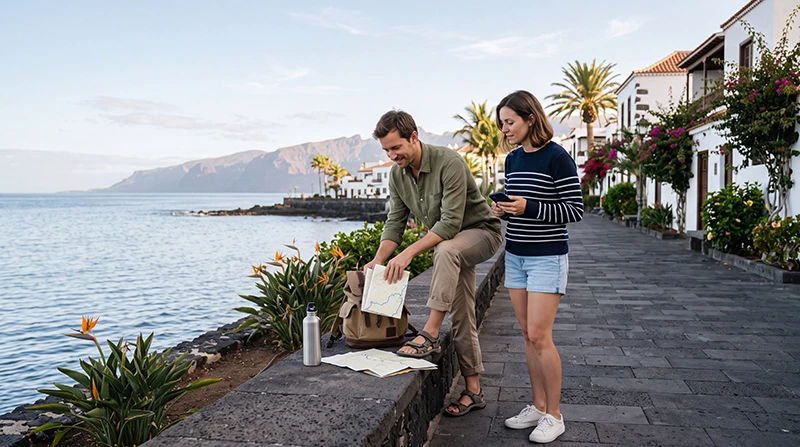

Reliable mobile data can make a Tenerife holiday much easier. Travellers use internet access for airport transfers, driving directions, restaurant searches, weather updates, accommodation messages, excursion bookings and communication throughout the island.
Tenerife includes busy resorts, historic cities, mountain roads, volcanic landscapes and remote coastal areas. WiFi is common in hotels and apartments, but mobile data is more useful when you are away from your accommodation.
Quick answer: The easiest way for most tourists to get mobile data in Tenerife is with a prepaid travel eSIM. It can be purchased online, installed before departure and used after arrival wherever the supported partner network has coverage. Local SIM cards and roaming are alternatives, while hotel WiFi works best as a supplement rather than your only connection.
Top Canary Islands eSIMs

Canary Islands eSIM
Fixed
1 GB, 7 days2.00$2 GB, 15 days4.00$3 GB, 30 days5.00$Unlimited
Unlimited, 1 day2.50$Unlimited, 3 days5.50$Unlimited, 5 days9.00$
Europe Extra eSIM
Fixed
1 GB, 7 days2.50$2 GB, 15 days4.00$3 GB, 30 days5.00$Unlimited
Unlimited, 1 day3.00$Unlimited, 3 days6.00$Unlimited, 5 days10.00$Europe+ eSIM
Fixed
1 GB, 7 days3.00$2 GB, 15 days4.50$3 GB, 30 days6.00$Unlimited
Unlimited, 1 day3.00$Unlimited, 3 days7.00$Unlimited, 5 days11.50$Europe Lite eSIM
Fixed
1 GB, 7 days2.50$2 GB, 15 days4.00$3 GB, 30 days5.00$Unlimited
Unlimited, 1 day3.00$Unlimited, 3 days6.00$Unlimited, 5 days10.00$How Can Tourists Get Mobile Data in Tenerife?
Visitors have several practical ways to connect their phones during a Tenerife trip.
| Option | Best For | Main Advantage | Main Limitation |
|---|---|---|---|
| Travel eSIM | Most short-term visitors | Can be arranged before arrival | Requires an eSIM-compatible phone |
| Local SIM card | Longer stays and local calling | May include a Spanish number | Usually purchased after arrival |
| International roaming | Travellers with a suitable home plan | No new SIM setup | Charges and limits vary |
| Hotel WiFi | Streaming and large downloads | Often included with accommodation | Does not follow you around the island |
| Pocket WiFi | Groups using several devices | Can connect multiple devices | Extra equipment to carry and charge |
Using an eSIM for Mobile Data in Tenerife
An eSIM is a digital mobile plan installed directly on a compatible phone. Instead of replacing your physical SIM card, you scan a QR code or enter the installation details manually.
For many tourists, an eSIM is the most convenient option because it allows them to prepare their internet before travelling.
Main advantages of a Tenerife eSIM
- Purchase the plan online.
- Install it before departure.
- Keep your primary SIM card in the phone.
- Connect after landing when the plan reaches a supported network.
- Avoid visiting a mobile store after arrival.
- Choose a prepaid allowance based on the length of the trip.
Many travel eSIMs are data-only. They may not include a Spanish number, traditional voice calls or standard SMS, but internet-based calls through WhatsApp, Viber, Messenger and similar services can still work.
Buying a Local SIM Card in Tenerife
A prepaid local SIM is another way to get mobile data. It may be useful for travellers who are staying for several weeks or need a Spanish phone number.
Local SIM cards may be available from:
- Official mobile operator stores.
- Authorised phone retailers.
- Shopping centres.
- Electronics shops.
- Some airport or tourist-area retailers.
Availability, opening hours and registration requirements can vary. Identification may be required when buying a prepaid SIM.
A local SIM is less convenient for short trips because you may need to find a shop, compare plans, register the card and remove your primary SIM if your phone has only one physical SIM slot.
Using International Roaming in Tenerife
Tenerife is part of Spain and the Canary Islands. Some travellers may already have roaming included through their home mobile plan, while others may face daily fees or expensive data charges.
Before using roaming, check:
- Whether Spain and the Canary Islands are included.
- The daily or monthly data allowance.
- Any fair-use restrictions.
- The price after the included allowance is exhausted.
- Whether hotspot use is permitted.
Do not assume that roaming is free simply because Tenerife is geographically near Europe or Africa. The applicable conditions depend on your operator and contract.
Can You Rely Only on WiFi in Tenerife?
WiFi is common in hotels, resorts, apartments, cafes and restaurants, but it is not a complete replacement for mobile data.
WiFi is useful for:
- Streaming films or television.
- Downloading large files.
- Cloud backups.
- Long video calls.
- Software updates.
Mobile data is more useful for:
- Driving directions.
- Walking navigation.
- Restaurant and attraction searches.
- Transport information.
- Booking changes.
- Messages from hotels and tour providers.
For most travellers, the best combination is mobile data during the day and trusted WiFi for heavier use at the accommodation.
Mobile Data Coverage in Tenerife
Mobile coverage is generally easier to find in populated areas, cities and major tourist resorts. Performance can vary depending on location, terrain, building structure, network congestion and the partner network used by the selected plan.
Mobile data is commonly useful in areas such as:
- Santa Cruz de Tenerife.
- San Cristóbal de La Laguna.
- Costa Adeje.
- Los Cristianos.
- Playa de las Américas.
- Puerto de la Cruz.
- El Médano.
- Los Gigantes.
- La Orotava.
- Garachico.
Reception may be weaker in remote mountain roads, deep valleys, tunnels, isolated beaches and parts of Teide National Park. A temporary loss of signal in these places does not necessarily mean the eSIM or SIM card is faulty.
Mobile Data at Tenerife South Airport
Tenerife South Airport is the main arrival point for many international holidaymakers. Having mobile data ready can help immediately after landing.
You may need internet for:
- Opening transfer details.
- Contacting the accommodation.
- Finding the rental-car collection area.
- Checking taxi or bus information.
- Starting navigation towards Costa Adeje or Los Cristianos.
- Accessing digital booking confirmations.
An eSIM installed before departure can connect after arrival once it is enabled, selected for Mobile Data and allowed to use Data Roaming.
Mobile Data at Tenerife North Airport
Tenerife North Airport is convenient for Santa Cruz, La Laguna and northern Tenerife. Mobile data is useful for public transport, onward navigation and communication with accommodation providers.
Before leaving the terminal, check that:
- The travel eSIM is enabled.
- It is selected for Mobile Data.
- Data Roaming is enabled on the travel eSIM.
- Data Roaming is disabled on the primary SIM.
- Automatic Data Switching is turned off.
- Network Selection is set to Automatic.
Mobile Data in Costa Adeje and Los Cristianos
Costa Adeje and Los Cristianos are major resort areas where travellers frequently use mobile data throughout the day.
Useful activities include:
- Finding beaches and coastal routes.
- Booking boat trips and excursions.
- Checking restaurant availability.
- Using transport applications.
- Finding supermarkets and pharmacies.
- Communicating with tour providers.
Hotel WiFi may be available inside your accommodation, but mobile data is more reliable for moving between beaches, restaurants, ports and neighbouring resort areas.
Mobile Data in Santa Cruz and La Laguna
Santa Cruz and La Laguna are well suited to city sightseeing, shopping and cultural visits. Mobile data can help with:
- Walking directions.
- Tram and bus information.
- Parking searches.
- Opening times.
- Digital tickets.
- Restaurant reservations.
- Translation tools.
City travel usually requires relatively little data unless you upload videos or stream content frequently.
Mobile Data in Teide National Park
Teide National Park is one of Tenerife’s most important attractions, but mountain and volcanic terrain can affect mobile reception.
Before travelling into the park:
- Download offline maps.
- Save your route.
- Keep tickets and reservations available offline.
- Check the weather in advance.
- Charge your phone fully.
- Carry a power bank.
- Share your route with someone when appropriate.
Mobile data should be treated as a useful extra rather than your only navigation or safety resource in remote areas.
Mobile Data for a Tenerife Road Trip
Renting a car is one of the most popular ways to explore Tenerife. Mobile data helps with navigation between resorts, towns, viewpoints and mountain routes.
A suitable plan can support:
- Live map directions.
- Route changes.
- Parking searches.
- Petrol station searches.
- Weather updates.
- Restaurant searches.
- Messages from accommodation hosts.
Download offline maps before long drives, particularly when travelling through mountainous or less populated areas.
How Much Mobile Data Do You Need in Tenerife?
The right allowance depends on trip length and how you use your phone.
| Trip Type | Suggested Data | Typical Usage |
|---|---|---|
| Weekend break | 1–3GB | Maps, messages and light browsing |
| One-week holiday | 3–5GB | Daily navigation, searches and moderate social media |
| Two-week stay | 5–10GB | Regular uploads, bookings and communication |
| Heavy social media use | 10GB or more | Frequent photo and video uploads |
| Remote work | Large or unlimited plan | Video calls, cloud tools and hotspot use |
Messaging and maps use relatively little data. Video streaming, automatic photo backups, social media reels and laptop tethering consume much more.
Typical Data Use During a Tenerife Holiday
| Activity | Relative Data Use |
|---|---|
| Text messaging | Very low |
| Maps and navigation | Low |
| Web browsing | Low to medium |
| Social media scrolling | Medium |
| Photo uploads | Medium |
| Video calls | Medium to high |
| Video streaming | High |
| Laptop hotspot use | Potentially high |
Do You Need Unlimited Mobile Data in Tenerife?
Unlimited data may be useful for heavy users, remote workers, frequent video uploaders and travellers who do not want to monitor a fixed allowance.
However, unlimited plans may include:
- A daily high-speed allowance.
- Reduced speed after a fair-use threshold.
- Hotspot restrictions.
- Network-management rules.
- Limits on unusually heavy usage.
For ordinary tourism, a fixed 5GB or 10GB plan may offer better value. Review the exact plan details before deciding.
Can You Use Mobile Data for WhatsApp?
Yes. WhatsApp normally continues using your existing number while mobile data comes from the Tenerife eSIM or local SIM.
You can use mobile data for:
- Messages.
- Voice calls.
- Video calls.
- Photo sharing.
- Location sharing.
You do not usually need to change your WhatsApp number after installing a travel eSIM.
Can You Keep Your Main SIM Active?
On many dual-SIM phones, your primary SIM and travel eSIM can remain enabled together.
A practical configuration is:
- Select the Tenerife eSIM for Mobile Data.
- Keep the primary SIM available for calls and SMS.
- Disable Data Roaming on the primary SIM.
- Disable Automatic Data Switching.
Your home operator may still charge for calls and messages. Check its roaming terms before using the primary line.
Does a Tenerife Data Plan Include Calls and SMS?
Many travel eSIMs are data-only. They may not include a Spanish phone number, traditional calls or standard SMS.
Internet-based calls and messages can still be used through:
- WhatsApp.
- Viber.
- Messenger.
- FaceTime.
- Other VoIP applications.
Check the selected plan carefully if you need a local number or traditional mobile service.
How to Install a Tenerife eSIM
- Check that your phone supports eSIM.
- Confirm that the phone is network-unlocked.
- Select a Tenerife, Spain or regional eSIM plan.
- Purchase the plan online.
- Connect to stable WiFi.
- Scan the supplied QR code or enter the installation details manually.
- Label the new profile clearly.
- Keep it installed until your trip is complete.
Installation and activation are not always the same. Some plans begin when they first connect to a supported network, while others may follow different rules. Review the product instructions before installing too early.
Recommended Mobile Data Settings for Tenerife
| Setting | Recommended Configuration |
|---|---|
| Travel eSIM | Enabled |
| Mobile Data | Select the Tenerife travel eSIM |
| Data Roaming on travel eSIM | Enabled |
| Data Roaming on primary SIM | Disabled |
| Automatic Data Switching | Disabled |
| Network Selection | Automatic |
| APN | Use data.esim only when required by the plan |
How to Activate Mobile Data After Arrival
- Open your phone’s mobile network settings.
- Switch on the installed travel eSIM.
- Select it as the preferred line for Mobile Data.
- Enable Data Roaming on the travel eSIM.
- Disable Automatic Data Switching.
- Leave Network Selection on Automatic.
- Wait a few minutes for the phone to register on a supported network.
If the phone does not connect immediately, activate Airplane Mode for approximately 30 seconds, turn it off and restart the device.
What to Do if Mobile Data Does Not Work
- Confirm that the travel eSIM is enabled.
- Select it for Mobile Data.
- Turn on Data Roaming for the travel eSIM.
- Turn off roaming on the primary SIM.
- Disable Automatic Data Switching.
- Set Network Selection to Automatic.
- Turn Airplane Mode on for approximately 30 seconds.
- Turn Airplane Mode off and restart the phone.
- Enter the APN data.esim only if required by the plan.
Do not delete the eSIM while troubleshooting. The QR code may support only one installation, and removing the profile can make reinstallation difficult.
Why Is Mobile Data Slow in Tenerife?
Mobile speed can vary because of:
- Network congestion in busy resorts.
- Mountain and volcanic terrain.
- Weak indoor reception.
- Distance from available network infrastructure.
- A fair-use speed reduction.
- The phone model.
- Supported mobile frequencies.
- The selected plan and partner network.
The availability of 5G depends on your device, plan, local partner network, exact location, congestion and supported frequencies. A 4G connection does not automatically mean that the mobile data service is faulty.
How to Save Mobile Data in Tenerife
- Download offline maps before road trips.
- Use trusted WiFi for streaming.
- Disable automatic application updates.
- Pause cloud photo backups.
- Download music and films before travelling.
- Reduce video quality on mobile data.
- Disable unnecessary background activity.
- Check your phone’s data-usage menu regularly.
Mobile Data for Remote Work in Tenerife
Tenerife is popular with remote workers, but a travel eSIM should usually complement rather than replace reliable accommodation WiFi.
Before choosing a plan, check:
- Whether personal hotspot use is allowed.
- Whether hotspot data has a separate limit.
- The daily high-speed allowance.
- The reduced speed after any fair-use threshold.
- The plan validity.
- The amount of video calling you expect.
Use stable WiFi for large uploads, software updates and long video meetings. Keep the eSIM available for backup access and working away from the accommodation.
Mobile Data vs Local SIM in Tenerife
| Feature | Travel eSIM | Local SIM |
|---|---|---|
| Purchase | Online before travel | Usually after arrival |
| Installation | Digital | Physical card |
| Keep primary SIM | Usually easier | Depends on the device |
| Local number | Usually not included | Often included |
| Best for | Short holidays and easy setup | Long stays and local calling |
What to Check Before Buying a Tenerife Data Plan
| Plan Detail | Why It Matters |
|---|---|
| Coverage | Confirms that Tenerife or Spain is included |
| Validity | Must cover the full trip |
| Activation rule | Determines when the plan starts |
| Data allowance | Should match your expected usage |
| Hotspot support | Important for laptop and shared-device use |
| Fair-use policy | Essential for unlimited plans |
| Device compatibility | Your phone must support eSIM and be unlocked |
| Calls and SMS | Many travel plans are data-only |
Related Canary Islands Travel Internet Guides
- Tenerife eSIM
- Best eSIM for Tenerife
- Canary Islands eSIM
- Best Mobile Data for the Canary Islands
- How Much Data Do You Need for the Canary Islands?
- Local SIM vs eSIM Canary Islands
FAQ
What is the easiest way to get mobile data in Tenerife?
For most tourists, a prepaid travel eSIM is the easiest option because it can be installed before departure and used after arrival without replacing the primary SIM card.
How much mobile data do I need for one week in Tenerife?
Most travellers need approximately 3GB to 5GB for maps, messaging, browsing and moderate social media use. Heavy users may prefer 10GB or more.
Does mobile data work throughout Tenerife?
Mobile data can work wherever the selected plan’s supported network has coverage. Reception may vary in mountain areas, tunnels, isolated beaches and remote volcanic locations.
Can I get mobile data at Tenerife airport?
Yes. An eSIM installed before departure can connect after landing when it is enabled, selected for Mobile Data and allowed to use Data Roaming.
Can I use WhatsApp with Tenerife mobile data?
Yes. WhatsApp can continue using your existing number while the eSIM or local SIM provides the internet connection.
Do I need unlimited data in Tenerife?
Most tourists do not need unlimited data. It is more useful for frequent streaming, video uploads, remote work and heavy hotspot use.
Why is my mobile data slow in Tenerife?
Possible causes include network congestion, mountain terrain, indoor reception, fair-use speed reductions, device compatibility and local coverage conditions.
Should I delete my eSIM if mobile data does not work?
No. Keep the eSIM installed and check the mobile data, roaming, automatic switching, network and APN settings first because the QR code may be single-use.
Final Recommendation
For most visitors, a travel eSIM is the simplest way to get mobile data in Tenerife. It can be prepared before departure, keeps your normal SIM card in the phone and provides portable internet for airport arrivals, resort stays, road trips and city visits.
Choose the plan according to your trip length and actual usage. A 3GB to 5GB package is often suitable for a one-week holiday, while frequent social media users and remote workers may need more. Install the eSIM on stable WiFi, select it for Mobile Data after arrival and enable Data Roaming on the travel line. A suitable NoveSIM plan can help you stay connected across Tenerife without relying only on hotel WiFi.