


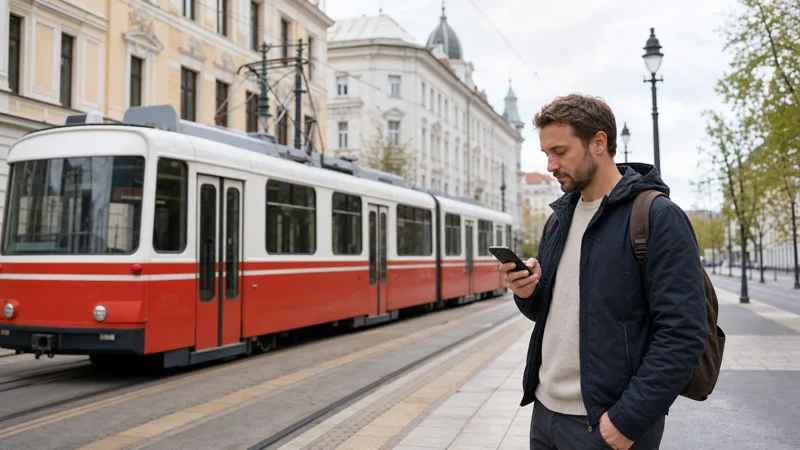

Mobile data in Szeged gives tourists continuous access to directions, local transport information, translation, accommodation messages and digital tickets away from hotel WiFi. The simplest setup for many short visits is a Hungary travel eSIM installed before departure and activated after arrival.
A physical Hungarian prepaid SIM can also provide mobile data, especially for a longer stay or when a local number is important. Home-network roaming may be convenient, but only after confirming the included allowance, fair-use terms and charges for Hungary.
NoveSIM travel eSIMs are data-only and normally do not include a local telephone number, conventional calls or SMS. WhatsApp, FaceTime, Messenger, email and other internet services work through the data connection.
Quick answer: Check that your phone is unlocked and supports eSIM, choose a Hungary plan with enough data, install it on WiFi and select it as the mobile-data line in Szeged. Enable data roaming on the eSIM if required, while leaving roaming disabled on the home line to avoid accidental charges.
Top Hungary eSIMs

Hungary eSIM
Fixed
1 GB, 7 days2.00$2 GB, 15 days4.00$3 GB, 30 days5.00$Unlimited
Unlimited, 1 day2.50$Unlimited, 3 days5.50$Unlimited, 5 days9.00$
Europe Extra eSIM
Fixed
1 GB, 7 days2.50$2 GB, 15 days4.00$3 GB, 30 days5.00$Unlimited
Unlimited, 1 day3.00$Unlimited, 3 days6.00$Unlimited, 5 days10.00$Europe+ eSIM
Fixed
1 GB, 7 days3.00$2 GB, 15 days4.50$3 GB, 30 days6.00$Unlimited
Unlimited, 1 day3.00$Unlimited, 3 days7.00$Unlimited, 5 days11.50$Europe Lite eSIM
Fixed
1 GB, 7 days2.50$2 GB, 15 days4.00$3 GB, 30 days5.00$Unlimited
Unlimited, 1 day3.00$Unlimited, 3 days6.00$Unlimited, 5 days10.00$Which mobile data option should you choose?
There is no separate mobile plan required specifically for Szeged. A plan that covers Hungary can normally be used in the city and elsewhere in the country for its stated validity period. The best option depends on whether you value advance setup, a local number, an existing roaming allowance or the lowest possible use of paid data.
| Option | Suitable traveller | Setup | Important limitation |
|---|---|---|---|
| Travel eSIM | Short stays and multi-stop Hungary trips | Install digitally before travel | Phone must support eSIM and be unlocked |
| Local prepaid SIM | Long stays or travellers needing a local number | Buy and register in Hungary | Requires a physical slot and identification |
| Home SIM roaming | Plans with a clearly included Hungary allowance | Use the existing SIM | Fair-use limits or daily fees may apply |
| WiFi only | Very light use in fixed venues | Join each available hotspot | No continuous connection while moving |
If you are still comparing the broad approaches, read the internet guide for tourists in Szeged. Travellers deciding between a digital profile and a plastic card can also use the Hungary local SIM versus eSIM comparison.
How does a travel eSIM provide data in Szeged?
The eSIM stores a downloadable mobile profile in the phone. When the plan is active in Hungary, it registers on a supported local partner network and supplies internet access according to the plan terms. The operator name displayed on the phone may therefore differ from the eSIM brand.
The profile does not improve radio coverage by itself. Performance depends on the local network partner, the device’s supported bands, the plan, the current location and congestion. A plan that can use more than one partner may offer additional flexibility, but only if that capability is explicitly included.
Check the exact device before paying. Some regional versions of a phone model differ in eSIM capability, and a carrier lock can prevent another provider’s profile from working. Use the Hungary eSIM phone-support guide to verify the EID, eSIM menu and unlock status.
How much data do you need in Szeged?
A city visit can use relatively little data when offline maps and entertainment are downloaded in advance. Maps, messaging and ordinary browsing are efficient compared with video streaming or tethering. The trip length and daily habits matter more than the number of attractions.
| Usage pattern | Typical activities | Planning approach |
|---|---|---|
| Light | Maps, messaging, tickets, opening hours | A few gigabytes may cover a short visit |
| Moderate | Social media, music, photo uploads, regular browsing | Add headroom for daily sharing and navigation |
| Heavy | Video calls, streaming, laptop hotspot, cloud backup | Choose a larger allowance and monitor use |
Calculate the allowance for the complete journey, including time in Budapest, train travel and day trips. The Hungary trip data guide provides more detailed estimates. If the plan can be topped up, confirm how that works before departure rather than assuming more data can always be added.
Preparing mobile data before the journey
Advance preparation prevents the most common arrival problems. Installation requires an internet connection, and a one-time QR code may be difficult to recover if it is scanned incorrectly or the profile is deleted. Read the provider email completely before beginning.
- Check the phone’s eSIM compatibility and carrier-unlock status.
- Choose a plan that explicitly lists Hungary in its coverage.
- Review when validity starts and whether hotspot use is allowed.
- Connect to reliable WiFi and install the profile through the phone settings.
- Label the eSIM clearly so it cannot be confused with the home line.
- Keep the home SIM as the default voice line only if you still need it.
- Download the provider instructions, accommodation address, tickets and an offline map.
Follow the detailed installation instructions for a Hungary eSIM. Do not activate a plan early when its validity begins immediately at installation; exact behaviour depends on the purchased product.
Correct mobile-data settings after arrival
When the phone reaches Hungary, it needs the eSIM profile to be enabled, selected for data and allowed to roam when the provider requires roaming. These are separate settings. Having signal bars beside the eSIM does not prove that the phone is actually using it for internet traffic.
- Open the mobile or cellular settings.
- Confirm that the Hungary travel eSIM is switched on.
- Select that profile under Mobile Data or Cellular Data.
- Enable data roaming on the travel eSIM when instructed.
- Disable data roaming on the home line unless the home provider confirms it is included.
- Turn off mobile-data switching to prevent an unexpected fallback to the home SIM.
- Leave network selection on automatic and test a normal webpage.
For platform-specific menus, consult the Hungary eSIM activation guide. On dual-SIM phones, incoming calls to the home number can still generate roaming charges, and making a call through that line is not converted into an internet call merely because the eSIM handles data.
Mobile coverage around central Szeged
Tourists usually need data in the pedestrian centre, around Dóm Square and the Votive Church, near Széchenyi Square, along the Tisza and at Szeged railway station. These are established urban areas, but indoor signal can still weaken in thick-walled historic buildings, basements, lifts and crowded event venues.
The main Hungarian mobile networks are Magyar Telekom, Yettel and One Hungary. A travel eSIM connects only to the partner or partners supported by its plan. Read the Hungarian mobile-networks overview and the network guide for Hungary visitors rather than assuming that the same operator will perform identically at every street and indoor location.
Keep automatic network selection enabled during normal use. If support confirms that the plan permits another partner, manual selection can be tested when one network is unavailable. Return the setting to automatic afterwards so the phone can adapt as you travel.
4G and 5G performance in Szeged
A 5G icon may appear in covered areas when the plan, network and handset all support it. The phone can switch to 4G indoors or while moving without indicating a fault. Stable 4G is enough for navigation, translation, messaging, ticketing and normal web use.
Speed varies with signal quality, local capacity, device capability, plan restrictions and the number of active users. Large festivals, university events and busy central areas may experience temporary congestion. The Hungary 5G guide explains why a 5G-capable device does not guarantee 5G access everywhere.
Using mobile data for trams, walking and trains
Szeged has a compact central area, but mobile data is helpful for comparing walking and public-transport routes, checking platform information and locating a hotel after arrival. A live map can also help when moving between Dóm Square, the riverfront, parks, museums and neighbourhood restaurants.
Save the essential route offline before leaving the station. Temporary interruptions can occur on a train or when the phone changes network cells, so do not rely on a live connection as the only copy of a ticket. If Szeged is part of a wider rail itinerary, choose a plan valid across Hungary rather than a solution tied only to a hotel hotspot.
Can you use hotspot with a Szeged eSIM?
Many travel eSIM plans allow tethering, but it is a product condition rather than an automatic right. Check the plan page before purchase. If hotspot is permitted, a phone can share its mobile connection with a laptop or another personal device.
Hotspot use consumes the same allowance and can drain the phone battery quickly. Video meetings, system updates, cloud syncing and automatic downloads can use several gigabytes without obvious warning. The Hungary eSIM hotspot guide explains setup and consumption controls.
Ways to reduce data use
- Download Szeged and the onward route in an offline maps app.
- Save train tickets, museum confirmations and the hotel address locally.
- Disable automatic photo and video backup on mobile data.
- Restrict app and operating-system updates to trusted WiFi.
- Lower streaming quality and turn off automatic video playback.
- Use hotel WiFi for large downloads after confirming the network name.
- Check the device’s per-line data counter during the trip.
Resetting the phone’s data statistics at the beginning of the trip can make tracking easier, although the provider’s own usage record is the authoritative balance. Allow for reporting delays and do not wait until the last megabyte before reducing heavy use.
What if the Szeged mobile connection is slow?
Move outdoors or closer to a window and retest before changing settings. A strong signal icon can coexist with congestion, while a VPN, low-data mode or background uploads can affect the apparent speed. Pause large uploads and try a normal webpage rather than relying on one app.
If the plan supports multiple partners, another network may perform better temporarily, but manual selection should be used only within the plan rules. Follow the slow Hungary eSIM troubleshooting guide for a structured diagnosis.
What if there is signal but no internet?
First verify that the eSIM is the selected data line and that roaming is enabled on that profile when required. Toggle airplane mode briefly, restart the device and confirm the plan is active with remaining data. Do not delete the eSIM.
An APN may be configured automatically. Enter one manually only when the provider supplies an exact value. Copying an APN from another service can stop data from working. Use the Hungary eSIM APN guide and the no-internet Hungary eSIM checklist before contacting support.
Related Articles
- Internet in Szeged for Tourists
- Mobile Data in Hungary
- Best eSIM for Hungary
- Data Roaming for a Hungary eSIM
- How to Switch Networks on a Hungary eSIM
FAQ
Can tourists get mobile data in Szeged with an eSIM?
Yes. An unlocked, compatible phone can use a travel eSIM when the plan includes Hungary and connects to a supported local partner network.
Should data roaming be enabled?
Enable it on the travel eSIM when required by the provider. Keep roaming disabled on the home line unless its plan explicitly includes Hungary and you intend to use it.
Is 4G enough for sightseeing?
Yes. A stable 4G connection is suitable for maps, transport searches, translation, messaging, bookings and ordinary photo uploads.
Will the eSIM work outside Szeged?
A Hungary plan should normally work elsewhere in the country within its coverage and validity terms. Check whether a separate regional plan is needed before crossing an international border.
Should I delete an eSIM that will not connect?
No. Check line selection, roaming, network and APN settings first, and contact support if necessary. Delete the profile only when the provider explicitly instructs you to do so.
Final Recommendation
A pre-installed travel eSIM is the most practical mobile-data solution for many tourists in Szeged. It provides an independent connection without searching for a shop or removing the home SIM. A local prepaid card remains useful for selected long stays, while roaming is appropriate only when the allowance and price are clear.
Select the eSIM for mobile data, enable roaming on that line when required and disable automatic fallback to the home SIM. Keep network selection automatic and monitor the allowance during the trip.
Download essential travel information in advance and use trusted WiFi for large transfers. With those precautions, mobile data can support navigation, public transport, communication and bookings throughout a Szeged visit.