
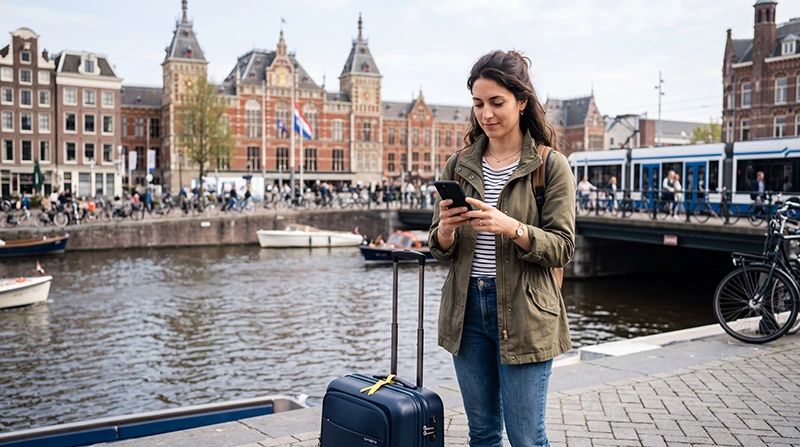

Traveler using mobile data in the Netherlands near an Amsterdam canal

Mobile Data in the Netherlands: Complete Tourist Internet Guide

Getting mobile data in the Netherlands is straightforward, but the best option depends on where you are travelling from, how long you are staying and how much data you expect to use.

Visitors can connect through a Netherlands travel eSIM, a local prepaid SIM card, their home operator’s roaming service or public WiFi. Travellers visiting several European countries may also prefer a regional Europe eSIM that works across multiple destinations.

Reliable mobile internet is useful throughout the Netherlands for Google Maps, train schedules, public transport directions, WhatsApp, hotel communication, digital tickets, restaurant searches and travel bookings.

For most short-term visitors, a prepaid travel eSIM is the easiest solution. It can be purchased online, installed before departure and used without removing the regular SIM card from the phone.

Quick answer: choose approximately 5 GB for a short Amsterdam city break, 10–15 GB for one week and 20–30 GB for two weeks. Use a Netherlands eSIM for a single-country trip or a regional Europe eSIM when visiting additional European destinations.

Top Netherlands eSIMs

Mobile Data Options in the Netherlands

Option Best For Main Advantage
Netherlands travel eSIM Short holidays and business trips Purchase and installation before arrival
Regional Europe eSIM Multi-country European trips One plan across several covered countries
Local prepaid SIM Long stays or visitors needing a Dutch number May include calls and SMS
EU roaming Eligible travellers with an EU mobile plan Uses the existing home subscription
International roaming Very short or emergency use No new SIM installation
Public WiFi Backup and large downloads Reduces mobile data consumption

What Is the Best Way to Get Mobile Data in the Netherlands?

A travel eSIM is usually the most convenient option for visitors who want mobile internet immediately after arriving.

You can:

  • Buy the plan online before departure.
  • Install it while connected to reliable WiFi.
  • Keep your physical SIM inside the phone.
  • Use mobile data after landing.
  • Continue using WhatsApp with your existing number.
  • Avoid searching for a mobile shop at the airport.
  • Select a fixed-data or unlimited plan.

A local prepaid SIM may be useful for a longer stay or when you need a Dutch telephone number. EU residents should first check whether their existing subscription already includes roaming in the Netherlands.

Browse Netherlands eSIM plans.

How Much Mobile Data Do You Need?

Your data requirement depends mainly on the length of the trip and whether you use video, social media, cloud backups or Personal Hotspot.

Trip Length Light Use Normal Tourist Use Heavy Use
3 days 2–3 GB 4–5 GB 8–10 GB
5 days 3–5 GB 5–10 GB 12–15 GB
7 days 5–7 GB 10–15 GB 20 GB or more
10 days 7–10 GB 15–20 GB 25–30 GB
14 days 10–15 GB 20–30 GB 40 GB or more
30 days 20–30 GB 30–50 GB High-data or unlimited plan

Most tourists use approximately 1–2 GB per day when combining navigation, messaging, transport apps, web browsing and moderate social media.

What Uses the Most Mobile Data?

Activity Typical Data Impact
WhatsApp text messages Very low
Google Maps navigation Low
Public transport apps Low
Web browsing Low to moderate
Photo-based social media Moderate
Short-form video High
Video calls High
Video streaming Very high
Laptop hotspot use Potentially very high
Cloud photo backup Depends on file size

Streaming, automatic backups and hotspot use are the most common reasons travellers run out of mobile data.

Is 5 GB Enough for the Netherlands?

Five gigabytes is often sufficient for a weekend or short Amsterdam trip when you mainly use:

  • Google Maps.
  • WhatsApp messages.
  • Train and tram information.
  • Digital tickets.
  • Hotel communication.
  • Restaurant searches.
  • Limited social media.

It may not be enough for frequent video calls, TikTok, Instagram Reels, streaming or hotspot use.

Is 10 GB Enough for One Week?

Ten gigabytes is suitable for many one-week visitors. It provides enough data for normal navigation, messaging, public transport, web browsing and moderate social media.

Choose 15–20 GB when you expect to:

  • Make frequent video calls.
  • Upload many photographs.
  • Watch short-form video regularly.
  • Use mobile data instead of hotel WiFi.
  • Share internet with another device.

Do You Need Unlimited Mobile Data?

Most tourists do not need unlimited data in the Netherlands. A fixed allowance is normally enough for maps, transport apps, messages and travel bookings.

Unlimited data may be useful when you:

  • Work remotely.
  • Use Personal Hotspot every day.
  • Attend regular video meetings.
  • Stream films or television.
  • Upload large files.
  • Do not want to monitor a fixed allowance.

Review the fair-use conditions before purchasing. Unlimited does not always mean unlimited high-speed usage.

NoveSIM unlimited plans provide 1 GB of high-speed data per 24-hour period. After the daily high-speed allowance is used, speed may be reduced until the next reset.

Read the unlimited mobile data guide for the Netherlands.

Travel eSIM vs Local Prepaid SIM

Feature Travel eSIM Local Prepaid SIM
Purchase before arrival Yes Not always
Digital delivery Yes Depends on the operator
Physical SIM replacement No Usually yes
Store visit No May be required
Dutch phone number Usually no Usually yes
Calls and SMS Usually no May be included
Best for short trips Usually easier Useful when a local number is needed
Keep home SIM installed Yes on compatible phones Depends on the device

Choose a local SIM if you need a Dutch number or plan to remain in the country for an extended period. Choose a travel eSIM when convenience and immediate mobile data are more important.

Mobile Data and EU Roaming

Travellers with an eligible mobile subscription from another European Union country may be able to use their home plan in the Netherlands.

Before relying on EU roaming, check:

  • Your available roaming data allowance.
  • Any fair-use limit.
  • Whether the Netherlands is included.
  • Whether hotspot use is permitted.
  • Whether your subscription includes 5G roaming.
  • Additional charges after the roaming allowance is exhausted.

A travel eSIM can still be useful when you want a separate data allowance or prefer not to consume data from your domestic plan.

Mobile Data for Non-EU Visitors

Visitors from the United Kingdom, United States, Canada, Australia, Asia and other non-EU regions should not assume that European roaming is included in their home plan.

International roaming may be convenient, but it can involve:

  • Daily roaming fees.
  • Limited high-speed data.
  • Higher charges after the allowance is used.
  • Automatic activation without a prepaid package.
  • Different rules between subscription types.

Compare your operator’s roaming offer with a prepaid Netherlands eSIM before departure.

Netherlands eSIM vs International Roaming

Feature Netherlands eSIM International Roaming
Separate prepaid allowance Yes Depends on the home operator
Purchase before travel Yes Usually available through the home account
Keep home number active Yes with Dual SIM Yes
Predictable data cost Usually Depends on roaming terms
Installation required Yes No
Best for regular data use Often Depends on the roaming package

Should You Choose a Netherlands or Europe eSIM?

A Netherlands-specific plan is suitable when the Netherlands is your only destination.

Choose a regional Europe eSIM when the trip also includes countries such as:

  • Belgium.
  • Germany.
  • France.
  • Luxembourg.
  • Denmark.
  • Austria.
  • Italy.
  • Spain.
  • Portugal.
Itinerary Recommended Option
Amsterdam only Netherlands eSIM
Netherlands city tour Netherlands eSIM
Netherlands and Belgium Regional Europe eSIM
Netherlands and Germany Regional Europe eSIM
Three or more European countries Regional Europe eSIM
Long stay in the Netherlands Netherlands eSIM or local SIM

Always confirm the complete country list before buying a regional plan.

Mobile Data Coverage in the Netherlands

Mobile coverage is generally strong across Dutch cities, transport corridors and populated areas. Travellers can normally access mobile data in major destinations including:

  • Amsterdam.
  • Rotterdam.
  • The Hague.
  • Utrecht.
  • Eindhoven.
  • Groningen.
  • Maastricht.
  • Haarlem.
  • Delft.
  • Leiden.

Temporary signal reduction can occur inside underground stations, tunnels, thick historic buildings, large venues and crowded events.

Mobile Data in Amsterdam

Mobile data is useful throughout Amsterdam for:

  • Navigating between canals and neighbourhoods.
  • Checking tram, metro and bus routes.
  • Opening museum and attraction tickets.
  • Finding restaurants and cafés.
  • Contacting hotels and hosts.
  • Checking airport trains.
  • Using WhatsApp.
  • Accessing bike and transport applications.

Download your most important tickets before leaving the hotel in case mobile reception is weaker inside a museum or historic building.

Mobile Data at Amsterdam Schiphol Airport

A travel eSIM can connect after landing when the profile is active and the required settings are enabled.

After arrival:

  1. Turn off Airplane Mode.
  2. Enable the Netherlands eSIM.
  3. Select it for Mobile Data.
  4. Enable Data Roaming on the eSIM.
  5. Keep Network Selection on Automatic.
  6. Wait several minutes for network registration.

You can then check train platforms, hotel directions, messages and travel reservations without relying entirely on airport WiFi.

Mobile Data on Dutch Trains

Mobile internet is helpful when travelling by train because routes, departure platforms and delays can change.

You can use data to:

  • Check live departure information.
  • Find connecting platforms.
  • Open digital tickets.
  • Receive delay notifications.
  • Contact accommodation.
  • Navigate after arriving at the station.

Signal may temporarily weaken inside tunnels or crowded trains. Save important tickets and booking references offline.

Mobile Data for Public Transport

Visitors frequently use mobile internet to check tram, metro, bus and train connections.

Before travelling:

  • Save your hotel location.
  • Download useful transport applications.
  • Keep payment cards and tickets accessible.
  • Take screenshots of essential reservations.
  • Carry a charged power bank.

Can You Use Personal Hotspot?

Personal Hotspot availability depends on the selected plan and device.

It may be useful for:

  • Connecting a laptop.
  • Working during train travel.
  • Sharing data with a tablet.
  • Providing temporary internet to a companion.

A laptop can use significantly more data than a phone because it may automatically download updates, synchronise cloud files and stream higher-quality video.

Before using hotspot access:

  • Pause software updates.
  • Pause cloud synchronisation.
  • Set the connection as metered.
  • Reduce video-call quality.
  • Monitor your remaining allowance.

Does a Travel eSIM Include a Dutch Phone Number?

Most travel eSIM plans are data-only. They provide mobile internet but do not include a conventional Dutch phone number, standard voice calls or ordinary SMS.

You can still use:

  • WhatsApp.
  • Viber.
  • Telegram.
  • Signal.
  • FaceTime.
  • Google Meet.
  • Microsoft Teams.
  • Zoom.

Will WhatsApp Keep Your Existing Number?

Yes. Installing a Netherlands travel eSIM does not normally change the phone number registered with WhatsApp.

WhatsApp continues using your existing account while the eSIM provides the internet connection. Do not select Change Number unless you intentionally want to move the account.

Can You Keep Your Home SIM Active?

Yes. Most modern eSIM-compatible phones support Dual SIM use.

Phone Function Recommended SIM
Mobile Data Netherlands eSIM
Regular Calls Primary SIM
SMS and Verification Codes Primary SIM
WhatsApp Existing account using eSIM data
Data Roaming Enabled on Netherlands eSIM only

Disable Data Roaming on the primary SIM and turn off Automatic Data Switching to reduce the risk of unexpected roaming charges.

How to Buy Mobile Data Before Travelling

  1. Confirm that the phone supports eSIM.
  2. Check that the device is carrier-unlocked.
  3. Select a Netherlands or regional Europe plan.
  4. Choose enough data and validity.
  5. Complete the online purchase.
  6. Open the confirmation email.
  7. Save the QR code and manual details.
  8. Install the eSIM over reliable WiFi.
  9. Keep the profile on the phone.
  10. Enable it after arriving in the Netherlands.

Read how to buy a Netherlands eSIM.

How to Install a Netherlands eSIM on iPhone

  1. Connect the iPhone to WiFi.
  2. Open Settings.
  3. Select Cellular or Mobile Service.
  4. Tap Add eSIM.
  5. Select Use QR Code.
  6. Scan the supplied QR code.
  7. Follow the installation instructions.
  8. Label the profile Netherlands eSIM or NoveSIM.

How to Install a Netherlands eSIM on Android

  1. Connect the phone to WiFi.
  2. Open Settings.
  3. Select Connections, SIM Manager or Network and Internet.
  4. Choose Add eSIM or Download SIM.
  5. Scan the supplied QR code.
  6. Complete the installation.
  7. Label the profile clearly.

Menu names vary depending on the device manufacturer and Android version.

Recommended Mobile Settings

Setting Recommended Value
Netherlands eSIM Enabled after arrival
Mobile Data Netherlands eSIM
Calls and SMS Primary SIM
Data Roaming on Netherlands eSIM On
Data Roaming on primary SIM Off
Automatic Data Switching Off
Network Selection Automatic
Preferred Network 5G Auto or 4G/LTE
APN data.esim if required

Netherlands eSIM APN Settings

Most compatible phones configure the APN automatically. If the phone shows network signal but mobile data does not load, check the following values.

Field Value
Name NoveSIM
APN data.esim
Username Leave blank
Password Leave blank
Authentication None

What to Do If Mobile Data Does Not Work

  1. Confirm that the Netherlands eSIM is enabled.
  2. Select it for Mobile Data.
  3. Enable Data Roaming on the eSIM.
  4. Disable Automatic Data Switching.
  5. Keep Network Selection on Automatic.
  6. Check that the APN is data.esim.
  7. Turn Airplane Mode on for 30 seconds.
  8. Turn it off and wait several minutes.
  9. Restart the phone.

Do not delete the eSIM while troubleshooting. The QR code may be intended for one installation only.

Mobile Data Is Slow

Slow mobile data can be caused by network congestion, weak indoor coverage, temporary local conditions or high-speed fair-use limits.

Try:

  • Moving outdoors or closer to a window.
  • Turning Airplane Mode on for 30 seconds.
  • Restarting the phone.
  • Switching from unstable 5G to 4G/LTE.
  • Closing large background downloads.
  • Turning off cloud photo backups.
  • Checking whether a fair-use threshold has been reached.

How to Reduce Mobile Data Usage

  • Download offline maps through WiFi.
  • Disable automatic app updates.
  • Pause cloud photo backups.
  • Use WiFi for streaming.
  • Reduce video quality.
  • Disable automatic video playback in social apps.
  • Download tickets and documents in advance.
  • Set laptops to metered mode during hotspot use.
  • Monitor usage in the phone settings.

Common Mobile Data Mistakes

  • Buying before checking eSIM compatibility.
  • Using a carrier-locked phone.
  • Selecting a plan with insufficient validity.
  • Buying too little data for video and hotspot use.
  • Deleting the eSIM profile after installation.
  • Leaving Data Roaming disabled.
  • Selecting the home SIM for Mobile Data.
  • Keeping Automatic Data Switching enabled.
  • Assuming a data-only plan includes calls and SMS.
  • Relying entirely on public WiFi.
  • Choosing a Netherlands-only plan for a wider Europe trip.

Related Netherlands Internet Guides

FAQ

What is the easiest way to get mobile data in the Netherlands?

A prepaid travel eSIM is usually the easiest option for tourists because it can be purchased and installed before departure.

How much mobile data do I need for one week?

Most visitors should consider approximately 10–15 GB for one week. Light users may need less, while heavy video and hotspot users may need more.

Is 5 GB enough for Amsterdam?

Five gigabytes can be enough for a short Amsterdam trip involving maps, messaging, public transport and limited social media.

Do I need unlimited data?

Not necessarily. A fixed allowance is sufficient for most tourists. Unlimited data is more useful for remote work, streaming and frequent hotspot use.

Can I use EU roaming in the Netherlands?

Eligible travellers with an EU mobile subscription may be able to use their domestic plan, subject to the operator’s roaming allowance and fair-use conditions.

Does mobile data work outside Amsterdam?

Yes. Mobile coverage is widely available throughout the Netherlands, including Rotterdam, The Hague, Utrecht and other destinations.

Does the eSIM work at Schiphol Airport?

Yes. Enable the eSIM, select it for Mobile Data and turn on Data Roaming after landing.

Does a travel eSIM include a Dutch number?

Most travel eSIM plans are data-only and do not provide a conventional Dutch phone number, calls or SMS.

Will WhatsApp keep my normal number?

Yes. WhatsApp continues using the number registered to your account while the Netherlands eSIM provides mobile data.

Can I keep my home SIM active?

Yes. Most Dual SIM phones allow the primary SIM to remain active while the travel eSIM supplies mobile data.

Should I buy a Netherlands or Europe eSIM?

Choose a Netherlands plan for a single-country trip and a regional Europe plan when visiting several covered countries.

Can I use Personal Hotspot?

Hotspot availability depends on the selected plan and device. Confirm the plan conditions before relying on it for laptop access.

Why is my Netherlands mobile data slow?

Slow speeds may be caused by weak indoor signal, congestion, unstable 5G, background downloads or an applicable fair-use limit.

Should I install the eSIM before travelling?

Yes. Install it while connected to reliable WiFi and keep the profile on the phone throughout the trip.

Do I need Data Roaming enabled?

Yes. Enable Data Roaming on the Netherlands eSIM and keep it disabled on your primary SIM.

What APN should I use?

If manual configuration is required for a NoveSIM Netherlands eSIM, use data.esim.

Final Recommendation

A prepaid travel eSIM is usually the easiest way for tourists to get mobile data in the Netherlands. It can be purchased before departure, installed over WiFi and used without removing the regular SIM card.

For most visitors, 5 GB is suitable for a short city break, 10–15 GB is comfortable for one week and 20–30 GB is appropriate for two weeks. Choose more data when you expect frequent streaming, video calls or hotspot use.

Travellers with an EU mobile plan should check their existing roaming allowance before purchasing another connection. Visitors from outside the EU should compare international roaming costs with a prepaid eSIM.

Use a Netherlands-specific plan when the Netherlands is your only destination. Choose a regional Europe eSIM when your itinerary also includes Belgium, Germany, France or other supported countries.

Install the eSIM while connected to reliable WiFi before departure. After arriving, enable the profile, select it for Mobile Data, turn on Data Roaming, disable Automatic Data Switching and keep Network Selection on Automatic.

Browse Netherlands mobile data plans here.

Scroll to Top