


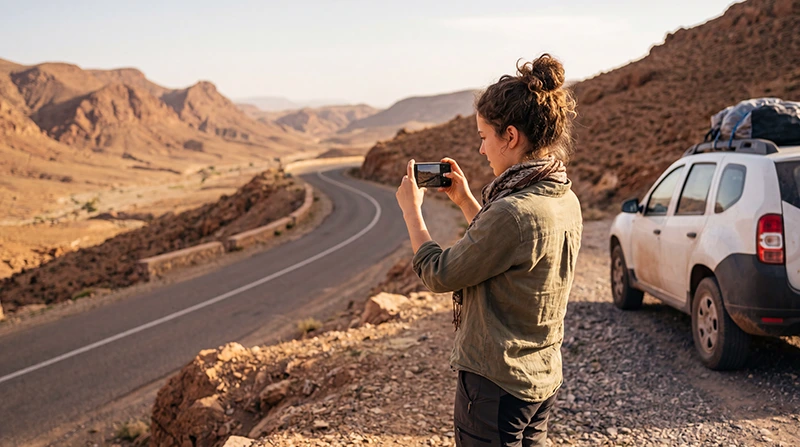

If you are planning a Morocco road trip, mobile data is useful for Google Maps, WhatsApp, hotel messages, rental car coordination, fuel stops, restaurant searches, parking, translation, emergency contacts and sharing travel photos.
Mobile coverage is usually good in Morocco’s major cities, towns and main tourist routes, but it can become weaker in the Atlas Mountains, Sahara desert routes, rural valleys, remote beaches and long road sections. For the best experience, use a Morocco travel eSIM together with offline maps and WiFi where available.
Quick answer: the easiest way to get mobile data for a Morocco road trip is to install a Morocco travel eSIM before departure, enable Data Roaming after arrival and download offline maps before remote mountain or desert routes.
Top Morocco eSIMs

Morocco eSIM
Fixed
1 GB, 7 days4.00$2 GB, 15 days6.50$3 GB, 30 days9.00$Unlimited
Unlimited, 1 day5.00$Unlimited, 3 days13.00$Unlimited, 5 days21.00$
Africa eSIM
Fixed
1 GB, 7 days11.50$2 GB, 15 days21.50$3 GB, 30 days30.00$Unlimited
Unlimited, 1 day15.50$Unlimited, 3 days44.50$Unlimited, 5 days73.50$Best Mobile Data Options for a Morocco Road Trip
| Option | Best For |
|---|---|
| Morocco eSIM | Main mobile data option for tourists |
| Local SIM card | Longer stays or local number needs |
| Hotel, riad or camp WiFi | Backup internet at accommodation |
| International roaming | Emergency use, often expensive |
| Offline maps | Essential backup for remote road sections |
Why Mobile Data Matters on a Morocco Road Trip
- Navigate between cities, beaches, mountains and desert routes.
- Use WhatsApp with your existing number.
- Contact hotels, riads, desert camps and rental car providers.
- Find fuel stations, parking and restaurants.
- Translate signs, menus and messages.
- Check route changes and travel times.
- Share location with other travelers.
- Avoid expensive roaming data charges.
Expected Mobile Data Coverage on Morocco Road Trips
| Route or Area | Expected Mobile Coverage |
|---|---|
| Casablanca to Rabat | Very Good to Excellent |
| Marrakech to Essaouira | Good to Variable |
| Marrakech to Ouarzazate | Variable in mountain sections |
| Fes to Chefchaouen | Good to Variable |
| Agadir to Taghazout | Good to Very Good |
| Road to Merzouga | Variable |
| Atlas Mountains | Variable to Limited |
| Sahara desert routes | Variable to Limited or Unavailable |
Important: Mobile Data Needs Mobile Signal
A Morocco eSIM or local SIM card connects to local mobile networks. It does not provide satellite internet and cannot create signal where there is no mobile coverage.
This means mobile data can work well in cities and many towns, but may become weak or unavailable in mountain roads, desert camps, remote beaches, rural valleys and isolated road sections.
Morocco eSIM vs Local SIM Card for Road Trips
| Feature | Morocco eSIM | Local SIM Card |
|---|---|---|
| Buy before travel | Yes | No |
| Physical SIM needed | No | Yes |
| Works in remote areas without signal | No | No |
| Keep home SIM active | Yes | Depends on phone |
| Local phone number | Usually no | Usually yes |
| Best for tourists | Excellent convenience | Good if bought earlier |
Mobile Data for Marrakech to Sahara Road Trips
Many Morocco road trips start in Marrakech and continue through the Atlas Mountains, Ait Ben Haddou, Ouarzazate, Dades Valley, Todra Gorge, Erfoud and Merzouga.
Mobile data is useful for maps, hotel messages, route planning and driver coordination, but coverage can vary in mountain passes, valleys and desert sections. Download offline maps before leaving Marrakech or Ouarzazate.
Mobile Data for Fes to Chefchaouen Road Trips
The route from Fes to Chefchaouen includes towns, hills and mountain roads. Mobile data is useful for navigation, hotel check-in messages, restaurants and travel updates.
Coverage is usually better near towns and main roads, but can become weaker in rural and mountain sections.
Mobile Data for Coastal Road Trips
Agadir, Taghazout, Tamraght, Essaouira and nearby coastal areas are popular for beach holidays, surf trips and road trips. Mobile data is useful for maps, surf schools, hotel communication, cafés, restaurants and day trips.
Coverage is usually good in main coastal towns, but can vary on remote beaches and rural roads.
How Much Mobile Data Do You Need for a Morocco Road Trip?
| Trip Type | Recommended Data |
|---|---|
| Weekend road trip | 3–5 GB |
| One-week Morocco road trip | 5–10 GB |
| Road trip with desert tour | 10–20 GB |
| Two-week Morocco road trip | 20 GB+ |
| Hotspot or remote work | 20 GB+ with WiFi backup |
| Heavy social media or video uploads | 20 GB+ or unlimited where coverage is available |
Typical Mobile Data Usage on a Road Trip
| Activity | Approximate Usage |
|---|---|
| WhatsApp messages | Very Low |
| WhatsApp voice calls | 30–50 MB per hour |
| WhatsApp video calls | 250–500 MB per hour |
| Google Maps navigation | 5–10 MB per hour |
| Email and browsing | 50–150 MB per hour |
| Instagram browsing | 100–300 MB per hour |
| TikTok or Reels | 500 MB–1 GB per hour |
| YouTube HD | 1–3 GB per hour |
Recommended Phone Settings for Morocco Road Trip Mobile Data
| Setting | Recommended Value |
|---|---|
| Mobile Data | Morocco eSIM |
| Calls | Primary SIM |
| SMS | Primary SIM |
| Data Roaming on eSIM | ON |
| Data Roaming on Primary SIM | OFF |
| Automatic Data Switching | OFF |
| Network Selection | Automatic |
| APN | data.esim if required |
APN Settings for Morocco Road Trip Mobile Data
Most phones configure APN settings automatically. If mobile data does not work after arrival in Morocco, enter the APN manually.
| Field | Value |
|---|---|
| APN | data.esim |
| Username | Leave blank |
| Password | Leave blank |
| Authentication | None |
Offline Preparation Before a Morocco Road Trip
- Download offline Google Maps before leaving major cities.
- Save hotel, riad and camp addresses offline.
- Save rental car, driver and emergency contacts.
- Screenshot booking confirmations.
- Save fuel stops, route details and meeting points.
- Charge your phone before long drives.
- Carry a power bank or car charger.
- Send important messages before remote mountain or desert sections.
Can You Keep Your Home SIM Active?
Yes. Most modern Dual SIM phones allow you to keep your home SIM active while using your Morocco eSIM for mobile data where coverage is available.
- Use the Morocco eSIM for internet.
- Keep your home SIM for calls and SMS.
- Receive verification codes if supported by your home carrier.
- Use WhatsApp with your existing number.
- Avoid roaming data charges on your primary SIM.
Does WhatsApp Work on a Morocco Road Trip?
Yes. WhatsApp works with mobile data or WiFi where internet access is available. Your WhatsApp account remains linked to your existing phone number, even if your Morocco eSIM is data-only.
In remote mountain or desert areas, WhatsApp may not work until you return to an area with mobile signal or WiFi.
Can You Use Hotspot During a Morocco Road Trip?
Yes. Most smartphones allow hotspot sharing with an eSIM where mobile coverage is available. This can be useful for another traveler, tablet or laptop.
Hotspot can use data quickly, especially with laptops, cloud sync, video calls and streaming. Choose a larger data plan if you plan to share your connection often.
How to Save Mobile Data on a Morocco Road Trip
- Use hotel, riad or camp WiFi for large uploads.
- Download offline maps before remote drives.
- Turn off automatic photo and video backup.
- Disable automatic app updates on mobile data.
- Use lower video quality when streaming.
- Use WhatsApp voice calls instead of video calls when possible.
- Turn off background data for apps you do not need.
Common Mobile Data Problems on Morocco Road Trips
- Weak or unavailable mobile signal in remote areas.
- Data Roaming is not enabled on the eSIM.
- The wrong SIM is selected for Mobile Data.
- Automatic Data Switching is turned on.
- APN settings are missing.
- Network Selection is set manually.
- Hotel or camp WiFi is slow or limited.
- The phone does not support eSIM.
What to Do If Mobile Data Does Not Work
- Move to a more open area or closer to a town, road or accommodation.
- Check that the Morocco eSIM is turned ON.
- Select the Morocco eSIM for Mobile Data.
- Enable Data Roaming on the eSIM.
- Turn off Data Roaming on your primary SIM.
- Turn off Automatic Data Switching.
- Restart your phone.
- Turn Airplane Mode ON for 30 seconds, then OFF.
- Keep Network Selection on Automatic.
- Set APN to data.esim if required.
- Use hotel, riad or camp WiFi if available.
Related Morocco Road Trip Internet Guides
- Morocco eSIM
- Internet for Morocco Road Trip
- Mobile Internet in Morocco
- Internet in Morocco for Tourists
- Best Way to Get Internet in Morocco
- Best eSIM for Morocco
- Local SIM vs eSIM Morocco
- Internet for Atlas Mountains
- Morocco eSIM APN Settings
FAQ
Does mobile data work on Morocco road trips?
Yes. Mobile data works in many cities, towns and main road areas in Morocco, but coverage can vary in mountains, deserts, rural valleys and remote coastal areas.
What is the best mobile data option for a Morocco road trip?
For most tourists, the easiest option is a Morocco travel eSIM combined with offline maps and accommodation WiFi as backup.
Does eSIM work on Morocco road trips?
Yes, a Morocco eSIM can work where supported local mobile coverage is available. It will not work in areas with no mobile signal.
How much data do I need for a Morocco road trip?
For a one-week road trip, 5–10 GB is usually comfortable. For desert routes, longer trips or hotspot use, 10–20 GB or more is better.
Can I use Google Maps with mobile data in Morocco?
Yes. Google Maps works with mobile data where coverage is available. Download offline maps before remote mountain or desert routes.
What APN should I use for Morocco road trip mobile data?
If manual APN setup is required for a NoveSIM Morocco eSIM, use data.esim.
Final Recommendation
For most travelers, the best mobile data setup for a Morocco road trip is a Morocco travel eSIM plus offline maps and WiFi where available. An eSIM is useful for maps, WhatsApp, hotel messages, route planning, translation and travel updates across cities, coastal towns, mountains and desert routes.
Because mobile coverage can vary in remote areas, install your eSIM before departure, enable Data Roaming after arrival, keep Network Selection on Automatic, download offline maps and use data.esim as the APN if manual setup is required.