


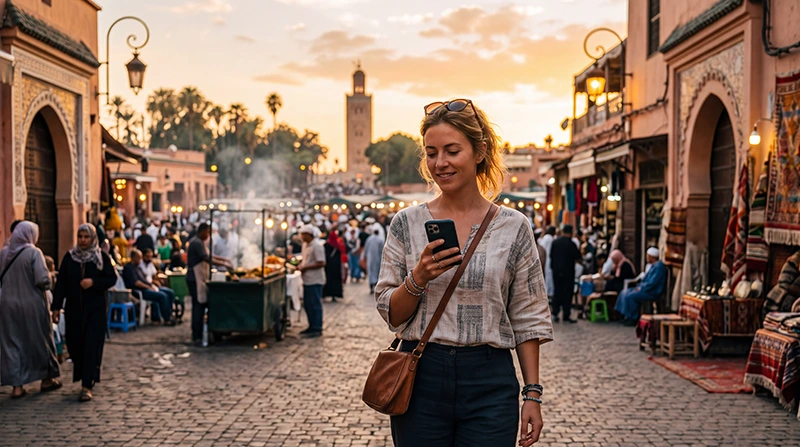

Whether you’re wandering through the colorful souks of the Medina, relaxing in a traditional riad or heading into the Atlas Mountains, reliable mobile data makes traveling around Marrakech much easier.
Mobile internet allows you to navigate with Google Maps, contact your accommodation, book taxis, use WhatsApp, find restaurants and stay connected throughout your trip.
Quick answer: for most travelers, a Morocco travel eSIM is the easiest way to get mobile data in Marrakech. Install it before departure, activate it after arrival and enjoy internet access wherever local mobile coverage is available.
Top Morocco eSIMs

Morocco eSIM
Fixed
1 GB, 7 days€ 3.562 GB, 15 days€ 5.793 GB, 30 days€ 8.02Unlimited
Unlimited, 1 day€ 4.45Unlimited, 3 days€ 11.58Unlimited, 5 days€ 18.71
Africa eSIM
Fixed
1 GB, 7 days€ 10.242 GB, 15 days€ 19.153 GB, 30 days€ 26.73Unlimited
Unlimited, 1 day€ 13.81Unlimited, 3 days€ 39.64Unlimited, 5 days€ 65.48Best Mobile Data Options in Marrakech
| Option | Best For |
|---|---|
| Morocco eSIM | Most tourists and short trips |
| Local SIM card | Long stays or local phone number |
| International roaming | Emergency use |
| Hotel or riad WiFi | Backup internet indoors |
| Public WiFi | Occasional browsing only |
Why Mobile Data Is Useful in Marrakech
- Navigate the Medina with Google Maps.
- Contact your riad or hotel.
- Book taxis and airport transfers.
- Use WhatsApp with local guides.
- Find restaurants and attractions.
- Access online tickets and bookings.
- Share photos instantly.
- Avoid expensive international roaming.
Why Choose a Morocco eSIM?
A Morocco eSIM lets you connect as soon as you arrive without searching for a SIM shop or replacing your existing SIM card.
Simply install your eSIM before your flight, enable Data Roaming after landing and you’re ready to explore Marrakech immediately.
Mobile Coverage in Marrakech
| Location | Coverage |
|---|---|
| Marrakech Menara Airport | Excellent |
| Jemaa el-Fnaa | Excellent |
| Medina | Very Good to Excellent |
| Gueliz | Excellent |
| Hivernage | Excellent |
| Majorelle Garden | Excellent |
| Palmeraie | Good to Very Good |
| Agafay Desert excursions | Variable |
| Atlas Mountains | Variable |
Mobile Data vs Hotel WiFi
| Feature | Mobile Data | Hotel WiFi |
|---|---|---|
| Works around the city | Yes | No |
| Useful for airport transfers | Yes | No |
| Navigation | Excellent | No |
| Large downloads | Possible | Usually better |
| Main internet connection | Excellent | Backup |
Mobile Data at Marrakech Airport
Having mobile data immediately after landing makes it easy to contact your driver, find your hotel, order a taxi or navigate to your accommodation.
If your eSIM is already installed, simply activate it after arriving in Morocco.
Using Mobile Data in the Medina
The streets of Marrakech Medina are beautiful but often confusing. Mobile internet is extremely useful for navigation, restaurant recommendations and communicating with your accommodation.
Signal may occasionally be weaker inside thick stone buildings or covered markets, but usually returns once you move outdoors.
Mobile Data for Day Trips
Many visitors take excursions from Marrakech to the Atlas Mountains, Ourika Valley, Agafay Desert, Ouzoud Waterfalls or Essaouira.
Coverage becomes more variable outside the city, so download offline maps before leaving Marrakech.
How Much Mobile Data Do You Need?
| Trip | Recommended Data |
|---|---|
| Weekend city break | 3–5 GB |
| One-week holiday | 5–10 GB |
| City + excursions | 10 GB |
| Road trip | 10–20 GB |
| Remote work | 20 GB+ |
| Heavy streaming | Unlimited |
Typical Mobile Data Usage
| Activity | Approximate Usage |
|---|---|
| WhatsApp messages | Very low |
| WhatsApp voice calls | 30–50 MB/hour |
| WhatsApp video calls | 250–500 MB/hour |
| Google Maps | 5–10 MB/hour |
| Email & browsing | 50–150 MB/hour |
| 100–300 MB/hour | |
| TikTok | 500 MB–1 GB/hour |
| YouTube HD | 1–3 GB/hour |
Recommended Phone Settings
| Setting | Recommended Value |
|---|---|
| Mobile Data | Morocco eSIM |
| Calls | Primary SIM |
| SMS | Primary SIM |
| Data Roaming | ON for the eSIM |
| Primary SIM Roaming | OFF |
| Network Selection | Automatic |
| Automatic Data Switching | OFF |
| APN | data.esim if required |
APN Settings
| Field | Value |
|---|---|
| APN | data.esim |
| Username | Leave blank |
| Password | Leave blank |
| Authentication | None |
Can You Keep Your Home SIM?
Yes. Most Dual SIM phones let you use your Morocco eSIM for mobile internet while keeping your regular SIM active for calls and SMS.
- Keep your normal number.
- Receive verification codes.
- Use WhatsApp normally.
- Avoid roaming data charges.
Does WhatsApp Work?
Yes. WhatsApp works normally over mobile data or WiFi. Your account stays connected to your existing number.
Can You Share Hotspot?
Yes. Most Morocco eSIM plans support hotspot where mobile coverage is available. If you plan to connect a laptop or another device, consider choosing a larger data plan.
How to Save Mobile Data
- Download offline maps.
- Use hotel WiFi for backups.
- Disable automatic app updates.
- Turn off cloud photo uploads.
- Reduce video quality while streaming.
- Limit hotspot usage.
Common Mobile Data Problems
- Data Roaming disabled.
- Wrong SIM selected.
- Missing APN.
- Automatic Data Switching enabled.
- Weak indoor signal.
- Phone not compatible with eSIM.
What to Do If Mobile Data Doesn’t Work
- Enable the Morocco eSIM.
- Select it for Mobile Data.
- Turn on Data Roaming.
- Restart your phone.
- Use Airplane Mode for 30 seconds.
- Keep Network Selection on Automatic.
- Use APN data.esim if needed.
Related Marrakech & Morocco Guides
- Morocco eSIM
- Best eSIM for Marrakech
- Internet in Marrakech for Tourists
- Mobile Internet in Morocco
- Best Mobile Data for Morocco
- How Much Data Do You Need for Morocco?
- Best Network in Morocco
- Morocco eSIM APN Settings
FAQ
What is the best mobile data option in Marrakech?
For most tourists, a Morocco travel eSIM is the easiest and most convenient option because it can be installed before arrival and works throughout the city where coverage is available.
Does mobile data work well in Marrakech?
Yes. Mobile coverage is generally excellent across Marrakech, although signal may be weaker inside some traditional buildings or covered market areas.
How much mobile data do I need in Marrakech?
Most visitors use between 5 GB and 10 GB during a one-week trip. Heavy users may prefer 20 GB or an unlimited plan.
Can I use WhatsApp in Marrakech?
Yes. WhatsApp works normally using mobile data or WiFi while keeping your existing phone number.
Can I use hotspot with a Morocco eSIM?
Yes. Most devices support hotspot sharing where local mobile coverage is available.
What APN should I use?
If manual setup is required, use data.esim.
Final Recommendation
For most tourists, a Morocco travel eSIM is the simplest way to stay connected in Marrakech. It provides reliable mobile internet for maps, messaging, transportation, restaurants and sightseeing without needing to replace your physical SIM card.
Install your eSIM before departure, enable Data Roaming after arriving in Morocco, keep Network Selection on Automatic and use data.esim as the APN if manual setup is required.