


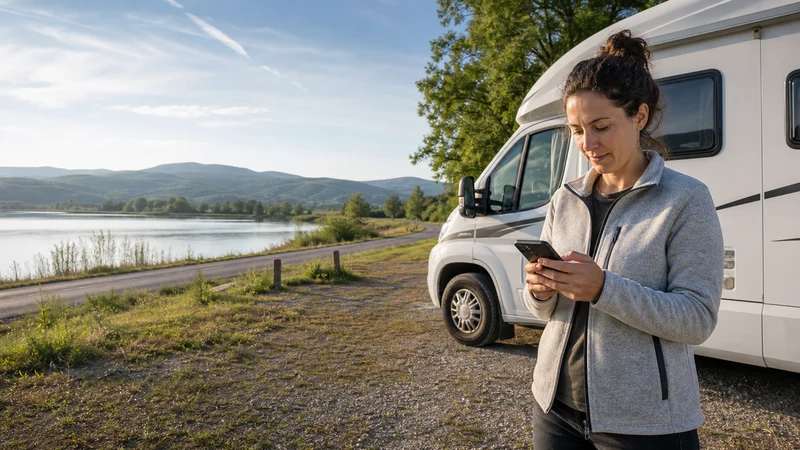

Planning mobile data for a Hungary road trip means choosing a connection that works beyond central Budapest. Motorway service is generally useful for navigation and travel updates, but continuous coverage cannot be guaranteed on every rural road, inside a cellar, near a border or in accommodation with thick walls.
The practical goal is not to remain online every second. It is to combine a suitable Hungary or regional plan with offline maps, downloaded bookings and a clear fallback when the route crosses a weak-signal area.
NoveSIM travel eSIMs are data-only. We do not provide a Hungarian number, conventional calls or SMS. Maps, messaging, translation, internet calls and booking applications work through mobile data.
Quick answer: Use a Hungary eSIM for a domestic drive and a regional eSIM only when every country on a cross-border route is listed. Install it before collecting the car, keep network selection automatic, download the route offline and save enough data and battery for the final driving day. A passenger should handle live searches and troubleshooting while the vehicle is moving.
Top Hungary eSIMs

Hungary eSIM
Fixed
1 GB, 7 days€ 1.762 GB, 15 days€ 3.523 GB, 30 days€ 4.40Unlimited
Unlimited, 1 day€ 2.20Unlimited, 3 days€ 4.84Unlimited, 5 days€ 7.93
Europe Extra eSIM
Fixed
1 GB, 7 days€ 2.202 GB, 15 days€ 3.523 GB, 30 days€ 4.40Unlimited
Unlimited, 1 day€ 2.64Unlimited, 3 days€ 5.28Unlimited, 5 days€ 8.81Europe+ eSIM
Fixed
1 GB, 7 days€ 2.642 GB, 15 days€ 3.963 GB, 30 days€ 5.28Unlimited
Unlimited, 1 day€ 2.64Unlimited, 3 days€ 6.16Unlimited, 5 days€ 10.13What should a Hungary road-trip data plan include?
| Decision | Domestic trip | Cross-border trip |
|---|---|---|
| Coverage area | Hungary must be listed | Every destination and transit country must be listed |
| Validity | All driving and arrival days | Entire multi-country itinerary plus a small buffer |
| Data allowance | Maps, bookings and ordinary sharing | Shared allowance for the full regional route |
| Hotspot | Useful for a passenger or tablet | Confirm that tethering works throughout the plan |
| Network details | Hungarian partner network | Partner arrangements can change by country |
| Top-up | Helpful for an extended route | Check whether one top-up covers all included countries |
Do not choose only by the largest allowance. A smaller plan that covers the correct countries and remains valid until the car is returned can be more useful than an oversized package with the wrong expiry date.
Available plans appear on the Hungary eSIM product page. The Hungary eSIM selection guide explains the wider comparison between allowance, validity and network terms.
Hungary-only or regional eSIM?
A country plan is the direct choice for a route that remains within Hungary, such as Budapest–Eger–Tokaj, Budapest–Lake Balaton–Pécs or a circuit through Szeged and Debrecen. It avoids paying for regional coverage that will not be used.
Choose a regional plan when the itinerary continues into Austria, Slovakia, Croatia, Slovenia, Romania, Serbia or another included country. “Europe” is not a complete coverage statement: inspect the written country list before purchase. Serbia, in particular, should never be assumed from EU coverage or EU roaming language.
At a border, the phone may need several minutes to leave the Hungarian partner and register on a network in the next country. Keep selection on automatic, stop somewhere safe if settings require attention and download the first section of the foreign route before crossing.
How much data does driving use?
Turn-by-turn navigation is usually lighter than video, cloud backup or a passenger’s social-media feed. Data use rises when maps continually download new areas, satellite imagery is enabled, several devices share the hotspot or photos upload automatically.
- Essential use: navigation, traffic, messages, parking and bookings.
- Moderate use: music streaming, restaurant research and photo sharing.
- Heavy use: video, laptop tethering, cloud backup and multiple passengers.
Download the required map regions over WiFi and turn off automatic media backup. This preserves mobile data for live traffic, closures, accommodation messages and unexpected route changes. Use the Hungary data-allowance guide to estimate a plan from your own phone statistics.
Prepare navigation before starting the car
Offline maps are the main protection against a short coverage gap. Download the whole driving area, not just Budapest and the final town. Save the exact accommodation entrance, parking location and any rural meeting point because a street address may not identify a vineyard gate or guesthouse access road.
Keep these items available without a connection:
- the planned route and at least one sensible alternative;
- rental-company and accommodation contact details;
- booking references and check-in instructions;
- roadside-assistance and insurance information;
- the next fuel or charging stop on a remote section;
- an emergency contact and important medical information.
A live traffic service is useful, but it should improve an already usable offline route rather than be the only copy. Mount the phone and set the destination before moving. The driver should not scan networks, edit an APN or compare routes while driving.
Mobile coverage on Hungarian motorways
Major corridors such as the M1, M3, M5, M6 and M7 pass through many served areas, but performance still changes with terrain, congestion, weather, the partner network and the phone. A moving device also hands the connection from one cell to another, so a stream may pause even when navigation continues.
Motorway service areas are better places to check a new booking or restart a connection than the roadside. If the phone briefly loses data, continue with the downloaded route and let it reconnect automatically. Repeated manual network switching can delay recovery and may leave the phone locked to an unsuitable choice later.
Rural roads, villages and accommodation
Rural Hungary should be assessed at route level. A village centre may have service while a wooded approach road, valley or isolated farm stay is weaker. Indoor reception can also be worse than the signal outside because of thick walls or a low room.
Do not use one Budapest speed test as proof for the entire journey. Check the supported partner’s coverage map at the relevant scale, then treat it as an estimate rather than a guarantee. The Hungary eSIM coverage guide explains how to read route maps and separate network reach from indoor performance.
If reception at the accommodation is weak, test near a window or outside before changing the phone configuration. Ask whether the property has reliable WiFi, but download the next route before relying on an unfamiliar connection.
Lake Balaton driving
Lake Balaton combines busy resort towns, roads close to the shore and quieter inland sections. Seasonal visitor numbers can slow a cell even when the phone shows strong signal. Performance at a beach, campsite or crowded event may therefore differ from an ordinary weekday drive.
Save the accommodation location, parking rules and return route before leaving the main road. If the itinerary includes the northern hills or smaller villages, keep maps and bookings offline and carry enough battery for a longer detour.
Tokaj, Eger, Villány and wine-region routes
Wine-region connectivity can change between a town, hillside road, vineyard and cellar. Underground or stone-walled tasting areas may have little reception even when mobile data works outside. Download the reservation, designated-driver arrangements and return route before entering.
Never depend on an app connection to make a safe decision after tasting alcohol. Arrange a driver, taxi or accommodation in advance and keep the written details available offline. Mobile coverage is a travel tool, not a substitute for transport planning.
What happens near international borders?
A phone near a border can detect a network from the neighbouring country before the car crosses. With a Hungary-only plan, leave automatic selection enabled unless the provider advises otherwise and watch which line is selected for data. With a regional plan, confirm that both countries are covered and that the validity continues unchanged.
Keep roaming disabled on the home SIM unless its tariff is intentionally being used. Automatic cellular-data switching can move traffic to that line during a temporary eSIM interruption, so turn the feature off before departure. The Hungary roaming guide covers home-plan charges and EU fair-use considerations.
Can passengers share the connection?
A permitted phone hotspot can connect a passenger’s phone, tablet or laptop. It is useful for researching the next stop, but every connected device uses the same allowance and depends on the host phone’s signal.
Protect the hotspot with a password, disable laptop updates and pause cloud backup. Turn tethering off when it is no longer needed because it increases battery use and heat. Confirm any separate hotspot restriction in the selected plan; the Hungary hotspot guide provides the device checks.
Battery planning for a full driving day
Navigation, a bright screen, weak-signal searching, heat and hotspot use can drain a phone quickly. Start with a charged device, carry a power bank and use a reliable car charger. Do not leave the phone in direct sunlight on the dashboard.
Offline maps reduce repeated downloads but do not eliminate GPS battery use. Lower screen brightness where safe, close unnecessary apps and avoid forcing 5G when 4G is stable. A charged phone with downloaded directions is more valuable than a faster network mode with an empty battery.
Install and test the eSIM before collecting the car
- Confirm that the exact phone model supports eSIM and is unlocked.
- Check when plan validity begins.
- Install the profile over stable WiFi.
- Label the line clearly, such as “Hungary road data”.
- Save the order and support information offline.
- After arrival, select the eSIM for mobile data.
- Enable data roaming on the travel line if required.
- Disable roaming and automatic data switching on the home SIM.
- Test a normal webpage with WiFi off before driving away.
Device-specific instructions are available in the Hungary eSIM installation guide. Do not leave installation until the rental-car queue, where time, WiFi quality and access to another screen may be limited.
What to do if data stops during the drive
Continue to a safe stopping place using the offline route. A passenger can observe the connection, but configuration changes should wait until the vehicle is parked.
- Turn off WiFi and confirm that the Hungary eSIM is selected for data.
- Check that the plan remains valid and has data available.
- Confirm the required roaming setting on the travel line.
- Toggle aeroplane mode briefly, then allow time for registration.
- Keep network selection automatic initially.
- Test outside the vehicle or in another location to rule out a local gap.
- Check the APN only against the provider’s instructions.
Do not delete the eSIM during routine troubleshooting. Use the Hungary eSIM troubleshooting guide and preserve screenshots of the selected line, displayed network and any error message for support.
Related Articles
FAQ
Will mobile data work throughout a Hungary road trip?
It can work across much of the route, but no plan guarantees continuous service on every rural road, inside every building or during congestion. Download maps and essential bookings before driving.
Do I need a regional eSIM for driving in Hungary?
Not for a route that remains in Hungary. Choose a regional plan when the trip enters other countries and confirm that every destination and transit country is listed.
Is 5G necessary for road-trip navigation?
No. Stable 4G is sufficient for maps, traffic, messages and bookings. Coverage and battery life matter more than forcing the phone to remain on 5G.
Should I switch networks manually when signal drops?
Leave selection automatic first. Use a manual partner only when the plan instructions or support names it, and return to automatic before crossing a border.
Final Recommendation
For mobile data on a Hungary road trip, choose a country eSIM for a domestic drive and a regional plan only when the written country list covers the complete cross-border itinerary. Compare validity, partner networks, hotspot rules and top-up access rather than buying by allowance alone.
Install and test the plan before collecting the car. Download maps, bookings, roadside-assistance details and the first route after each border while the connection is stable.
Keep network selection automatic, protect the home SIM from accidental data use and carry reliable power. Most importantly, let a passenger handle live searches and stop safely before changing any phone setting.