


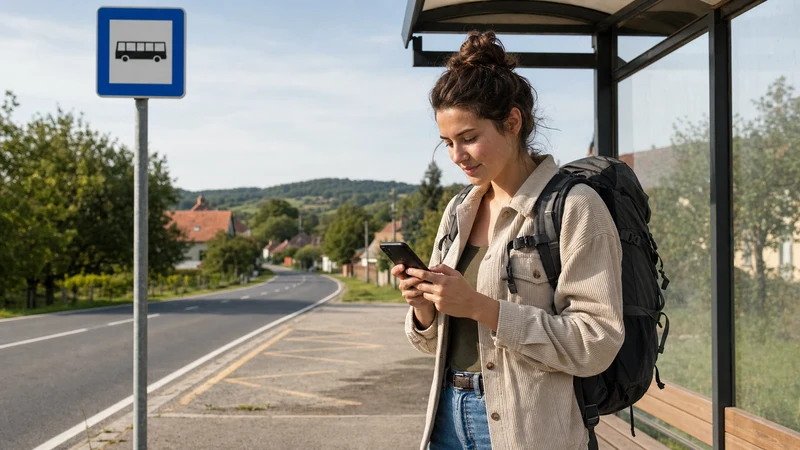

Mobile data in Hungary helps backpackers navigate, access tickets, find accommodation and stay in contact while moving between cities. The challenge is not only getting connected, but using the allowance efficiently across trains, hostels and day trips.
A Hungary travel eSIM can serve domestic destinations without replacing the physical SIM. Hostel WiFi is useful for large downloads, while mobile data remains available between properties and on transport.
NoveSIM travel eSIM plans are data-only. They normally do not include a Hungarian number, traditional calls or SMS. Maps, messaging, email, translation and internet calls work through data.
Quick answer: Download maps and entertainment over trusted WiFi, restrict cellular backups and updates, and monitor usage by application. Keep a small data buffer for travel days and confirm top-up terms before the allowance runs out.
Top Hungary eSIMs

Hungary eSIM
Fixed
1 GB, 7 days€ 1.732 GB, 15 days€ 3.463 GB, 30 days€ 4.33Unlimited
Unlimited, 1 day€ 2.16Unlimited, 3 days€ 4.76Unlimited, 5 days€ 7.79
Europe Extra eSIM
Fixed
1 GB, 7 days€ 2.162 GB, 15 days€ 3.463 GB, 30 days€ 4.33Unlimited
Unlimited, 1 day€ 2.60Unlimited, 3 days€ 5.19Unlimited, 5 days€ 8.65Europe+ eSIM
Fixed
1 GB, 7 days€ 2.602 GB, 15 days€ 3.893 GB, 30 days€ 5.19Unlimited
Unlimited, 1 day€ 2.60Unlimited, 3 days€ 6.06Unlimited, 5 days€ 9.95What uses the most mobile data?
| Activity | Relative use | Budget approach |
|---|---|---|
| Messages and tickets | Low | Keep available on mobile data |
| Maps and searches | Low to moderate | Download map areas |
| Music | Moderate | Download playlists |
| Photo uploads | Moderate to high | Back up on WiFi |
| Video and hotspot | High | Limit or use trusted WiFi |
The Hungary data guide provides trip-level planning ranges.
How much data should backpackers plan?
A light user who downloads maps and uses WiFi for media can manage with a smaller allowance. A traveller posting video or sharing a laptop connection needs much more.
Estimate the number of travel days, cities and devices. Include a buffer for delays, lost WiFi access or an unexpected route change.
- Light use: offline maps, messages, tickets and email.
- Moderate use: browsing, music, social media and photos.
- Heavy use: video, tethering and cloud transfers.
How to download maps before moving
Save the city map for every destination, plus the route from the station to accommodation. Verify that the navigation application can search and route offline.
- Connect to trusted hostel or accommodation WiFi.
- Download the next destination map.
- Pin the station, hostel and backup accommodation.
- Save the final train or bus time.
- Store the ticket in an approved offline format.
- Test the map with mobile data temporarily disabled.
Offline maps reduce data use and remain available during rural coverage changes.
How to stop background data
Automatic photo backup, application updates and cloud synchronisation can consume data without an obvious foreground action.
- Restrict system and app updates to WiFi.
- Pause cellular photo and video backup.
- Disable automatic media downloads in chat applications.
- Turn off cellular access for non-essential apps.
- Lower video and music quality.
- Review per-app usage daily.
Do not disable security or essential communication features without understanding the effect.
How to use hostel WiFi strategically
Use trusted hostel WiFi for maps, entertainment, software updates and cloud backup. Shared networks can slow down during the evening.
Confirm the network name with reception and avoid sensitive activity on unknown open WiFi. Never install an unexpected certificate or device-management profile.
Keep the eSIM available if a captive portal fails or the WiFi becomes crowded.
Mobile data on trains and buses
Moving vehicles can experience cell handovers and rural coverage changes. Messages and cached maps tolerate interruptions better than video.
Save tickets before boarding. The Hungary train-travel internet guide covers rail preparation.
Mobile data in Budapest
Budapest backpackers often use data for public transport, hostel access and late-night navigation. Save the accommodation address and entry code offline.
The Budapest mobile-data guide and public WiFi guide provide local detail.
Mobile data in regional Hungary
A Hungary eSIM can normally continue to regional cities and Lake Balaton. Rural trains, hills and thick-walled buildings can create local variation.
Use the Szeged mobile-data guide, Pécs guide, Debrecen guide and Lake Balaton guide.
Can companions share the connection?
Hotspot use depends on the plan and phone. When permitted, a companion can connect, but both users draw from the same allowance.
Use a strong password and limit connected devices. Pause computer updates and video autoplay. The Hungary hotspot guide explains setup.
How to monitor data use
Check the provider balance and the phone’s per-app data statistics. Reset the device counter at the start of the plan when practical.
Provider accounting is authoritative for the purchased allowance. Phone statistics help identify heavy apps but may count on a different schedule.
Review usage before each travel day rather than waiting for the plan to stop.
What to know about top-ups
Check whether the plan can be topped up, whether a new profile is required and when the added data expires. Compare the top-up price with a larger initial allowance.
Complete any top-up on a trusted connection before the existing plan is completely exhausted. Save the confirmation offline.
Why keep an emergency data buffer?
Do not plan to use the final megabyte on the final scheduled day. A delayed train, accommodation change or unavailable hostel WiFi can create an unexpected need for maps and communication.
Reserve part of the allowance for travel days and essential tasks. Stop video, cloud backup and social-media autoplay when the balance reaches that reserve.
An offline map and written accommodation address remain important even with a buffer. The reserve reduces inconvenience; it does not replace basic preparation for a lost phone, empty battery or local coverage gap.
How to verify eSIM compatibility
The phone must support eSIM and be carrier-unlocked. Regional models can differ, and an operator-supplied handset may remain restricted.
- Look for an Add eSIM setting.
- Check device information for an EID.
- Confirm unlocked status.
- Match the exact model and region to the provider’s list.
Use the Hungary compatibility guide.
How to install and activate
Install on trusted WiFi after checking when validity begins. Select enough duration for the full route.
- Choose Hungary or regional coverage.
- Check data, validity, top-up and hotspot terms.
- Install through the supplied QR code or app.
- Label the profile, such as Backpacking Data.
- Enable it and select it for mobile data.
- Enable roaming on it when required.
- Disable automatic fallback to the home SIM.
Use the installation guide and activation guide.
Will 5G save data?
No. 5G can be faster but does not make the same activity use less content. Faster speed may encourage higher-quality video or larger transfers.
Stable 4G is sufficient for normal backpacking tasks. The Hungary 5G guide explains availability.
What to do if data is slow
Pause backups, streaming and hotspot clients. Move into an open area and toggle airplane mode briefly.
Check remaining high-speed data. The slow Hungary eSIM guide provides a checklist.
What to do if there is no internet
Do not delete the profile. Confirm the selected data line, roaming setting, plan status and current country.
- Enable the travel eSIM.
- Select it for mobile data.
- Enable roaming when required.
- Toggle airplane mode briefly.
- Restart the phone if needed.
- Keep network selection automatic first.
- Enter an APN only when supplied.
Use the Hungary troubleshooting guide and APN guide.
Related Articles
- Internet for Backpacking Hungary
- Best eSIM for Backpacking Hungary
- Mobile Data in Hungary
- Internet for Hungary Train Travel
- Best eSIM for Hungary
FAQ
How much mobile data do Hungary backpackers need?
It depends on duration and activities. Offline maps and hostel WiFi can keep use low, while video and hotspot sharing require much more.
Can hostel WiFi reduce data use?
Yes. Use trusted hostel WiFi for maps, entertainment, updates and backups.
Can backpackers share a hotspot?
Yes when the plan permits it, but every connected device uses the same allowance.
Should data use be checked daily?
Yes. Daily checks identify heavy applications before the allowance is exhausted.
Does 5G use less data?
No. Data use depends on the content and quality, not simply the network generation.
Final Recommendation
Choose a realistic allowance and use trusted hostel WiFi for large transfers. Keep mobile data available for navigation, tickets and communication between destinations.
Download maps, restrict background use and monitor the provider balance. Confirm top-up terms before the plan runs low.
Install the eSIM before travel, select it for data and prevent fallback to the home SIM. This keeps backpacking connectivity predictable and affordable.