


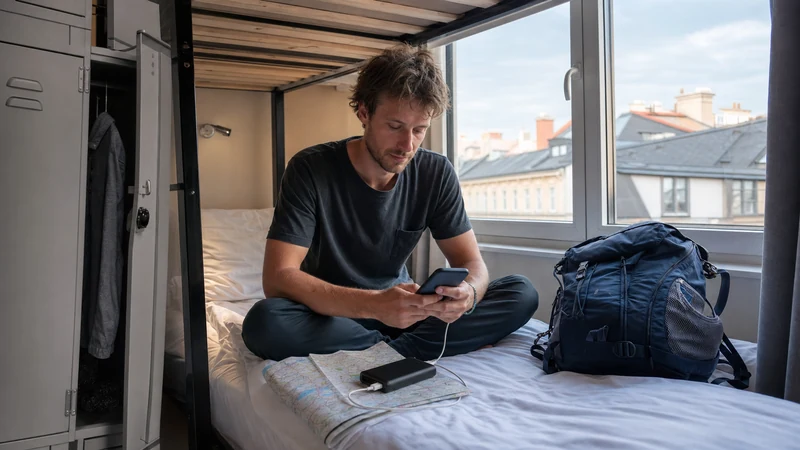

Mobile data in Austria helps backpackers open tickets, find hostels, navigate between cities and communicate during changing travel plans. A travel eSIM, local prepaid SIM or suitable home-roaming plan can provide the connection, supported by WiFi at some accommodation and transport locations.
A compatible carrier-unlocked phone can use an Austria eSIM without removing the home SIM. Coverage may change on regional trains, in tunnels and across Alpine valleys, so tickets, maps and check-in information should remain available offline.
NoveSIM travel eSIM plans are data-only. They normally do not provide an Austrian telephone number, traditional calls or SMS, although internet messaging and calling applications can work through mobile data when service is available.
Quick answer: Download maps and tickets before each transfer, install the eSIM on reliable WiFi and select it for mobile data after arrival. Restrict background applications, use trusted hostel WiFi for large downloads and keep data roaming disabled on the home SIM.
Top Austria eSIMs

Austria eSIM
Fixed
1 GB, 7 days2.00$2 GB, 15 days3.50$3 GB, 30 days4.50$Unlimited
Unlimited, 1 day2.50$Unlimited, 3 days6.00$Unlimited, 5 days9.50$
Europe Extra eSIM
Fixed
1 GB, 7 days2.50$2 GB, 15 days4.00$3 GB, 30 days5.00$Unlimited
Unlimited, 1 day3.00$Unlimited, 3 days6.00$Unlimited, 5 days10.00$Europe+ eSIM
Fixed
1 GB, 7 days3.00$2 GB, 15 days4.50$3 GB, 30 days6.00$Unlimited
Unlimited, 1 day3.00$Unlimited, 3 days7.00$Unlimited, 5 days11.50$Europe Lite eSIM
Fixed
1 GB, 7 days2.50$2 GB, 15 days4.00$3 GB, 30 days5.00$Unlimited
Unlimited, 1 day3.00$Unlimited, 3 days6.00$Unlimited, 5 days10.00$What Uses Data on a Backpacking Trip?
| Activity | Relative demand | Data-saving approach |
|---|---|---|
| Offline maps and tickets | Low | Download every destination on WiFi |
| Messages and hostel bookings | Low | Limit automatic media downloads |
| Web searches and email | Low to moderate | Avoid unnecessary large attachments |
| Music and podcasts | Moderate | Save content before transport days |
| Social video and streaming | High | Lower quality or use trusted WiFi |
| Photo backup and laptop hotspot | Potentially very high | Pause synchronisation and updates |
Trip length alone does not determine consumption. A careful traveller using offline maps can consume less over several weeks than a visitor uploading video every day. The Austria trip data guide helps build an activity-based estimate.
Which Mobile Data Option Fits Backpackers?
| Option | Advantage | Limitation |
|---|---|---|
| Austria eSIM | Advance setup while keeping the home SIM | Requires compatible unlocked hardware |
| Regional Europe eSIM | One profile for a multi-country route | Every destination must be verified |
| Local prepaid SIM | Suitable for selected longer stays or non-eSIM phones | Purchase and registration may be required |
| Home roaming | No extra installation when Austria is included | Fees and fair-use terms vary |
| Hostel WiFi | Useful for large downloads and backups | Performance and room coverage vary |
Compare the options in the Austria local SIM versus eSIM guide. Mobile data and hostel WiFi are complements rather than complete substitutes.
Austria-Only or Regional Data?
An Austria-only plan can suit a domestic route between Vienna, Salzburg, Innsbruck, Graz and smaller Austrian destinations. A regional eSIM is more practical when the backpacking itinerary continues across a border.
Verify the exact country list. A “Europe” label does not guarantee every European destination, and Switzerland may be handled differently. Include transit countries and the country of arrival airport.
When crossing a border, network registration can take several minutes. Keep the next route and accommodation information offline and leave network selection automatic initially.
Check Phone Compatibility Before Buying
- Find the exact phone model and sales region.
- Check the manufacturer’s official eSIM documentation.
- Look for Add eSIM or a similar mobile-plan option.
- Ask the original carrier to confirm unlocked status.
- Check whether employer management restricts additional profiles.
Use the full Austria eSIM compatibility checklist. An eSIM provider cannot remove a carrier lock.
When Should You Install the eSIM?
Install before departure over dependable private WiFi. Keep the QR code, manual setup details, order reference and support information accessible on another device or in print.
Check the validity trigger. Some plans begin at installation, while others begin after the first connection to a supported destination network. Follow the exact product rule.
A destination eSIM may show no service before arrival. Do not delete the installed profile simply because it cannot register outside the covered area.
How to Activate Backpacker Mobile Data
- Enable the installed Austria or regional eSIM.
- Give it a clear travel label.
- Select it as the cellular or mobile-data line.
- Enable data roaming on the eSIM if required.
- Keep roaming off on the home SIM unless intentionally used.
- Disable automatic mobile-data switching.
- Leave network selection automatic and wait for registration.
- Test a normal webpage before leaving WiFi.
The Austria eSIM activation guide covers common iPhone and Android menus.
How to Reduce Data Use
- Download map regions before each travel day.
- Store tickets, hostel addresses and check-in instructions offline.
- Disable automatic video playback in social apps.
- Set photo and video backup to WiFi only.
- Restrict background data for non-essential applications.
- Download music and podcasts instead of streaming them.
- Review the phone’s data-usage screen regularly.
Do not disable a required travel or authentication application without understanding the effect. The goal is to remove waste, not block essential services.
How to Use Hostel WiFi
Hostel WiFi is useful for updates, entertainment, map downloads and photo backup. Speed may depend on the room, building and number of guests.
- Confirm the correct network at reception.
- Avoid lookalike hotspots and unexpected certificate warnings.
- Prefer encrypted websites.
- Use a trusted VPN when required by work or personal security practice.
- Do not leave a device charging unattended in a shared area.
- Turn off automatic joining of unknown networks.
Download the next day’s essentials while the connection works. Do not assume the next rural hostel will offer the same performance.
Mobile Data on Trains and Buses
Austrian backpacking often combines intercity trains, regional rail and buses. Tunnels, cuttings and Alpine valleys can interrupt mobile service, while onboard WiFi depends on the exact vehicle and operator.
- Download the official ticket according to the issuer’s rules.
- Save platform and connection information.
- Download the map around the destination station.
- Store the hostel address and check-in deadline.
- Charge the phone and power bank.
- Save entertainment before boarding.
The phone often reconnects automatically after leaving a tunnel. A brief outage does not necessarily indicate an eSIM fault.
Coverage in the Austrian Alps
Mountain terrain can block mobile signals. A supported network may work in a populated valley but disappear behind a ridge or on a remote trail.
Download suitable offline maps and weather information before leaving a confirmed connection. A general phone map does not replace a current topographic map, appropriate equipment, experience or local advice.
Never leave a marked route or enter an unsafe area merely to find signal. Internet calling applications require data and should not be the only emergency plan.
Can Backpackers Share Hotspot?
Hotspot may work when supported by the plan and phone. Sharing with a companion or laptop can increase data use and battery drain.
- Use a strong password.
- Connect only recognised devices.
- Mark laptop connections as metered.
- Pause operating-system updates and cloud backup.
- Monitor remaining allowance.
- Turn hotspot off when it is no longer needed.
Calls, SMS and WhatsApp
A compatible dual-SIM phone can often keep the home line active for calls and SMS while the eSIM provides data. The home provider may charge for calls, messages, voicemail and roaming.
Review the Austria roaming charges guide. Selecting an eSIM for data does not make services on the home line free.
WhatsApp and similar apps usually retain the existing account and use travel data. Do not re-register simply because an eSIM was installed. See WhatsApp with an Austria eSIM for the usual dual-SIM arrangement.
Battery and Phone Security
Navigation, weak-signal searching and photography can drain a battery. Carry a charged compatible power bank and keep the phone protected from moisture, cold and heat.
Use a screen lock, keep the device secure in crowded stations and do not leave it unattended in shared accommodation. Store essential recovery information securely in case the phone is lost or damaged.
Prepare a second way to access critical tickets and addresses. A printed copy or secure secondary device can protect the next travel step.
What If Mobile Data Stops Working?
- Confirm that the eSIM is enabled and selected for data.
- Check the required data-roaming setting.
- Toggle airplane mode briefly and wait for registration.
- Restart the phone in a known covered area.
- Leave network selection automatic unless support requests a manual test.
- Verify validity, remaining allowance and included country.
- Use only the product-specific APN if required.
- Contact support with the order reference, model, location and screenshots.
Do not delete the eSIM unless support explicitly instructs you to do so, because reinstallation may be restricted. Follow the Austria eSIM troubleshooting guide for the complete sequence.
Related Articles
- Mobile Data in Austria
- How Much Data for Austria?
- Austria eSIM Compatibility
- How to Activate an Austria eSIM
- Austria Roaming Charges
- Austria eSIM Troubleshooting
FAQ
How much mobile data do backpackers need in Austria?
It depends on trip length and activity. Offline maps and messaging are light, while streaming, photo backup and hotspot use are heavier. Estimate each activity and add a sensible buffer.
Can I rely on hostel WiFi?
Hostel WiFi is useful for larger downloads, but availability, speed and room coverage vary. Keep mobile data and offline information for travel between properties.
Do I need a regional eSIM?
Choose a regional plan for a cross-border itinerary and verify every included country. Austria-only coverage can suit a fully domestic route.
Can I share data with another backpacker?
Hotspot may work if supported by the plan and phone. Control automatic updates and monitor the shared allowance.
Will mobile data work in the Alps?
It can work where a supported partner has coverage, but terrain can create gaps. Prepare appropriate offline navigation and safety resources.
Should I delete an eSIM that loses service?
No. Check settings and try again in a covered area. Delete the profile only when support explicitly instructs you.
Final Recommendation
Choose Austria-only or regional mobile data according to the complete backpacking route, validity, allowance, supported networks and hotspot needs.
Install before departure, select the travel line correctly and protect the home SIM from unintended roaming. Use trusted hostel WiFi for larger downloads and keep tickets and maps offline.
Control background data, carry power and maintain a backup for critical information. This creates a flexible connection without making continuous signal essential.