
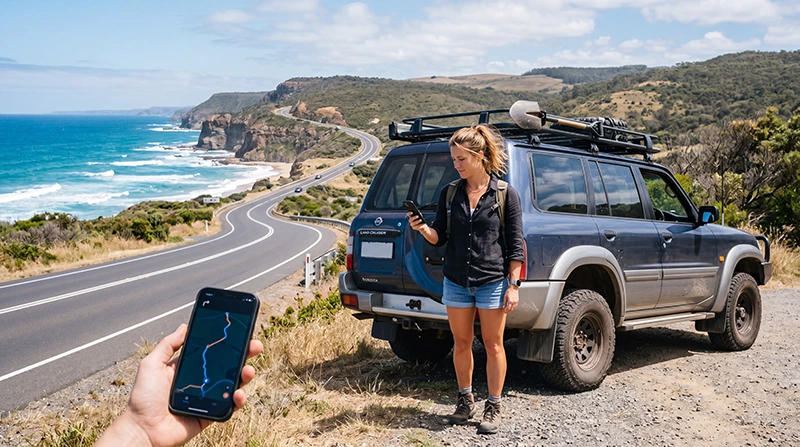

Traveler using mobile data during an Australia road trip

Mobile Data for Australia Road Trips: How to Stay Connected Across Australia

Australia is one of the world’s ultimate road trip destinations. Whether you are driving the Great Ocean Road, exploring the East Coast from Sydney to Cairns, discovering Tasmania, visiting the Red Centre, or crossing Western Australia, reliable mobile data is essential for navigation, bookings, communication, and safety.

Unlike many smaller countries, Australia covers enormous distances. Some routes involve hours of driving between towns, making mobile internet an important part of every road trip.

Quick answer: for most international travelers, an Australia eSIM is the easiest way to get mobile data before and during an Australia road trip.

Top Australia eSIMs

Why Mobile Data Is Important During an Australia Road Trip

Most road trip travelers use mobile data dozens of times every day. Internet access helps you stay flexible and adapt your plans while traveling.

  • Google Maps navigation
  • Traffic information
  • Fuel station searches
  • Hotel and campground bookings
  • Restaurant recommendations
  • Weather forecasts
  • Emergency communication
  • Tour reservations
  • Photo and video sharing
  • Messaging family and friends

Best Mobile Data Options for Australia Road Trips

Option Best For Advantages Limitations
Australia eSIM Most tourists Instant setup before travel Requires eSIM-compatible phone
Local SIM Card Long stays Local network access Requires physical SIM swap
International Roaming Short trips No installation needed Usually expensive
Public WiFi Light users Often free Limited availability

Why eSIM Is Ideal for Road Trip Travelers

Road trip travelers often start driving shortly after arriving in Australia. Having mobile data immediately available can save time and eliminate the need to search for SIM card stores.

  • Install before departure
  • Receive QR code instantly
  • No physical SIM card needed
  • Works throughout Australia
  • Keep your primary SIM active
  • Avoid airport queues

Popular Australia Road Trip Routes

Sydney to Brisbane

This popular coastal drive includes Byron Bay, Port Macquarie, Coffs Harbour, and numerous beach destinations.

Great Ocean Road

One of Australia’s most iconic drives connecting Melbourne with the Twelve Apostles and spectacular coastal scenery.

Cairns to Cape Tribulation

A tropical road trip through rainforest regions and gateway areas to the Great Barrier Reef.

Perth to Margaret River

Western Australia’s famous wine and coastal driving route.

The Red Centre

Road trips around Uluru, Kings Canyon, and Alice Springs often require additional preparation due to long distances.

Will Mobile Data Work Everywhere?

Australia has excellent mobile coverage in major cities and tourist destinations, but coverage may become limited in remote areas.

Coverage is generally strongest in:

  • Sydney
  • Melbourne
  • Brisbane
  • Perth
  • Adelaide
  • Cairns
  • Canberra
  • Major highways
  • Tourist regions

Coverage may be less reliable in:

  • Remote Outback regions
  • Desert areas
  • Some national parks
  • Remote mountain regions
  • Very isolated roads

Download Offline Maps Before Driving

Even if you have mobile data, downloading offline maps before starting your journey is highly recommended.

Offline maps can help if:

  • You temporarily lose coverage
  • You enter remote regions
  • Your phone switches networks
  • You need emergency navigation

How Much Mobile Data Do You Need?

Road Trip Type Recommended Data
Weekend road trip 3–5 GB
One-week road trip 5–10 GB
Two-week road trip 10–20 GB
Cross-country journey 20 GB+
Content creators Unlimited or large plans

Can You Keep Your Home Number?

Yes. Most modern smartphones support dual-SIM functionality.

This allows you to:

  • Keep your regular phone number
  • Receive SMS verification codes
  • Receive calls
  • Use Australia eSIM for mobile data
  • Continue using banking apps

Will WhatsApp Work During an Australia Road Trip?

Yes. WhatsApp works normally whenever mobile data or WiFi is available.

  • Messages
  • Voice calls
  • Video calls
  • Location sharing
  • Photo sharing
  • Group chats

Your WhatsApp account remains linked to your existing phone number.

Recommended Australia eSIM Settings

Setting Recommended Value
Mobile Data Australia eSIM
Data Roaming ON for the eSIM
APN data.esim
Primary SIM Calls and SMS
Automatic Data Switching OFF

Common Mobile Data Mistakes During Australia Road Trips

  • Assuming coverage exists everywhere.
  • Not downloading offline maps.
  • Waiting until arrival to arrange internet.
  • Leaving roaming enabled on the primary SIM.
  • Not checking eSIM compatibility.
  • Relying entirely on public WiFi.

Related Australia Travel Internet Guides

FAQ: Mobile Data for Australia Road Trips

What is the best mobile data option for an Australia road trip?

For most international travelers, an Australia eSIM provides the best combination of convenience, flexibility, and immediate connectivity.

Will mobile data work in remote Australia?

Coverage is excellent in populated areas but may be limited in remote Outback regions.

Should I download offline maps?

Yes. Offline maps are highly recommended for long-distance and remote road trips.

Can I use WhatsApp during an Australia road trip?

Yes. WhatsApp works normally whenever mobile data or WiFi is available.

Can I keep my regular phone number?

Yes. Most dual-SIM devices allow you to keep your primary SIM active while using an Australia eSIM for mobile data.

Final Recommendation

Australia offers some of the world’s most spectacular road trips, and reliable mobile data makes every journey easier, safer, and more enjoyable. Whether you are driving along the coast, exploring national parks, or crossing vast Outback landscapes, having internet access allows you to navigate, communicate, and manage your trip efficiently.

For most travelers, an Australia eSIM is the simplest and most convenient way to stay connected throughout the journey.

Browse Australia eSIM plans here.

Scroll to Top